

Summary
Payroll integration connects published schedules and attendance to payroll so worked hours, overtime, and leave export cleanly. USA teams use it to cut manual timesheet entry, reduce disputes, and keep the roster payroll trusts aligned with clock data.
Step-by-step
How Payroll Integration Works
Payroll integration connects systems that normally operate independently: scheduling, time and attendance, leave, workforce management, and payroll. They exchange approved workforce data through APIs, scheduled sync, or payroll export files.
Step 1: Employees work scheduled shifts
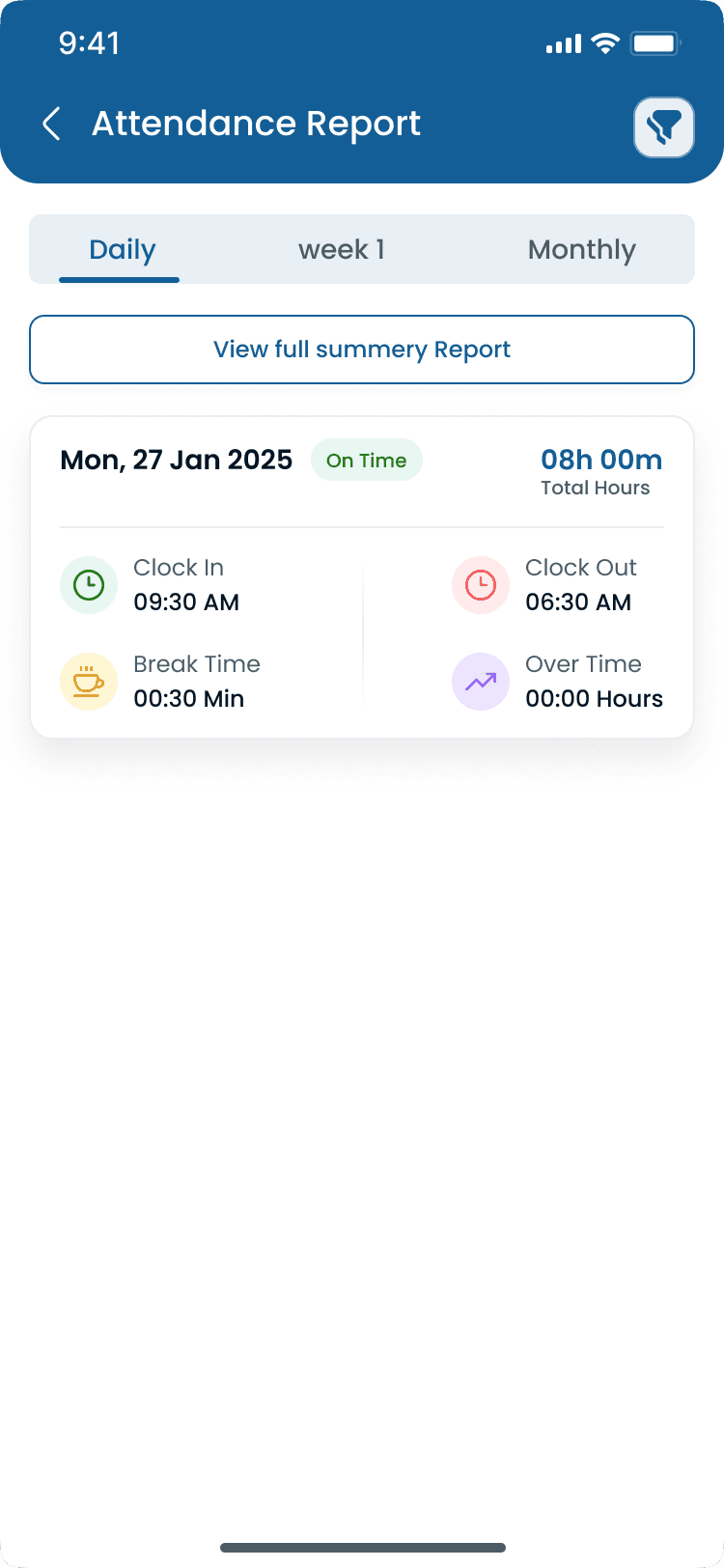
Employees clock in and out, take breaks, record overtime, request leave, and swap shifts when approved. Activity is captured in employee time tracking and employee clock in and clock out workflows on the mobile app.
Step 2: Attendance is verified
Managers review worked hours, missed punches, corrections, overtime, break compliance, and leave. Approved records become payroll-ready through employee attendance tracking.
Step 3: Payroll data is prepared
The platform calculates regular hours, overtime, holiday hours, paid and unpaid leave, shift differential pay, premiums, and break deductions per company rules.
Step 4: Data syncs to payroll
Approved data transfers automatically via API, connector, scheduled sync, or CSV export at payroll close instead of manual typing.
Step 5: Payroll is processed
Payroll software calculates gross wages, taxes, deductions, benefits, and net pay. Managers review totals with less rework because attendance was validated upstream.
“Payroll integration is not payroll software. It moves approved workforce data into payroll so wages, taxes, and deductions calculate from verified hours.”
Examples
Shared Data and Payroll Comparisons
Know what crosses the integration boundary and how integrated workflows differ from manual payroll preparation.
Employee information synced
| Data field | Typical use |
|---|---|
| Employee ID | Match records across WFM and payroll |
| Name, department, job role | Payroll classification and reporting |
| Cost center | Labor allocation by location or department |
| Pay rate | Wage calculation baseline |
Attendance and leave data synced
| Category | Examples transferred |
|---|---|
| Attendance | Clock-in/out, breaks, total hours, overtime, missed punches |
| Leave | Vacation, sick, PTO, holiday pay, unpaid leave, balances |
| Payroll codes | Regular hours, OT, shift premiums, differential pay, holiday rates |
Manual payroll vs payroll integration
| Topic | Manual payroll | Payroll integration |
|---|---|---|
| Data entry | Manual re-keying | Automated synchronization |
| Calculations | Spreadsheets | System rules in WFM |
| Error risk | Higher | Lower with approved source data |
| Speed | Slow per pay period | Faster export or sync |
| Attendance link | Separate records | Connected attendance and payroll |
Payroll integration vs payroll software
| Topic | Payroll integration | Payroll software |
|---|---|---|
| Primary role | Connects business systems | Calculates employee pay |
| Transfers | Approved workforce data | Produces paychecks |
| Eliminates | Duplicate entry | Manual tax math (typically) |
| Output | Synchronized hours and codes | Taxes, deductions, net pay reports |
Manual timesheets vs integrated process
| Step | Manual process | Integrated process |
|---|---|---|
| Capture hours | Paper timesheets | Digital attendance |
| Calculate OT | Manual math | Automatic OT rules |
| Leave updates | Manual balance edits | Automatic leave sync |
| Payroll entry | Separate typing | One-click export or API sync |
| Source of truth | Multiple files | Single approved WFM record |
Best practices
Common Problems Payroll Integration Solves
Integration targets the failures that show up every pay period when scheduling, attendance, leave, and payroll live in separate tools or spreadsheets.
| Practice | Why it works |
|---|---|
| Payroll errors | Manual entry causes wrong hours, OT, duplicates, missed leave deductions, and missing holiday pay. Automation reduces transcription risk. |
| Time-consuming preparation | Collecting and entering hours from multiple locations can take hours each period. Integration transfers approved data automatically. |
| Overtime miscalculations | Multi-site rules, overnight shifts, split shifts, and differentials are hard to calculate by hand. WFM applies configured rules before export. |
| Leave balance errors | Manual balance updates cause negative PTO, incorrect pay, and disputes. Integrated leave keeps balances aligned. |
| Attendance disputes | Employees question pay when records are estimates. Integration pays from approved punches and manager sign-off. |
Features
Types of Payroll Integration
Most businesses use one of four integration methods depending on payroll provider, IT resources, and how real-time sync must be.
| Feature | Why it matters |
|---|---|
| API integration | Workforce software communicates directly with payroll through secure APIs. Best for real-time sync, automatic updates, and minimal manual work in cloud environments. |
| CSV export | Approved timesheets export as payroll-ready CSV files. Simple and compatible with many payroll systems, though someone may still upload the file manually. |
| Middleware integration | Integration platforms connect workforce and payroll when multiple business systems must orchestrate data between vendors. |
| Native payroll integration | Built-in connectors from workforce management vendors to specific payroll providers offer faster setup, fewer compatibility issues, and simpler maintenance. |
Why it matters
Why Payroll Integration Matters
Payroll is one of the most important business processes, and one of the most time-consuming when managed manually. Spreadsheets, paper timesheets, emailed attendance reports, and hand calculations add risk at every step: duplicate entries, missed overtime, incorrect leave deductions, and delayed payments. Payroll integration lets workforce management software exchange approved data directly with payroll systems so hours are not re-entered every pay period.
| Pain point | What operators see |
|---|---|
| Eliminate duplicate data entry | Approved hours flow once from WFM to payroll instead of being typed twice. |
| Reduce payroll errors | Automation cuts transcription mistakes on hours, OT, and leave. |
| Improve payroll accuracy | Pay runs start from manager-approved attendance, not estimates. |
| Process payroll faster | Administrators spend minutes exporting instead of hours collecting sheets. |
| Track overtime automatically | OT rules apply before export through [overtime management](/answers/what-is-overtime-management). |
| Calculate leave correctly | Paid and unpaid leave sync from [employee leave management](/answers/what-is-employee-leave-management). |
| Improve labor cost reporting | Verified hours feed [labor cost management](/answers/what-is-labor-cost-management) and [workforce analytics](/answers/what-is-workforce-analytics). |
| Support compliance requirements | Consistent records support wage-hour documentation and audits. |
| Reduce payroll administration | HR and payroll teams focus on exceptions, not data entry. |
| Improve employee satisfaction | Accurate, on-time pay builds trust when based on verified punches. |
As businesses grow across locations and shift types, manual payroll does not scale. Integration keeps payroll operations efficient without adding administrative headcount.
Industries
Payroll Integration by Industry
Hourly industries with variable schedules, OT, premiums, or multi-site operations benefit most from connecting workforce data to payroll.
| Industry | Typical scheduling challenge |
|---|---|
| Restaurants | Split shifts, overtime, turnover, and variable schedules connect to payroll export. |
| Retail | Multi-location payroll, seasonal staff, part-time hours, and weekend premiums. |
| Healthcare | Rotating schedules, overnight shifts, differentials, and holiday pay rules. |
| Warehouses | Multi-shift OT tracking, attendance monitoring, and labor cost reporting. |
| Manufacturing | 24-hour production, rotating shifts, weekend work, and premium pay consistency. |
| Construction | Job-site attendance, GPS clock-ins, and project hours without paper timesheets. |
| Hospitality | Property-level hour rollups and tipped-adjacent hour accuracy across departments. |
| Security | Post schedules, overnight coverage, and OT across client locations. |
| Logistics | Dock and driver hours with peak-season OT synced to payroll codes. |
“A retail chain with 120 hourly employees can cut payroll prep from a full day to under an hour when attendance approval and export replace manual entry.”
Fit check
Signs Your Business Needs Payroll Integration
Payroll integration pays off fastest when hourly data changes often and manual processes create recurring errors or admin load.
You need it if
Payroll taking several hours each pay period
Frequent payroll corrections after pay run
Manual spreadsheet calculations for hours or OT
Multiple business locations with separate timesheets
Large hourly workforce with rotating schedules
Complex overtime, split shifts, or shift differentials
Recurring attendance disputes affecting pay
High administrative workload on managers and payroll staff
You probably do not need it if
Salaries-only teams with no clock-in or hour export requirement
Very small fixed-hour teams with unchanged weekly schedules
Businesses already on a single all-in-one HR/payroll suite with no WFM gap
Many operators recover integration cost through reduced admin time and fewer payroll errors. Estimate impact with the manager time savings calculator and scheduling ROI calculator.
Buyer's guide
Payroll Integration Best Practices
Successful rollouts verify rules, data, and people before the first live pay run. Automation improves efficiency but still needs oversight.
| # | Question | What to verify |
|---|---|---|
| 1 | Review payroll rules first | Confirm pay rates, OT policies, leave rules, holiday calculations, and shift premiums before connecting systems. |
| 2 | Standardize employee data | Employee IDs, departments, locations, and pay codes must match across WFM and payroll in [staff management](/features/staff-management). |
| 3 | Test before going live | Run at least one parallel payroll cycle. Verify hours, leave, OT, classifications, and totals before switching fully. |
| 4 | Train managers on approval | Accurate payroll starts with attendance approval, missed punch corrections, leave approvals, and deadline awareness. |
| 5 | Review payroll reports regularly | Monitor unusual OT, missing attendance, duplicate shifts, and unexpected changes even after automation. |
| 6 | Protect sensitive data | Choose integrations with encrypted transfer, secure authentication, role-based permissions, audit logs, MFA, and backups. |
| 7 | Complete the implementation checklist | Configure WFM and attendance, verify employee records, set leave and OT rules, connect payroll provider, test payroll, train managers, inform employees, and document backup procedures. |
Expertise & sources
Why trust this guide
ReviewedCreated by the Heyshift Team for business owners, operations managers, HR professionals, payroll administrators, and supervisors managing hourly employees in restaurants, retail, healthcare, warehouses, manufacturing, hospitality, construction, security, and other shift-based industries throughout the United States. It explains payroll integration in practical language focused on payroll accuracy, workforce efficiency, and labor cost management.
Heyshift Team
Workforce scheduling and workforce management specialists
Heyshift helps businesses improve employee scheduling, attendance tracking, payroll preparation, labor cost control, and multi-location workforce operations.
Published Updated
Sources
5 external · 1 on Heyshift
| Source | Reference |
|---|---|
DOLU.S. Department of Labor | Fair Labor Standards Act (FLSA) |
IRSInternal Revenue Service | IRS Employer Tax Center |
SHRMSHRM | Society for Human Resource Management (SHRM) |
NISTNational Institute of Standards and Technology | NIST Cybersecurity Framework |
SBAU.S. Small Business Administration | Hire and manage employees (SBA) |
| Further reading on Heyshift | |
| Heyshift answers library | What is time and attendance software? |
Frequently Asked Questions
Ready to simplify payroll preparation?
With Heyshift, employee schedules, attendance, overtime, leave, and timesheets live in one workforce management platform, making payroll preparation faster and more accurate across one location or many worksites. Start your free trial.
No credit card required
Related resources
| Resource | Link |
|---|---|
| What is employee scheduling software? | Open |
| What is time and attendance software? | Open |
| What is employee time tracking? | Open |
| What is employee attendance tracking? | Open |
| What is employee timesheet management? | Open |
| What is employee clock in and clock out? | Open |
| What is overtime management? | Open |
| What is labor cost management? | Open |
| What is workforce analytics? | Open |
| What is employee self-service? | Open |
| What is shift differential pay? | Open |
| What is workforce management software? | Open |
| Attendance tracker feature | Open |
| Shift scheduling feature | Open |
| Meal, rest break, and leave management feature | Open |
| Mobile app feature | Open |
| Staff management feature | Open |
| Labor cost percentage calculator | Open |
| Overtime risk calculator | Open |
| Attendance leakage calculator | Open |
| Scheduling ROI calculator | Open |
| Manager time savings calculator | Open |