

01
See who is on
Supervisors see who clocked in, who is late, and who is on break without calling the site. See attendance tracker.
Employee scheduling and shift planning for USA businesses with multi-site rosters and finance-week aware coverage.
Who is on, and for how long
See who is on shift, capture hours, and approve one timesheet before payroll. Heyshift is time and attendance software for USA operators with 20 to 500 hourly employees.
Time and attendance software records who is working and how long they worked, then turns that into hours managers can approve beside the published roster.
Used by restaurants, retail, healthcare, warehouses, hospitality, and field crews that need live attendance and payroll-ready hours in one place.
30-day free trial on every plan, then Starter from $4/seat per month ($3.60 billed yearly). Mobile access included for staff and managers. View pricing.
Teams searching for time and attendance software usually have a punch method and a separate hours file. A closer is late, someone forgot to clock out, and finance still rebuilds Friday from chat. Heyshift keeps live attendance and timesheet hours on the same published week.
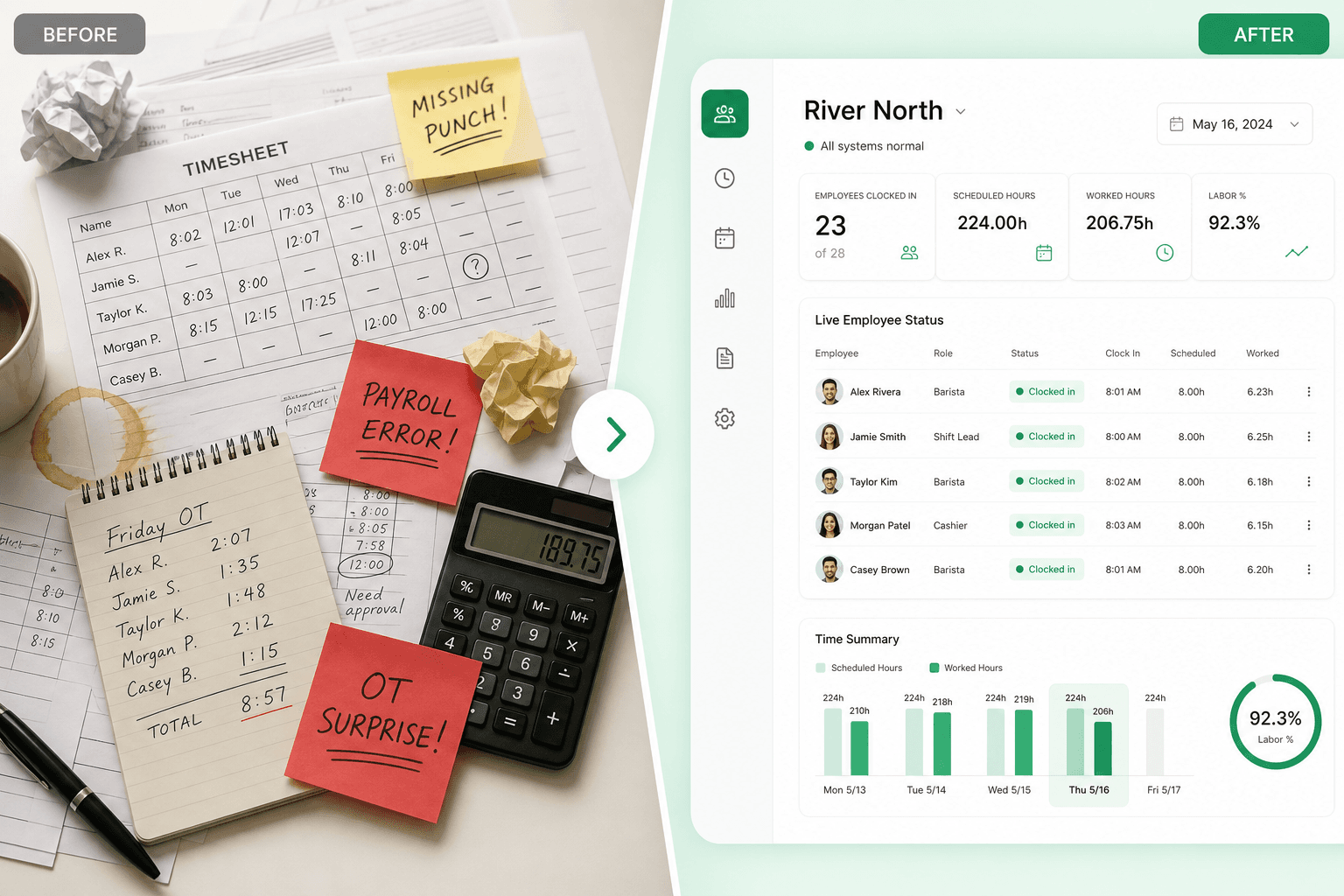
Read across4 time and attendance fixesEach row moves from a split punch-and-spreadsheet stack to one record supervisors can run during the week.
Managers learn who is late from a text, not a live status
Who is in, late, on break, or missing a punch shows beside the published shift
Hours and absences live in two files that never match
Clock events, missed punches, and timesheet totals share one employee record
Unscheduled work and missed clock-outs hide until payroll
Mismatches against the roster flag while someone can still fix them
Approvals are a weekend merge of three supervisors
Managers review hours and exceptions in one queue, then export payroll-ready time
Heyshift is time and attendance software for operators who outgrew a clock plus a spreadsheet. See who is working, capture hours, and approve one official week.
Time and attendance software does two jobs in one product. It shows who is working now, and it turns punches into hours you can approve. For exception queues only, see attendance management software. For hours and payroll export only, see employee time tracking software. For the full stack with scheduling, see workforce management software.
01
Supervisors see who clocked in, who is late, and who is on break without calling the site. See attendance tracker.
02
Punches reference the published shift so unscheduled work and missed clock-outs are visible. See shift time tracker.
03
Staff request fixes. Managers approve hours and exceptions. Payroll gets one export, not two stories of the same week.
Live status, hours, corrections, and payroll handoff sit on the same week as the schedule. Each tile opens the product surface.
See who is in, late, on break, or missing a punch while the shift is still running.
Learn moreClock-in, clock-out, breaks, and worked versus scheduled hours stay on one timeline.
Learn moreStaff punch from a phone or a shared tablet at the door. Both paths land on the same record.
Learn moreMissed punches and hour edits go through a manager queue with a trail payroll can trust.
Learn moreMissed breaks and hours over plan show beside the roster so you can act before close.
Learn moreLate, missed-break, and overtime guardrails can differ by location or role.
Learn moreFilter by employee, site, role, and date. Export status and hours for the same week.
Learn moreStronger clock-in controls for multi-site and field teams. Rolling out in Heyshift.
Learn moreA useful time and attendance system follows the same path every pay period. Heyshift keeps live status, flags, approval, and export on one record.
Step 01
01Staff punch from mobile, kiosk, or web. The punch references the roster, not a blank clock.
1/4Start
Step 02
02Supervisors see late arrivals, breaks, and missing punches while cover is still possible.
2/4Watch the floor during the day
Step 03
03Missed clock-outs, unscheduled work, and correction requests sit in one queue.
3/4Review hours and exceptions
Step 04
04Managers approve the timesheet. Finance gets one hours package for payroll.
4/4Close the loop
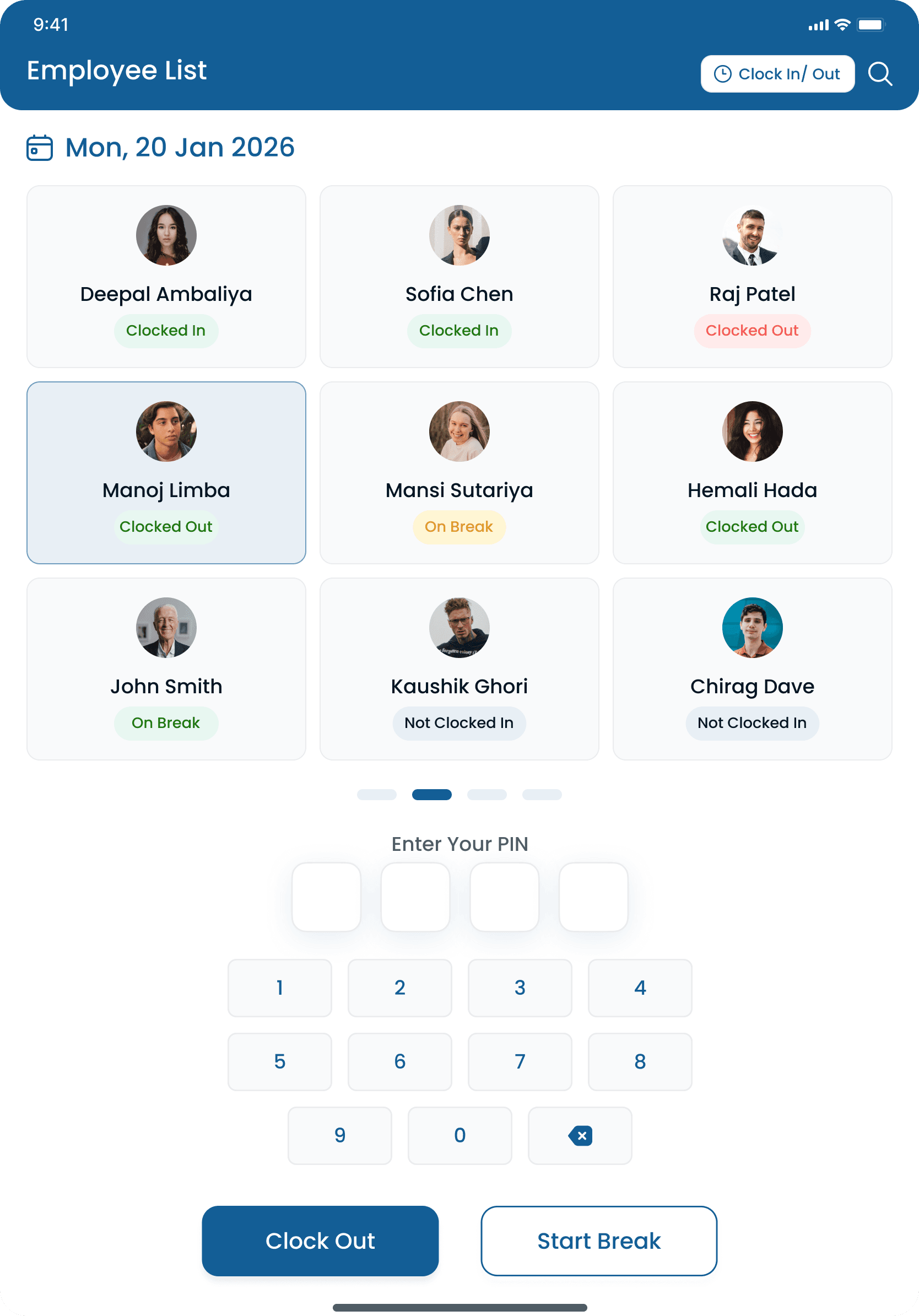
Time and attendance only works if the punch path matches the site. Heyshift supports personal phones, shared tablets, and a supervisor view so every location captures the same record.
Mobile punch in seconds
Floor and field staff clock in from the app they already use for the roster.
Fixed kiosk at the door
A tablet at the entrance is often more reliable than asking every person to remember a personal-phone punch.
Live who-is-on
Managers see who is clocked in, late, or on break without waiting for an end-of-day export.
One record per person
Kiosk and phone punches land on the same timesheet. You are not merging two clocks on Friday.
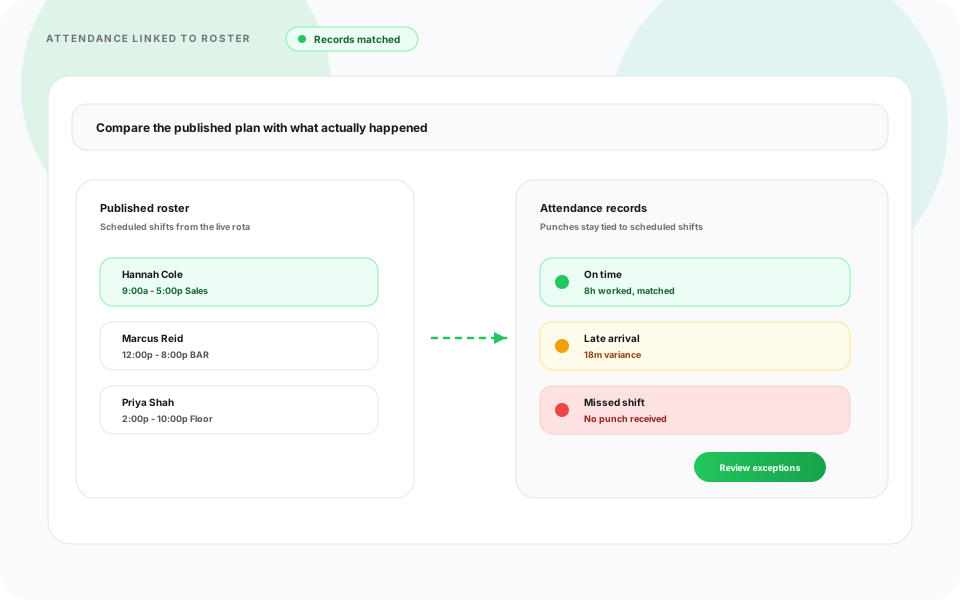
A clock without a roster cannot tell you if the hours were supposed to happen. Heyshift ties punches to employee scheduling software so late arrivals, unscheduled work, and overtime sit on one official week.
Compare timesheets to the roster
Planned shifts sit beside actual punches so mismatches are a review item, not a guess.
Unscheduled clock-ins stay visible
Extra hours that were never published still attach to a person and a site.
Missed clock-outs flag early
A 14-hour ghost shift is easier to fix on Tuesday than after payroll is cut.
Absences and hours in one place
Who did not show up and who worked late are not two different spreadsheets.
Growing operators do not need a different clock per store. They need one account that still respects who works where. Pair with multi-location scheduling software when the roster and the punches should roll up together.
Who is on, by location
Filter live status and hours by site or area without opening a separate file per store.
Local approval, group visibility
Site leads approve their people. District leads still see the group.
One export for finance
Payroll gets one hours package instead of a merge from every location manager.
Field and floor on the same rules
Route crews and in-store teams use the punch path that fits, then land on the same review queue.
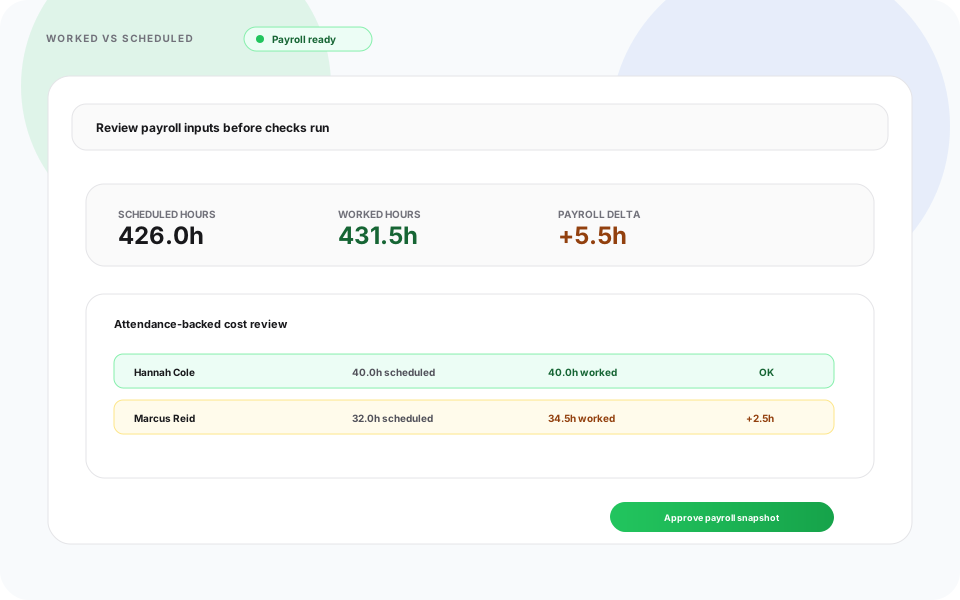
A wall clock plus a spreadsheet can collect punches. It cannot show who is late right now and still close payroll from the same week. That is the gap time and attendance software is meant to close.
| Capability | Spreadsheet stack | Heyshift |
|---|---|---|
| Who is working now | A text or a walk to the floor | Live in, late, break, and missing-punch status |
| Hours versus the roster | Two files compared after close | Punches sit beside the published shift |
| Missed clock-out | Found when someone totals Friday | Flagged while the person can still confirm |
| Unscheduled work | Hidden in a rounded total | Extra hours stay attached to a person and site |
| Timesheet approval | Silent cell edits | Staff request, manager approve, trail stays |
| Payroll handoff | Merge files from each supervisor | Export approved hours from one record |
This is the week most 20 to 500 person hourly teams are still living. Time and attendance software should end the split, not add another export.
Attendance and hours stay split
One official week
Rank tools on live status and payroll close, not on a feature list. If a product can punch but cannot show who is late, or can show status but cannot export hours, it is only half the job.
Score these before you demo
Heyshift is time and attendance software for teams that work shifts, not screenshot monitors for remote desks. Restaurants, retail, healthcare support, warehouses, hospitality, and field crews use it to see who is working and close hours they can defend.
Food & beverage
Peak-hour punches, late flags, and kitchen versus floor hours
Fulfillment
Shift-block attendance, overtime before close, and crew totals
Stores & districts
Multi-store status, seasonal crews, and one export for the district
Stay & events
Event peaks, multi-venue punches, and mobile updates on the floor
Clinical ops
Support-team status, break records, and audit-friendly timesheets
Sites & routes
Job-site punches, supervisor sign-off, and hours by location
Explore how operators roll out scheduling by segment for multi-site teams.
The right system is the one supervisors open during the shift and finance trusts on Friday. Live status and clean hours have to live together.
01
Late, break, and missing-punch flags show while cover is still possible.
02
Hours, overtime risk, and corrections show before finance cuts the check.
03
Attendance and timesheets stop disagreeing because they share the same punches.
04
One approved record replaces a merge of paper, chat, and spreadsheets.
05
Location leads and district leads share the same status and hours queue.
06
Mobile clock-in is included. Kiosk is there when the site needs a fixed door punch.
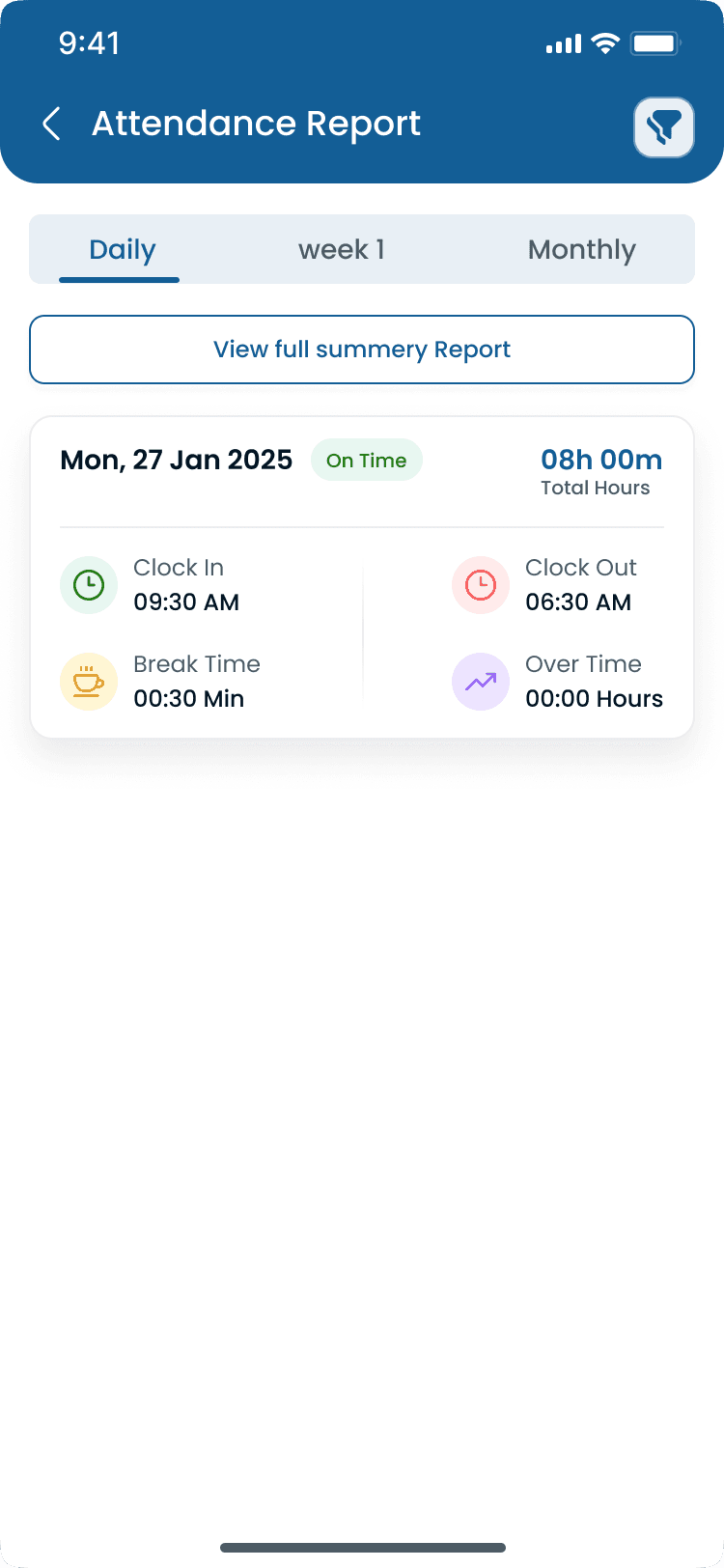
Common questions from teams comparing time and attendance software, timesheet apps, and employee clocks.
Get started
Start a 30-day free trial or book a walkthrough for live status, hours, timesheet approval, and payroll export.