

Fragmented plant habits
Before
- Spreadsheet schedules per line or shift lead
- Paper schedules posted on the floor
- Standalone time clocks not tied to the roster
- Chat threads for last-minute swaps
Employee scheduling and shift planning for USA businesses with multi-site rosters and finance-week aware coverage.
Publish day, swing, and night coverage on Line A, assembly, and QC, then see clock-ins and hours on the same official roster.
Built for production plants, food and beverage lines, automotive and electronics assembly, packaging floors, and pharmaceutical suites.
30-day free trial on every plan, then Starter from $4/seat per month ($3.60 billed yearly). Mobile access included for staff and managers. View pricing.
A call-off on Line A or a late changeover should not leave assembly short. Spreadsheets, radio, and a separate time clock do not stay in sync. Heyshift keeps the published roster and clock-ins together so plant leads spend less time chasing coverage.
Manufacturing scheduling should match the floor: shift bands, lines, and clock-ins on one roster. Heyshift is for plant teams that need coverage plus attendance without a heavy MES or HRMS rollout.
01
Coverage gaps on Line A or assembly during peak windows
Line-based templates and one publish path so every shift band sees the same week, not a photo in a group chat
02
Clock-ins that do not match the schedule supervisors approved
Clock-ins, breaks, and worked hours linked to published shifts for planned-vs-worked reviews
03
Extra hours that show up after the week is already paid
Scheduled vs worked hours while you still staff Fri-Sun night bands, not only at payroll export
04
Staffing shortages with no shared open-shift list
Open shifts and availability on the grid so leads fill gaps before a line goes down
05
Schedule changes lost between shift leads and the office
Publish once. Updates hit tablet and phone so operators chase the official roster
Many plants still use spreadsheets, paper schedules, and a separate attendance system. Heyshift combines shift scheduling, clock-ins, coverage visibility, and labor insights into one operational workflow. Pair employee scheduling software with attendance management software without a heavy HRMS rollout.
Fragmented plant habits
Before
On Heyshift
After
Plan day, swing, and night coverage by line and role, then publish one official week.
Clock data tied to published shifts for planned vs worked reviews.
Coverage and hours signals while you build the roster, not only after payroll.
Extra hours and labor patterns visible before costs spike on the floor.
One operational path
Schedule, publish, clock, and review from one platform
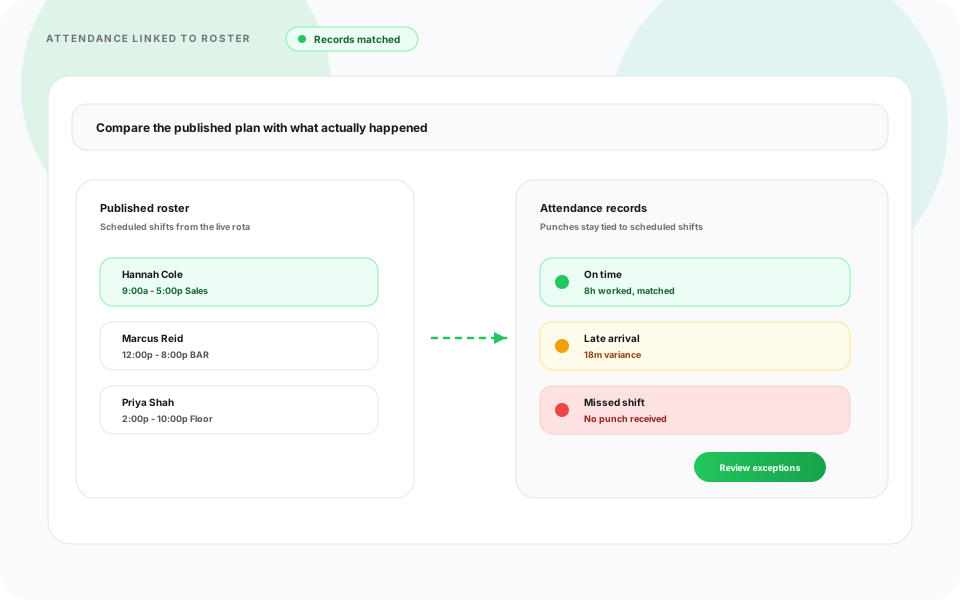
Shift bands, time off, clock-ins, and multi-plant coverage belong on one published roster, not Excel plus a standalone time clock.
Build day, swing, and night bands with templates, copy-week, and one publish for Line A, assembly, and QC.
ViewSee which line or work cell is short before the shift starts, not after a line stops.
ViewSchedule around PTO and availability before you lock weekend and night headcount.
ViewTrack clock-ins, breaks, and worked hours beside the shift supervisors published.
ViewRun schedules across plants and facilities from one account, without a separate file per site.
ViewOperators and inspectors see the same official roster on tablet and phone as desktop.
ViewA call-off on Line A or a late changeover should not leave assembly empty. Heyshift shows open roles, hours, and clock-ins while supervisors still have time to move people.
See open roles and line headcount while building the week, not after the shift starts.
Availability and PTO sit on the same grid before you publish night and weekend bands.
Scheduled vs worked hours stay visible while leads can still move operators between lines.
Clock-ins tied to the published shift for planned vs actual on the floor.
Publish once. Operators and inspectors get the update on tablet, phone, and web.
Coverage looks different on a discrete plant, a food line, an auto assembly floor, an electronics cell, a packaging lane, and a pharmaceutical suite. Heyshift keeps day, swing, and night bands on one published roster so each environment still staffs by line and shift.

Line coverage
Staff Line A, assembly, and support cells so production still hits the daily target. Balance day, swing, and night headcount, then fill open shifts before a line goes down.

Around the clock
Food plants often run around the clock. Staff rotating bands, weekend sanitation, and seasonal ramps without reprinting the board each time volume jumps.

Assembly & QC
Automotive floors coordinate assembly, quality, maintenance, and material handling. Publish department schedules so QC and support teams stay aligned with the line.
Skilled production
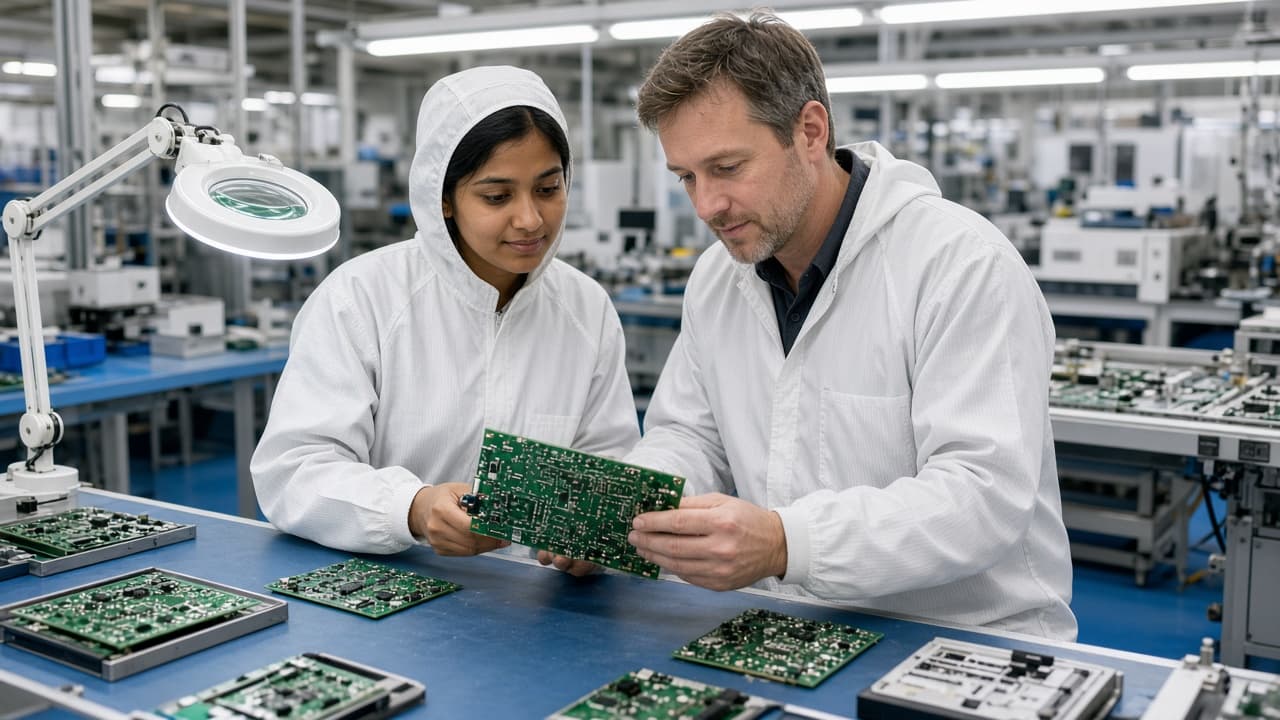
Electronics cells need skilled technicians across production stages. Schedule certified operators, coordinate departments, and keep availability visible before you lock the week.

Ship-ready ops
Packaging has to stay in sync with production and outbound. Staff packers, shippers, and forklift operators so finished goods still leave on time.

Batch & QC
Pharma suites need certified operators on batch campaigns, cleanroom coverage, and QC hold points. Publish day, swing, and night bands so validated work cells stay staffed without a parallel spreadsheet.
Explore warehouse and logistics scheduling when production teams share space with outbound docks.
A plant week needs more than one generic operator row. Schedule supervisors, machine operators, assemblers, and inspectors on the same published roster, whether you run one factory or several plants. Pair with warehouse scheduling software when production and distribution share a site.
Roles you can put on one roster
Manufacturing schedules change with production targets, equipment downtime, customer demand, and who is available. Heyshift helps solve common scheduling challenges without rebuilding the week from scratch. See logistics workforce scheduling best practices when production teams share space with distribution operations.
Common manufacturing scheduling challenges
With Heyshift
Plant managers choose Heyshift to keep lines covered, cut rebuild time, and keep clock-ins aligned with the schedule they published.
Top outcome
Reduce staffing gaps across production schedules before a line goes short.
Build schedules faster with templates, copy-week, and bulk publish.
Monitor clock-ins and worked hours in real time beside the official roster.
See scheduled vs worked hours before costs increase on the floor.
Coordinate plants and sites from one dashboard without a file per building.
Plant mobile roster
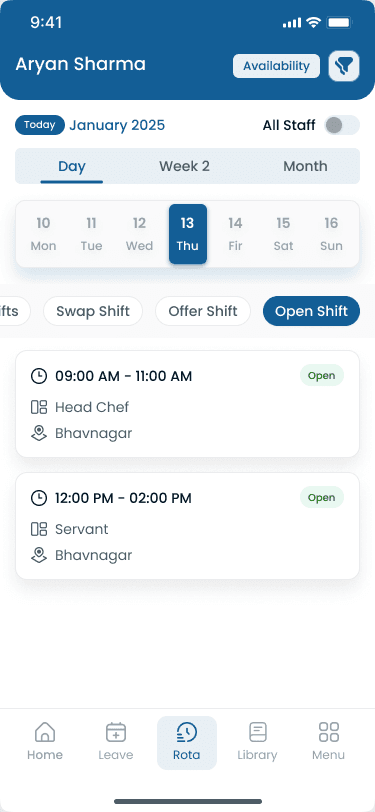
Manufacturing shift scheduling on tablet and phone for operators and leads
Many plant supervisors still build the week in Excel or Google Sheets, then chase coverage by phone and keep attendance in a separate system. The table below shows where manual manufacturing scheduling breaks down once you staff more than one line or facility.
| Capability | Manual scheduling | Heyshift |
|---|---|---|
| Weekly schedule updates | Manual weekly schedules with version confusion | Build schedules in minutes with templates and copy-week |
| Schedule changes | Spreadsheet updates with parallel file versions | Real-time schedule changes on the official published roster |
| Shift coverage | Phone calls for shift coverage with no audit trail | Instant employee notifications on web, tablet, and phone |
| Multi-factory management | Difficult multi-factory management with separate files per plant | Centralized workforce scheduling dashboard with site structure |
| Labor visibility | Limited labor visibility into who is scheduled and who is in | Live workforce overview beside the grid |
| Scheduling accuracy | Higher scheduling errors from parallel spreadsheet versions | Organized scheduling workflow with one publish path |
Plant managers plan Line A, assembly, and QC on desktop. Operators see the official roster on tablet and phone, and clock-ins stay tied to the published shift.
Plant managers build line and shift bands on one grid, then publish a single official week for production, packaging, and maintenance. Copy-week and templates cut rebuild time when production targets change mid-pay period. Compare with warehouse scheduling software when floor teams share distribution lanes.
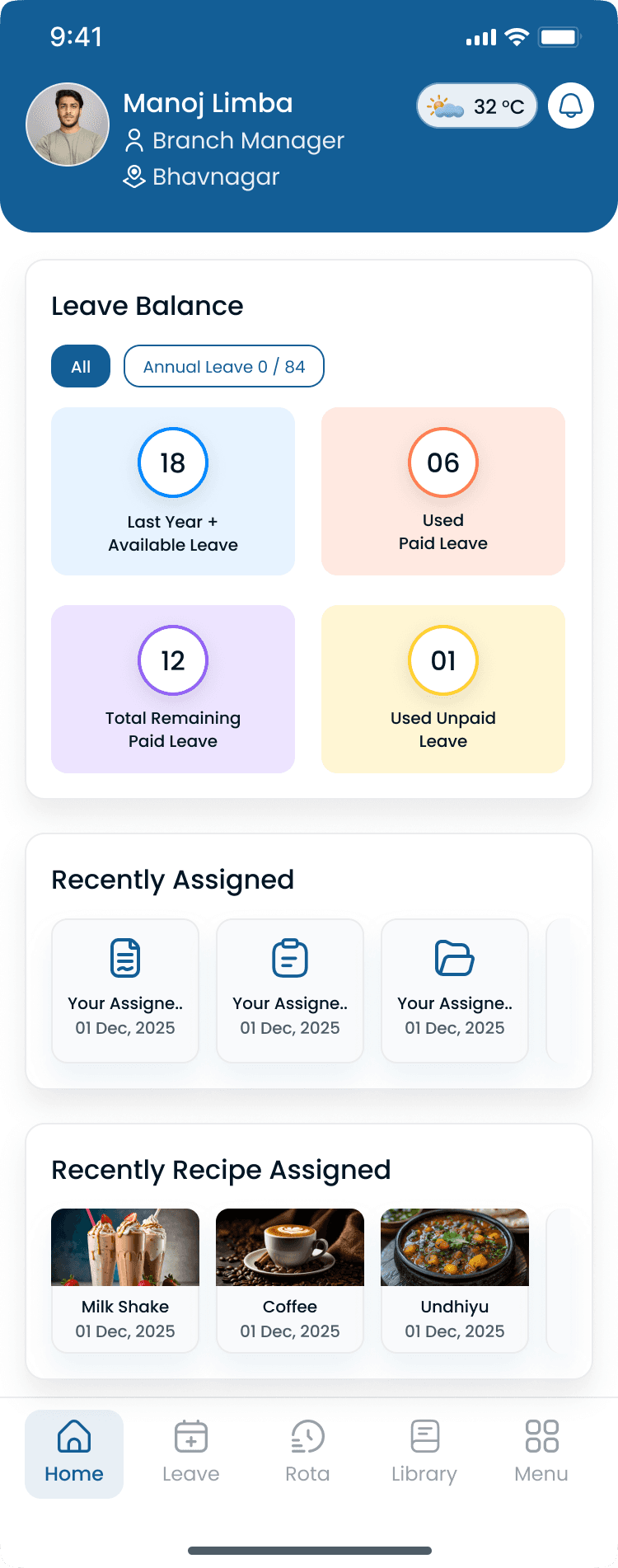
Operators view schedules and receive shift reminders from tablet and phone, the same roster supervisors publish on desktop. That reduces no-shows driven by outdated printouts and keeps multi-plant teams aligned without a separate messaging thread.
Whether the plant runs 24/7 production, rotating bands, weekend coverage, or multiple facilities, Heyshift keeps workforce coordination on one published roster.
Built for plants running:
Many manufacturers run multiple shifts to hit production capacity and customer demand. Coordinating employees across day, swing, night, and weekend bands is hard in spreadsheets. Whether the facility runs two shifts or around the clock, Heyshift keeps planning on one roster.
How managers coordinate shift bands
As manufacturers expand, scheduling employees across several plants gets harder. Centralized scheduling cuts administrative work while keeping coverage consistent. See multi-location scheduling software and logistics staff scheduling software for related network workflows.
What regional plant managers can do from one dashboard
Manufacturing businesses rely on many departments working together to keep production moving. Department-based scheduling improves visibility while helping managers keep staffing balanced through every shift.
Departments you can schedule on one roster
Manufacturing scheduling software should improve operational efficiency while reducing administrative work. The right manufacturing shift scheduling software helps managers improve workforce planning while supporting long-term growth. Compare options in the employee scheduling software overview, then start a free trial with your real shift patterns.
Look for features including
Common questions from plant managers and operations leads evaluating manufacturing shift scheduling software.
Get started
Start a 30-day free trial or book a walkthrough for line coverage, clock-ins, extra-hour visibility, and multi-plant scheduling without Excel.