Skip to content
Heyshift

Hospitals & nursing teams

Nurse Scheduling Software for Modern Healthcare Teams

Simplify nurse scheduling, reduce overtime, improve staff coverage, and manage attendance from one platform built for hospitals, clinics, nursing homes, and healthcare organizations.

Built for hospital units, outpatient clinics, nursing homes, home healthcare agencies, urgent care centers, and multi-location healthcare organizations that run day, evening, and night coverage.

30-day free trial on every plan, then Starter from $4/seat per month ($3.60 billed yearly). Mobile access included for staff and managers. View pricing.

  • 30-day free trial
  • Day, eve, night rotation
  • Attendance included
  • Multi-site ready
Shift rotation
Day · Eve · Night
Attendance
On the roster
Sites
Multi-location
Nursing workforce coordination

Simplify Nurse Scheduling, Availability, and Shift Coverage

Nurse supervisors juggle rotating shifts, credential mix, PTO windows, float pool coverage, and last-minute call-offs, often with spreadsheets for the grid, separate tools for punches, and messaging apps for swaps. Heyshift keeps nurse scheduling, availability, attendance, and labor context on one platform so charge nurses and staffing coordinators spend less time reconciling systems and more time closing coverage gaps before patient-facing hours begin.

Nurse scheduling software should support coverage, compliance habits, and labor visibility without a full hospital HRMS rollout. Heyshift fits shift-based nursing teams that need scheduling plus attendance in one place. Compare plans on pricing or start a 30-day free trial.


What we hear from nurse managers and staffing coordinators, and how one roster changes the weekly workflow.

  • 01

    Day, evening, and night rotations split across files no one trusts

    One published nurse roster by unit and shift band. Staff check the same schedule on web and mobile, not screenshot versions in chat

  • 02

    Nurse availability on paper forms not reflected on the live grid

    Availability and leave sit beside the roster before you lock weekend or holiday coverage

  • 03

    Overtime building across rotation patterns without a live hours view

    Scheduled hours and overtime signals while you build the week, not only after payroll closes

  • 04

    Attendance records that do not tie back to approved nurse shifts

    Clock-ins, breaks, and worked hours linked to published shifts for planned-vs-worked reviews

  • 05

    Multi-location clinic groups maintaining separate roster versions per site

    Regional leads compare nurse coverage across five clinics from one account without merging spreadsheets

Workforce outlook

Nurse workforce trends in 2026

Nursing demand, retention pressure, and multi-site care models continue to shape how hospitals and clinic groups staff hourly teams. Scheduling leaders in 2026 need software that keeps pace with faster roster changes, not static spreadsheet files updated once per pay period.

Three trends nurse managers report most often, and what each means for how you build and publish weekly rotas.

TrendWhat operators seeScheduling implication
Sustained demand for registered nurses across care settingsHiring pipelines stay active while existing units run closer to minimum staffing targets on busy days and weekends.Supervisors need faster rebuild tools, open-shift pickup, and overtime visibility while planning, not after the week closes.
More nurses working across multiple sites or float poolsRegional groups assign RNs and CNAs across outpatient clinics, urgent care, and inpatient units within the same pay period.Multi-location nurse scheduling must show who is already committed elsewhere before you publish a float assignment.
Higher expectations for mobile roster access and shift flexibilityFloor staff expect schedule updates on phone, plus a clear path to request swaps or pick up open shifts without calling the charge nurse.Publish-first discipline plus mobile notifications reduces no-shows driven by outdated roster versions.
Labor cost scrutiny alongside patient volume variabilityFinance asks for scheduled-vs-worked reviews earlier in the pay cycle, especially when overtime spikes on night and weekend bands.Nurse scheduling software should surface labor context on the grid and export payroll-ready time records without a separate reconciliation project.

Retention starts with predictable published rotas

When nurses receive one official schedule through a [nurse scheduling app](/features/mobile-app) instead of conflicting files, swap friction drops. That supports retention when census and acuity fluctuate week to week.

Float pools need a single source of truth

Regional healthcare groups with three to ten sites cannot maintain separate spreadsheets for each clinic and still staff floats responsibly. Central [multi-location scheduling](/multi-location-scheduling-software) shows commitments before you assign a nurse to a second site the same day.

Overtime prevention belongs in the scheduling step

Waiting for payroll to flag excess hours means supervisors already lost the chance to rebalance shifts. Pair roster building with [labor cost visibility](/features/cost-labor-insights) and the [overtime risk calculator](/tools/overtime-risk-calculator) so charge nurses adjust before nurses hit threshold.

Source: U.S. Bureau of Labor Statistics, Registered Nurses Outlook (BLS)

Care settings

Built for Nursing Operations Across Care Settings

From single-unit hospitals to regional clinic groups with 180 or more nurses, Heyshift matches how nursing supervisors staff departments, rotation patterns, and float pools.

  • Hospital nurses reviewing a unit roster at the nurses station

    Inpatient units

    Hospitals

    Coordinate RN, LPN, and CNA schedules across units and shift bands.

    • Unit structure
    • Rotation patterns
    • One publish
  • Nursing home nurses reviewing a weekly roster at the long-term care station

    Long-term care

    Nursing Homes

    Track 24/7 nurse and aide coverage with attendance beside the roster.

    • 24/7 coverage
    • Attendance
    • OT visibility
  • Home health nurse reviewing a visit schedule with a patient at the kitchen table

    Field nursing

    Home Healthcare

    Mobile roster access for nurses visiting patients across a service area.

    • Mobile first
    • Route coverage
    • Open shifts
  • Assisted living nurse sitting with a resident in a sunlit community room

    Residential care

    Assisted Living

    Staff med techs and nurses across day and evening bands with leave visibility.

    • Shift bands
    • Leave sync
    • Swap approvals
  • Clinic nurse and manager reviewing the day schedule at reception

    Outpatient

    Clinics

    Coordinate nurses and clinical support across departments and locations.

    • Multi-department
    • Availability
    • Publish once
  • Dentist, hygienist, and assistant reviewing the operatory schedule

    Oral health

    Dental Clinics

    Schedule hygienists, dental assistants, and clinical support in one workflow.

    • Chairside teams
    • Part-time mix
    • Mobile roster
  • Nurse and medical assistant reviewing the appointment list in a practice hallway

    Provider teams

    Medical Practices

    Manage nurse and MA schedules alongside provider calendars without double entry.

    • MA + RN lanes
    • PTO blocks
    • Labor context
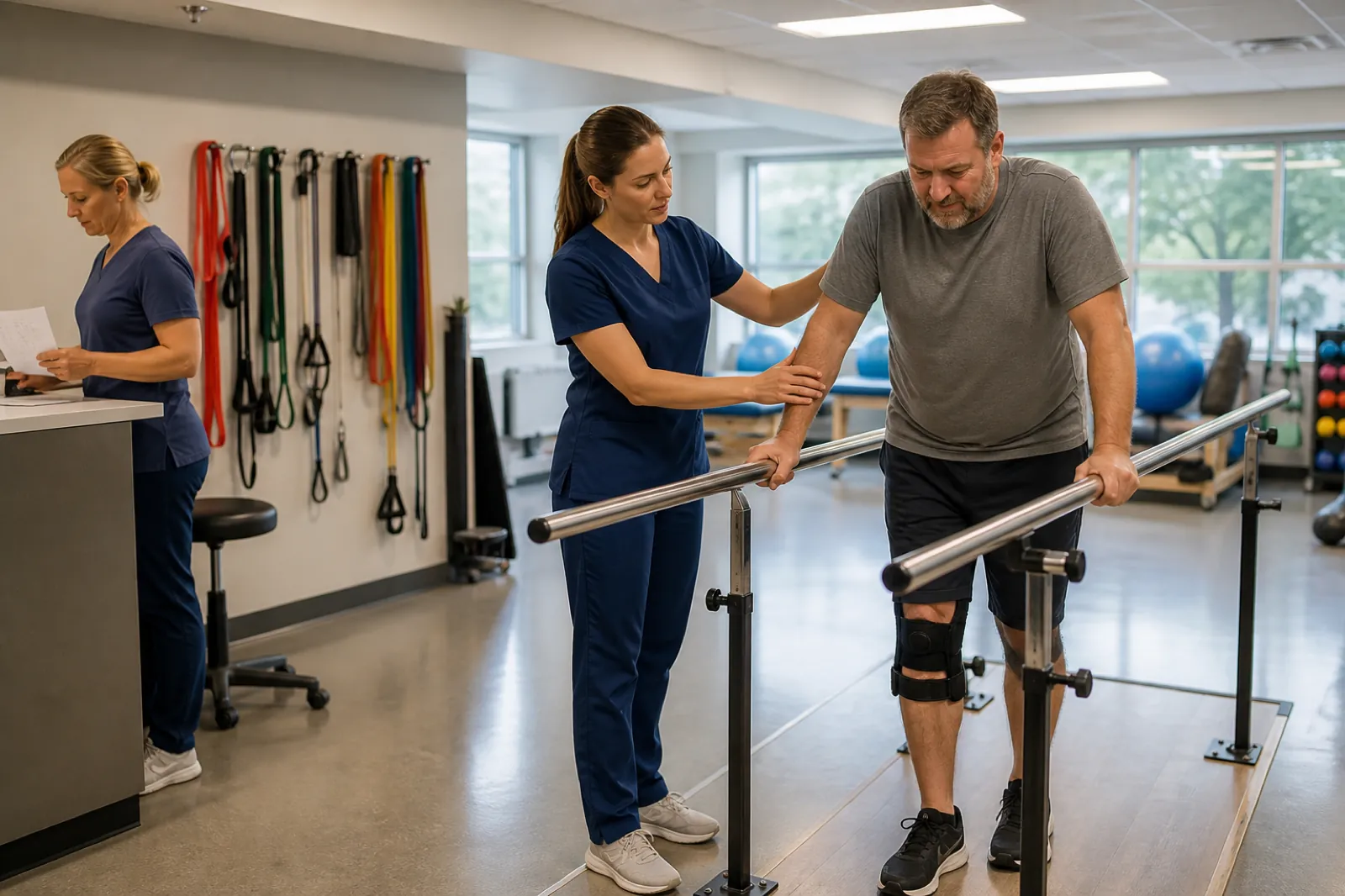
  • Physical therapist and assistant working with a patient in a rehab gym

    Therapy care

    Rehab Facilities

    Align nursing coverage with therapy schedules across inpatient rehab units.

    • Cross-discipline
    • Weekend mins
    • Reports
  • Behavioral health clinicians reviewing a weekly program staff schedule

    Mental health

    Behavioral Health

    Staff nurses and counselors across day, evening, and overnight residential programs.

    • Overnight bands
    • Credential mix
    • Swap queue
  • Urgent care clinicians and front desk coordinating evening coverage

    Walk-in care

    Urgent Care

    Flex per-diem nurse pools across evening and weekend peaks at multiple sites.

    • Per-diem pool
    • Peak staffing
    • Multi-site

Roll out nurse scheduling by care setting for multi-site healthcare groups.

One workflow

Nurse Scheduling and Attendance in One Platform

Usually split across

  • Nurse rotas in spreadsheets
  • Attendance in a separate time system
  • Shift swaps through messages
  • No single labor view for charge nurses

On Heyshift

  • Nurse scheduling. Build and publish official nurse rotas with rotation templates, not version four of the same Excel file.
  • Attendance. Clock-ins, breaks, and overtime tied to published shifts for planned vs worked visibility on every unit.
  • Workforce visibility. See who is scheduled, who is on site, and where nurse coverage is thin before shifts start.
  • Labor insights. Scheduled hours and overtime context beside the grid while you still have time to adjust weekend and night coverage.
Why teams switch

Why Nursing Supervisors Choose Heyshift

Nurse managers want fewer scheduling errors, reliable coverage, attendance data they can trust, and labor visibility without adding enterprise HR complexity. Heyshift fits teams that outgrew spreadsheet rotas but do not need a full hospital workforce suite.

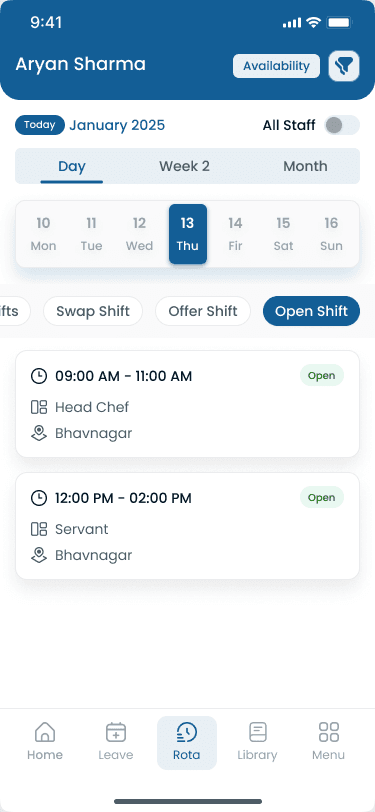
Mobile nurse scheduling

The same roster on the floor and in the manager office

Nurses view published shifts, open pickups, and attendance updates in the Heyshift mobile app, the same official roster supervisors publish on desktop.

  • Published shifts

    Day, evening, and night assignments on the official roster supervisors publish.

  • Open shift pickup

    Qualified nurses claim posted gaps without phone tag or screenshot threads.

  • Instant updates

    Schedule changes reach mobile and web at the same time, not a stale PDF.

Nurse shift scheduling app on mobile with roster day view for clinical staff
Vendor comparison

How Heyshift compares for nurse scheduling

Use these matrices when you evaluate nurse scheduling software alongside spreadsheets, Deputy, or Connecteam. Capabilities reflect typical operator workflows for hourly nursing teams in the USA.

Manual workflow

Heyshift vs traditional nurse scheduling (spreadsheets)

Many nursing supervisors still build rotas in Excel, track attendance separately, and coordinate swaps by phone. This matrix shows typical gaps once you staff more than one unit or clinic.

Feature comparison between Heyshift and Traditional scheduling (manual spreadsheet workflow) workforce management software
CapabilityHeyshiftTraditional scheduling (manual spreadsheet workflow)
Central published nurse rosterSupportedNo
Real-time mobile schedule access for floor staffSupportedNo
Overtime visibility while building the weekSupportedNo
Attendance tied to published nurse shiftsSupportedNo
Open shift pickup workflow on official rosterSupportedNo
Manager-approved shift swap queueSupportedNo
Multi-location nurse coverage dashboardSupportedNo
Labor cost context beside the scheduling gridSupportedNo

If your team still merges weekly Excel files, start with the nurse schedule template to standardize columns, then move to Heyshift when multi-site nurse coverage outgrows manual files. Start a free trial.

Vendor compare

Heyshift vs Deputy for nurse scheduling

Deputy is a common option when nursing operators search for hourly workforce software. This matrix highlights typical workflow differences for shift-based nursing teams in the USA.

Feature comparison between Heyshift and Deputy workforce management software
CapabilityHeyshiftDeputy
Nurse shift scheduling and publish workflowSupportedSupported
Attendance tracking tied to published shiftsSupportedSupported
Mobile roster access for floor nursesSupportedSupported
Multi-location nurse scheduling structureSupportedSupported
Nurse availability on scheduling gridSupportedSupported
Open shift and swap approvals on official rosterSupportedSupported
Labor cost visibility while planning coverageSupportedSupported
30-day full-feature trial without per-seat sales callSupportedNo

Evaluating a Deputy alternative for nursing teams? See the full Deputy alternative page and compare rollout paths with a 30-day Heyshift trial.

Vendor compare

Heyshift vs Connecteam for nurse scheduling

Connecteam bundles scheduling with mobile communication for deskless teams. Nursing supervisors often compare it when clinic groups prioritize shift coverage and attendance accountability.

Feature comparison between Heyshift and Connecteam workforce management software
CapabilityHeyshiftConnecteam
Nurse shift scheduling with publish disciplineSupportedSupported
Attendance tracking tied to published nurse shiftsSupportedNo
Multi-location nurse roster structureSupportedNo
Overtime and labor cost visibility on gridSupportedNo
Payroll-ready time export from same rosterSupportedNo
Open shift pickup with manager approvalSupportedSupported
Mobile team communication beside scheduleSupportedSupported
Healthcare scheduling depth for rotation-heavy unitsSupportedNo

Connecteam fits chat-first mobile engagement. Heyshift fits nursing supervisors who need scheduling, attendance, and labor visibility together. Read the healthcare scheduling comparison.

FAQ

Nurse scheduling software FAQ

Questions from nurse managers, charge nurses, staffing coordinators, and healthcare ops leads evaluating nurse scheduling software, nursing staff scheduling software, and nurse workforce management tools for hospitals and clinics.

Get started

Simplify Nurse Scheduling Without the Spreadsheet Chaos

Start a 30-day free trial for hospital units, clinic groups, and nursing homes: shift rotation, availability, overtime control, attendance, and multi-location coverage on one published roster.