

Typical security stack
Before
- Spreadsheet schedules per client contract
- Phone trees for call-outs and shift swaps
- Manual coverage tracking across sites
- Text threads with no official roster
Employee scheduling and shift planning for USA businesses with multi-site rosters and finance-week aware coverage.
Publish contract, corporate, and property posts on one roster, then see clock-ins and hours on the same official schedule officers use in the field.
Built for contract security companies, corporate campuses, hospital security, construction site guards, property patrols, and event posts that need 24/7 coverage.
30-day free trial on every plan, then Starter from $4/seat per month ($3.60 billed yearly). Mobile access included for staff and managers. View pricing.
A call-off at Harbor Plaza should not leave Mercy Hospital short. Spreadsheets, phone trees, and a separate time clock do not stay in sync. Heyshift keeps the published roster and clock-ins together so ops leads spend less time chasing coverage.
Security scheduling should match the post: client sites, shift bands, and clock-ins on one roster. Heyshift is for guard companies that need coverage plus attendance without a heavy HRMS rollout.
01
Coverage gaps when a guard calls off or a client adds a post
Site-based templates and one publish path so every officer sees the same week, not a photo in a group chat
02
Clock-ins that do not match the schedule supervisors approved
Clock-ins, breaks, and worked hours linked to published shifts for planned-vs-worked reviews
03
Extra hours that show up after the week is already paid
Scheduled vs worked hours while you still staff overnight and weekend posts, not only at payroll export
04
Staffing shortages with no shared open-shift list
Open shifts and availability on the grid so leads fill gaps before a client site goes uncovered
05
Schedule changes lost between dispatch and officers in the field
Publish once. Updates hit tablet and phone so officers chase the official roster
Many security companies still use spreadsheets, phone calls, and manual coverage tracking. Heyshift combines guard scheduling, multi-site visibility, open-shift workflows, and mobile updates in one operational workflow. Pair employee scheduling software with multi-location scheduling software when guards serve dozens of client sites.
Typical security stack
Before
On Heyshift
After
Build coverage by client site, shift lane, and post, then publish one official week.
Notify available guards and fill vacancies before sites go uncovered.
Staffing gaps visible while you plan, not only when a client reports an empty post.
Officers receive instant schedule changes on web, tablet, and phone without a separate thread.
One path for ops and field officers
Plan sites, publish once, notify guards, track coverage
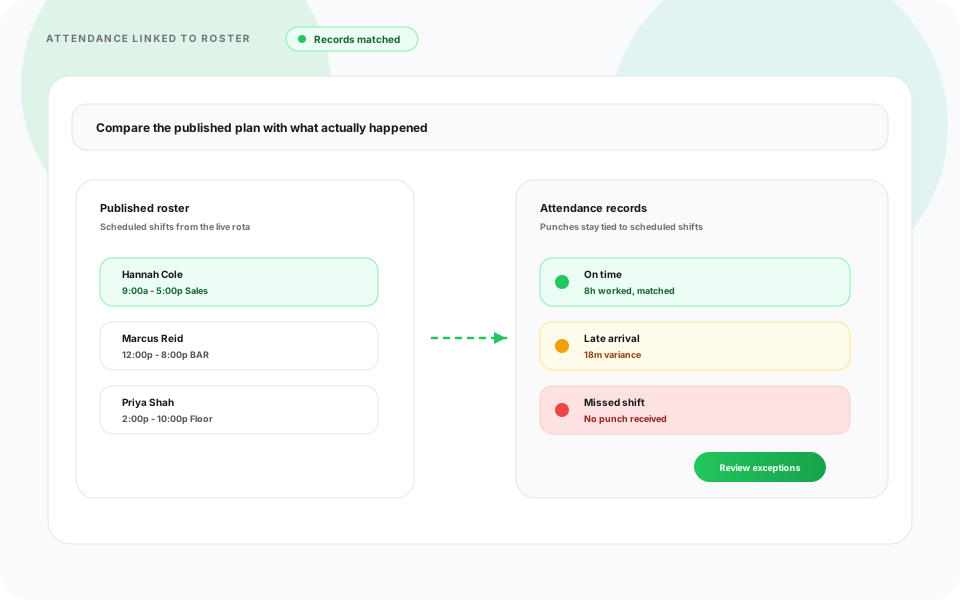
Guard scheduling, multi-site management, availability, open shifts, and workforce visibility belong in one workflow, not parallel spreadsheets and manual phone trees.
Create schedules across client sites with templates, copy-week, and bulk publish.
ViewCoordinate guard assignments across office buildings, hospitals, retail, and industrial sites.
ViewNotify available guards and fill last-minute vacancies before client sites go uncovered.
ViewSchedule officers based on availability and certifications before you lock the week.
ViewMonitor staffing levels across client contracts in real time while you build coverage.
ViewSecurity officers access schedules and updates from tablet and phone on the official roster.
ViewA call-off on a night post or a late add-on at a hospital should not leave the next site empty. Heyshift shows open roles, hours, and clock-ins while supervisors still have time to move people.
See open posts and site headcount while building the week, not after a client reports an empty lobby.
Availability and time off sit on the same grid before you publish overnight and weekend bands.
Scheduled vs worked hours stay visible while leads can still move officers between contracts.
Clock-ins tied to the published shift for planned vs actual on the post.
Publish once. Officers get the update on tablet, phone, and web.
Coverage looks different on a contract bid, a corporate campus, a hospital lobby, a construction gate, a property patrol, and an event post. Heyshift keeps day, evening, and overnight officers on one published roster so each environment still staffs by site and shift band.

Multi-client ops
Security service providers often manage hundreds of guards across client locations with different staffing minimums. Schedule guards by client site, fill open shifts quickly, and cut administrative work.

In-house security
Large organizations need coverage across offices, campuses, warehouses, and plants. Schedule guards by location, coordinate day and night shifts, and keep staffing visibility on one roster.

Healthcare sites
Healthcare facilities operate around the clock and need continuous security coverage. Schedule officers by department, fill call-offs quickly, and keep every entrance staffed.

Temporary sites
Construction projects often need overnight and weekend security. Schedule guards by project, coordinate temporary assignments, and keep field staff on the same official roster.

Property portfolios
Property teams protect residential communities, office buildings, and shopping centers. Schedule patrol and gate posts across every location from one dashboard.

Short-run posts
Event posts need extra officers for a few hours, then drop off. Staff doors, floors, and VIP details, then keep temporary guards on the same official roster as recurring contracts.
Explore property and construction scheduling when guards also cover buildings or job sites.
Security operations involve many employees working across different shifts and client locations. Heyshift helps schedule security managers, operations leads, site supervisors, patrol officers, and support staff from one platform. Whether your company manages 20 guards or several hundred officers, everyone stays connected. Pair with multi-location scheduling software when guards move across client contracts daily.
Roles you can schedule on one roster
Security companies operate 24/7 while balancing client contracts, employee availability, and changing site requirements. Heyshift helps solve common scheduling challenges without rebuilding the week from scratch. See best employee scheduling software for security companies when comparing guard scheduling platforms.
Common security scheduling challenges
With Heyshift
Operations managers and security supervisors choose Heyshift to schedule guards faster, see staffing clearly, and coordinate client sites without losing the official roster.
Top outcome
Reduce manual scheduling with templates and copy-week workflows across client sites.
Security officers receive instant schedule updates through tablet and phone.
View schedules across contracts from one centralized dashboard.
Assign guards with availability and site requirements visible before publish.
See who is scheduled where across every client location in real time.
Officer mobile roster
Security guard scheduling on tablet and phone for operations managers and field officers
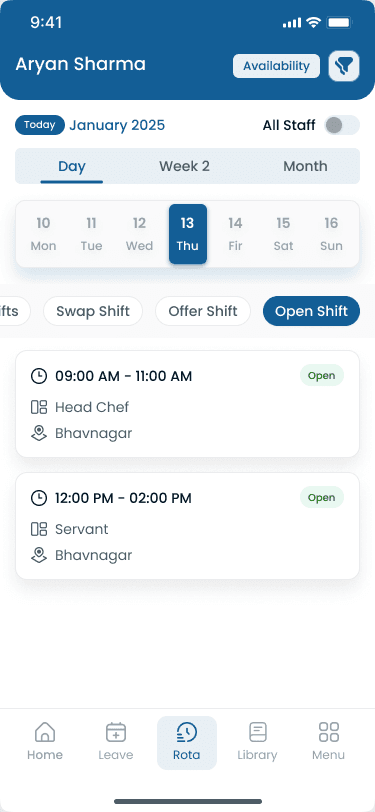
Many security managers still build guard lists in Excel, chase updates through phone calls, and track coverage manually across client contracts. The table below shows where manual security workforce scheduling workflows break down once you staff more than one site.
| Capability | Manual scheduling | Heyshift |
|---|---|---|
| Schedule creation | Spreadsheet schedules rebuilt each week with version confusion | Build schedules in minutes with templates and copy-week |
| Shift updates | Phone calls for shift updates with no official record | Instant employee notifications on web, tablet, and phone |
| Coverage tracking | Manual coverage tracking across parallel spreadsheet files | Centralized scheduling dashboard with client site structure |
| Multi-site scheduling | Difficult multi-site scheduling with separate files per contract | Manage all client locations in one place |
| Workforce visibility | Limited workforce visibility into who is on post | Real-time staffing overview beside the grid |
| Scheduling accuracy | Higher scheduling errors from manual updates and double-bookings | Organized scheduling workflow with one publish path |
Operations managers plan contract, corporate, and property posts on desktop. Officers see the official roster on tablet and phone, and clock-ins stay tied to the published shift.
Operations managers build client site and shift lanes on one grid, then publish a single official week for field officers. Copy-week and templates cut rebuild time when contract requirements change mid-pay period. Compare with property management staff scheduling software when guards also cover building portfolios.
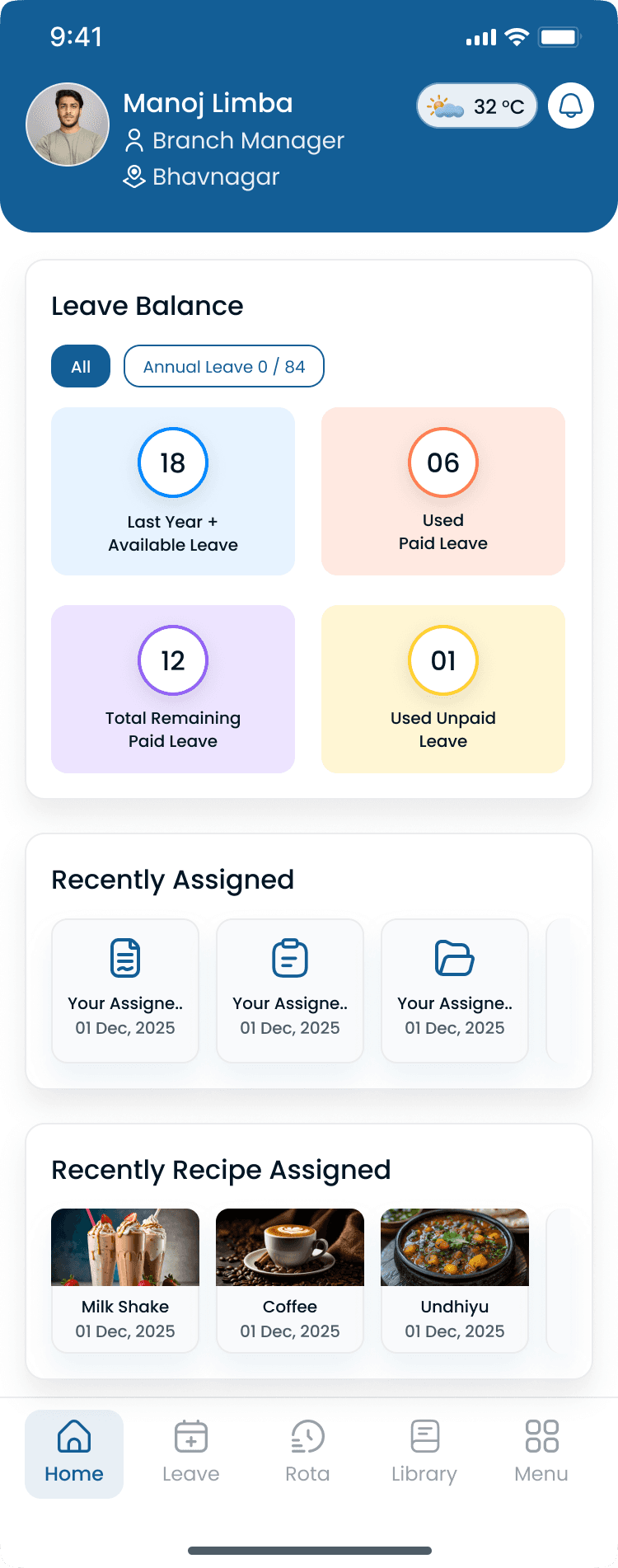
Security officers view schedules and receive shift reminders from tablet and phone, the same roster managers publish on desktop. That reduces missed shifts driven by outdated exports and keeps multi-site guards aligned without a separate messaging thread.
Security teams rarely work from a desk. Heyshift helps managers and field officers stay connected through tablet and phone schedule access, shift reminders, open-shift notifications, and centralized coordination across every client site.
Connected in the field:
Different posts need different headcount and skills. Post-based scheduling helps managers put the right officers on gate, lobby, patrol, and event work without a second spreadsheet.
Posts you can schedule on one roster
Security scheduling software should simplify workforce management while ensuring reliable coverage across every client location. The right guard scheduling platform helps security companies improve workforce planning while delivering consistent client service. Compare options in the employee scheduling software overview, then start a free trial with your real site patterns.
Look for features including
Common questions from security operations managers evaluating guard scheduling software for multi-site coverage.
Get started
Start a 30-day free trial or book a walkthrough for multi-site guard coverage, open-shift fills, and tablet and phone schedule updates without spreadsheet schedules and phone trees.