

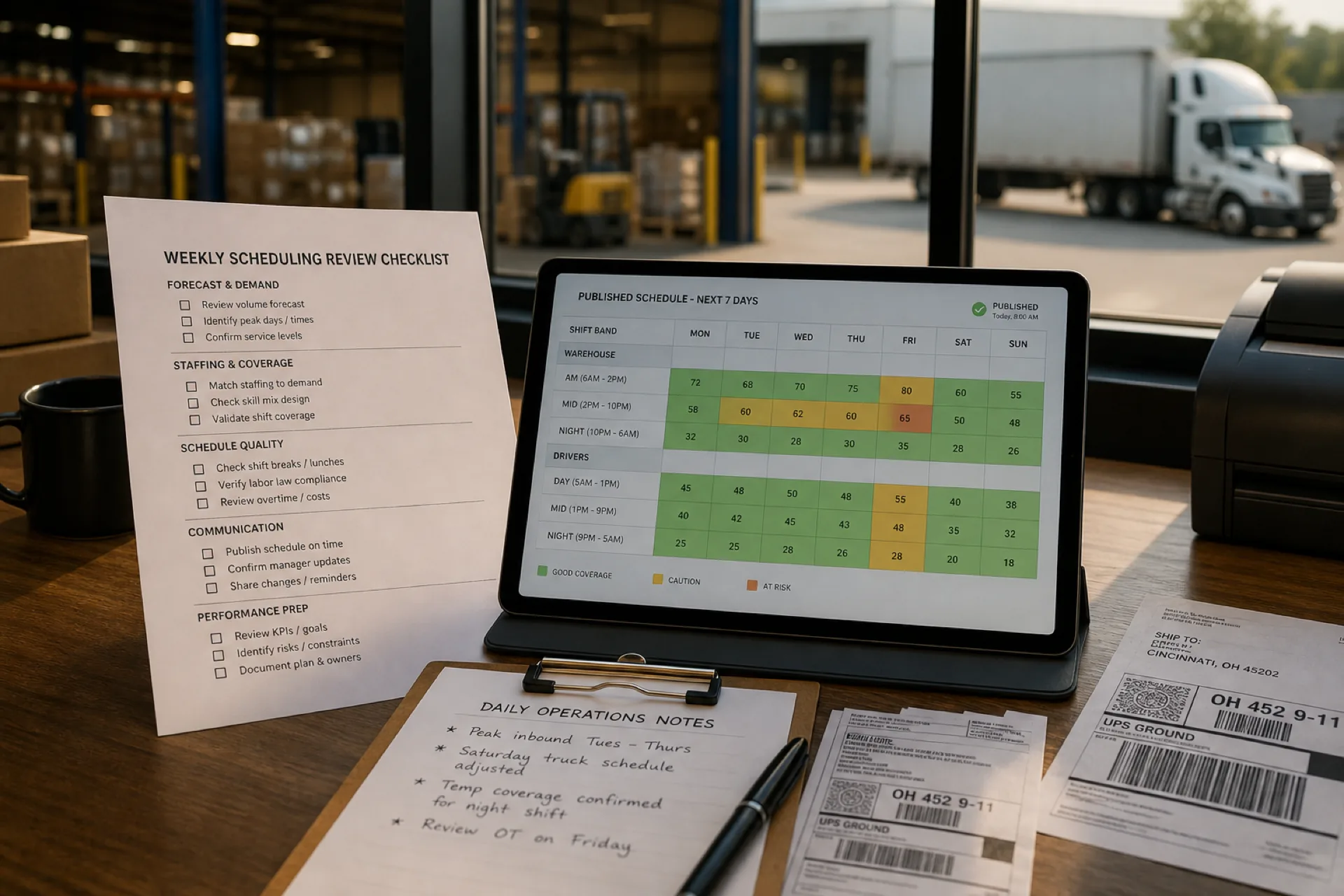
Logistics workforce scheduling best practices: 10 proven ways to improve operations (2026)
Learn logistics workforce scheduling best practices to reduce overtime, improve employee productivity, optimize warehouse staffing, and build more efficient schedules for USA logistics teams.
Logistics workforce scheduling best practices (2026)
Efficient workforce scheduling is one of the biggest competitive advantages a logistics company can have.
Whether you manage a warehouse, a third-party logistics (3PL) business, a transportation company, or a regional distribution network, your employees are the engine that keeps operations moving.
When schedules are well planned, orders process faster, trucks leave on time, overtime stays under control, employees know where they need to be, and customers receive deliveries on schedule.
Poor scheduling creates the opposite effect: managers spend hours updating spreadsheets, employees miss shift changes, labor costs increase, warehouse productivity declines, and customer satisfaction suffers.
As logistics operations become more complex, logistics workforce scheduling must evolve beyond spreadsheets and manual planning. Start from free shift pattern templates such as the 8-hour shift schedule template, 2-2-3 Panama schedule template, and 4-on 4-off shift schedule template before you move into software.
This guide explains ten proven logistics workforce scheduling best practices used by successful logistics companies to improve productivity, reduce overtime, and build a more reliable workforce.
Featured answer: Logistics workforce scheduling best practices help businesses assign the right employees to the right shifts while balancing labor costs, employee availability, warehouse demand, and operational efficiency. Effective scheduling combines workforce planning, attendance tracking, real-time communication, and data-driven decision making to improve productivity and reduce overtime.
Who should read this: Operations managers, dispatch leads, and HR partners at USA logistics businesses with 20 to 500 employees who run warehouses, 3PL, courier, or transportation networks.
Compare vendors in best employee scheduling software for logistics companies (2026). For warehouse floor patterns, see best employee scheduling software for warehouses.
Executive summary
In this guide you will learn:
- Why workforce scheduling is critical for logistics businesses
- Logistics workforce trends shaping 2026 scheduling decisions
- Common scheduling challenges across warehouses, 3PL, and transportation
- Features every logistics scheduling solution should include
- Ten practical scheduling best practices
- Workforce scheduling by logistics business type
- Peak season preparation and labor cost reduction tactics
- Manual scheduling vs scheduling software comparison
- When it is time to replace spreadsheets with scheduling software
- How to compare platforms in the logistics commercial buyer's guide
Table of contents
- Why workforce scheduling matters
- Logistics workforce trends in 2026
- Common workforce scheduling challenges
- Hidden cost of poor scheduling
- How a multi-site 3PL simplified logistics workforce scheduling
- 10 best practices
- Features every logistics scheduling solution should include
- Workforce scheduling by logistics business type
- Common scheduling mistakes
- Manual scheduling vs scheduling software
- Peak season scheduling tips
- How better scheduling reduces labor costs
- Signs it is time to upgrade
- Scheduling maturity model
- Implementation checklist
- Why growing logistics companies choose Heyshift
- How scheduling software supports these practices
- Frequently asked questions
- Final thoughts
Why workforce scheduling matters in logistics
Logistics operations rely on precise coordination between people, processes, and shipments. Even a small scheduling issue can delay deliveries, increase labor costs, and reduce customer satisfaction.
From warehouses and distribution centers to transportation fleets and fulfillment operations, managers need the right employees working at the right time. Manual scheduling methods often struggle to keep pace with changing order volumes, employee availability, and seasonal demand.
Modern logistics workforce scheduling software gives managers better visibility, faster scheduling, and improved communication across every shift.
Unlike many industries, logistics businesses rarely operate on fixed schedules.
Daily operations change constantly because of customer demand, seasonal volume, traffic delays, employee absences, delivery schedules, equipment availability, weather disruptions, and last-minute shipping requests.
Managers must continuously adjust staffing while maintaining service levels. A well-planned schedule keeps warehouse operations running efficiently even when priorities change.
Federal transportation and warehousing employment trends cover trucking, couriers, warehousing, and support roles. When schedules drift, operators pay twice: once in overtime and idle dock time, and again in manager hours spent rebuilding rosters in chat. For warehouse safety and staffing context, see OSHA warehousing resources.
Read multi-location workforce management guide and multi-location scheduling software when your network outgrows one file.
Logistics workforce trends in 2026
Logistics operators enter 2026 with higher order volume, tighter delivery windows, and deskless warehouse and driver teams that never lived inside a single spreadsheet tab. The companies pulling ahead are responding to workforce trends that make publish-first roster discipline an operational lever, not back-office paperwork.
| Trend | What operators see | Scheduling implication |
|---|---|---|
| Multi-site network growth | More DCs and hubs than one supervisor can track in memory | One published roster per site plus network roll-up |
| Dock and driver call-offs | Absences break static weekly grids mid-week | Approved open shifts and swaps on the official roster |
| Seasonal and e-commerce surges | Peak weeks stack overtime before finance reviews the plan | Hour totals visible while building schedules |
| Deskless mobile workforce | Drivers and floor staff ignore email and printed boards | Same mobile app for schedule, alerts, and open-shift pickup |
| Cross-trained coverage gaps | Specialized roles stay hard to fill on short notice | Availability and credentials visible before publish |
Distribution networks grow faster than supervisor bandwidth
Regional 3PLs and carriers add warehouses, terminals, and last-mile hubs through new contracts and volume wins. Spreadsheet tabs multiply; shadow schedules appear in supervisor chats. Centralized publish discipline becomes the only way to keep network visibility without hiring another layer of coordinators.
Call-offs and inbound surges still break static weekly grids
Preventive labor plans set the baseline, but dock absences, weather delays, and unexpected inbound volume inject reactive assignments daily. Trend-leading teams plan float capacity, cross-trained backups, and open-shift fill paths before the surge lands.
Warehouse and transportation labor stays hard to staff on short notice
Federal transportation and warehousing employment covers trucking, couriers, warehousing, and support roles. When the same reliable associates appear on every overtime short list, burnout and turnover follow. Scheduling in 2026 means balancing workloads across qualified employees, not maximizing hours from the most dependable few. For warehouse safety context, see OSHA warehousing resources.
Logistics companies typically schedule across these roles in the same week:
- Warehouse associates on receiving, pick-pack, and outbound bands
- Forklift and material-handling roles on equipment-dependent windows
- Drivers and courier teams on route and on-call coverage
- Dispatchers and supervisors who hand off between dock and road
Workforce scheduling software does not replace TMS, WMS, or hours-of-service compliance systems for regulated driving. It does give operations managers one published roster for warehouse and support staff, clear mobile access for deskless teams, and hour visibility while planning so overtime is a decision, not a surprise.
For vendor comparison and evaluation criteria, read best employee scheduling software for logistics companies. For labor-cost framing, see employee scheduling software ROI guide.
Common workforce scheduling challenges in logistics
Many logistics businesses experience similar scheduling problems as they grow.
Common challenges include:
- Managing multiple warehouse shifts
- Scheduling employees across several locations
- Last-minute absences
- Overtime costs
- Seasonal workforce planning
- Balancing labor demand
- Communication delays
- Manual spreadsheet scheduling
Without an organized scheduling system, these challenges can quickly impact productivity and profitability. See shift planning vocabulary before you compare warehouse scheduling software and logistics scheduling software vendors.
The hidden cost of poor workforce scheduling
Many companies focus only on overtime costs. Inefficient scheduling affects much more than payroll.
Poor scheduling can result in:
- Understaffed warehouse shifts
- Delayed order fulfillment
- Employee burnout and increased turnover
- Lower picking accuracy
- Customer complaints
- Higher recruitment costs
- Reduced supervisor productivity
Small scheduling problems often become operational problems throughout the supply chain.
| Impact area | What operations and customers feel |
|---|---|
| Delivery performance | Missed windows, late outbound, idle dock time |
| Warehouse throughput | Pick-pack bottlenecks, receiving backlogs |
| Labor cost | Overtime from reactive staffing, uneven hour stacking |
| Team morale | Unfair shift rotation, constant text-based changes |
| Manager time | Hours rebuilding rosters instead of fixing bottlenecks |
See prevent overtime before payroll and why spreadsheets fail for workforce scheduling.
How a multi-site 3PL simplified logistics workforce scheduling
Marcus directs operations for a regional 3PL with 140 employees across two distribution centers: 95 warehouse associates, 30 drivers, 10 dispatch coordinators, and 5 site supervisors. Volume was growing. The Thursday schedule build still ended as a Friday scramble of call-offs, inbound surges, and parallel spreadsheets.
Before: every site ran a parallel schedule
Each DC kept its own file. Driver coverage lived in a dispatch notebook. Call-offs filled through group text. Payroll exported hours from a time clock that did not always match the roster supervisors used that morning. Regional leadership merged files every Monday just to see overtime risk.
Marcus spent more time proving coverage than improving it. Supervisors rebuilt grids after every absence. Drivers asked dispatch to confirm shifts the night before. Customer weekend requests surfaced gaps nobody saw until outbound missed the window.
The week that exposed the gap
By Friday morning of a peak week, two employees requested time off, three drivers called out, one warehouse took an unexpected inbound surge, and a key customer requested weekend fulfillment. Marcus's team had answers in three places. The published spreadsheet showed one dock crew. Dispatch texts showed another. Clock data showed a third.
That week Marcus stopped treating scheduling as admin work and started treating it as a service-level and labor-cost risk.
He evaluated logistics scheduling habits with four questions:
- Can each DC publish one official week that warehouse staff and drivers both open on mobile?
- When a picker or driver calls off, can approved open shifts fill the band without rebuilding the grid in chat?
- Can he see running hour totals before he publishes overtime-heavy weekend bands?
- Can regional leadership view both sites without merging files every Monday?
What changed in the first 30 days
Marcus piloted publish-first scheduling at the messier DC. He built templates for receiving, pick-pack, outbound, and driver bands. Staff installed the mobile app. He moved publish from Thursday night to Tuesday for the following week, giving supervisors time to fill gaps before inbound peaked.
Week one surfaced a problem spreadsheets had hidden: three associates were stacked on overtime-heavy bands because availability lived in separate notebooks. Week two, call-offs still happened, but open shifts filled through the app with manager approval. Dispatch stopped maintaining a parallel roster in text.
| Challenge | Before | After |
|---|---|---|
| Source of truth | Spreadsheet tabs plus group texts per DC | One published roster per site on mobile |
| Call-off fill | Supervisor texts names until someone says yes | Approved open shifts on the official roster |
| Overtime visibility | Hour stacking noticed after payroll export | Running totals visible while building the week |
| Network roll-up | Monday merge of site files | Leadership view across DCs in one account |
| Dispatch handoff | Dock and driver bands in separate tools | Shared publish rhythm for warehouse and road |
| Manager time | Hours rebuilding schedules after surges | Time redirected to throughput and customer service |
Results operations could measure
Marcus did not need a flashy feature list to justify the change. He needed one logistics week that ran on a roster the dock and the road both trusted before the next inbound surge. Payroll corrections on the pilot site dropped. Supervisors reported fewer "what shift am I on?" calls. Regional reviews took less time because coverage was visible without a manual merge.
For platform depth and vendor comparison, read best employee scheduling software for logistics companies.
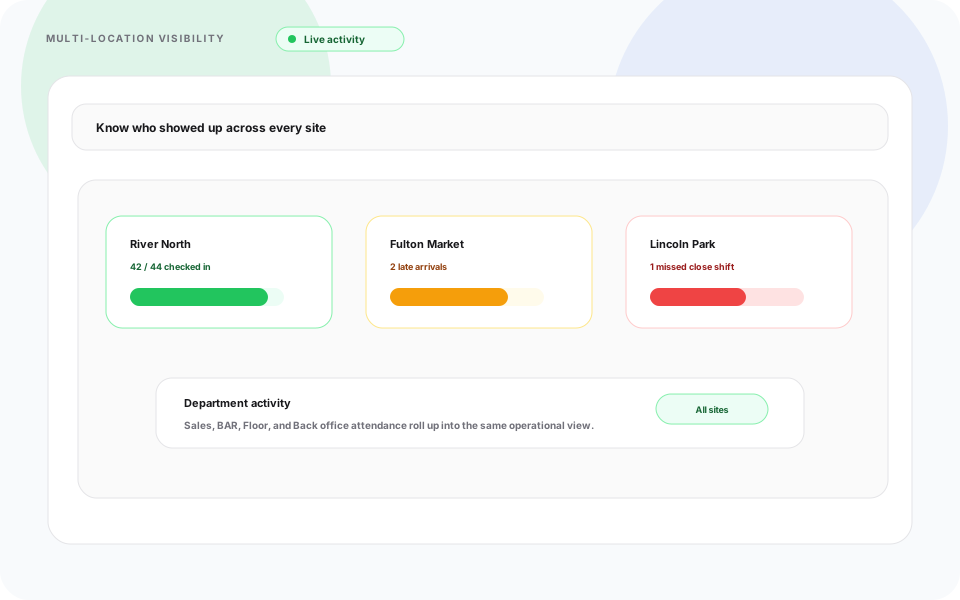
Weekly review works best when regional leads see every site in one account, not merged spreadsheet tabs.
Best practice #1: Forecast labor demand before building schedules
One of the biggest scheduling mistakes is creating schedules before understanding workload.
Instead, start with operational forecasts. Review expected order volume, inbound shipments, outbound deliveries, seasonal demand, customer commitments, and historical staffing data.
By forecasting demand first, managers assign the right number of employees to each department rather than reacting after schedules have already been published.
Block capacity by function: receiving, pick-pack, outbound, dispatch, and driver coverage. Fulfillment roles tied to e-commerce volume stay hard to staff on short notice; plan float coverage before peak weeks land. See OSHA warehousing resources for warehouse safety and staffing context operators use alongside schedule build.
Business impact: Accurate forecasting reduces both understaffing and unnecessary overtime while improving warehouse productivity.
See workforce forecasting and demand-based scheduling habits.
Best practice #2: Build schedules around employee availability
A schedule is only effective if employees can actually work the assigned shifts.
Many scheduling conflicts occur because managers lack an accurate view of employee availability before publishing the schedule.
Instead of assigning shifts first and fixing conflicts later, collect employee availability in advance. Consider approved vacation, sick leave, training sessions, preferred working hours, part-time availability, driver licensing restrictions, and department qualifications.
For example, assigning a forklift-certified employee to outbound loading may be more valuable than assigning them to general warehouse duties during peak shipping hours.
Business impact: Planning around availability reduces last-minute schedule changes, improves employee satisfaction, and minimizes unnecessary overtime.
Best practice #3: Balance workloads instead of maximizing hours
Many logistics companies unintentionally overload their most reliable employees.
When the same workers consistently cover additional shifts, fatigue increases, productivity declines, and employee turnover becomes more likely.
Instead, distribute work evenly across qualified employees. Monitor total weekly hours, consecutive workdays, overtime hours, shift distribution, and weekend assignments.
Business impact: Balanced scheduling helps control labor costs while improving employee morale and reducing burnout.
Review running hour totals by employee while building the week, not after payroll export.
Best practice #4: Plan for absences before they happen
Unexpected absences are part of every logistics operation. Employees become sick, drivers experience emergencies, and weather delays affect transportation.
Instead of reacting after an absence occurs, prepare contingency plans in advance. Maintain cross-trained employees, backup shift coverage, open shift procedures, temporary staffing plans, and on-call employee lists.
Business impact: Structured backup plans minimize downtime and help maintain service levels during unexpected staffing shortages.
Read open shift and swap approvals and reduce no-shows and call-offs.
Best practice #5: Improve workforce communication
Even the best schedule fails if employees do not know about changes.
Many logistics companies still rely on phone calls, group chats, emails, and printed schedules. These methods often create confusion because not every employee receives updates at the same time.
A centralized communication system allows employees to view updated schedules, receive notifications instantly, confirm shift assignments, request leave, and accept available shifts on the official roster.
Business impact: Better communication reduces missed shifts, improves accountability, and keeps warehouse operations running smoothly.
See mobile workforce management guide and Heyshift mobile app.
If dispatch still assumes everyone saw the group text, you have a source-of-truth problem, not a communication problem alone.
Best practice #6: Track attendance alongside scheduling
Scheduling and attendance should never be managed separately.
Creating an accurate schedule is only the first step. Managers also need visibility into who arrived on time, late arrivals, missed shifts, early departures, and attendance trends.
Attendance information helps managers improve future schedules while reducing payroll discrepancies. If a department consistently experiences absenteeism on Monday mornings, staffing levels can be adjusted accordingly.
Business impact: Attendance tracking improves scheduling accuracy while helping managers identify recurring workforce issues before they affect productivity.
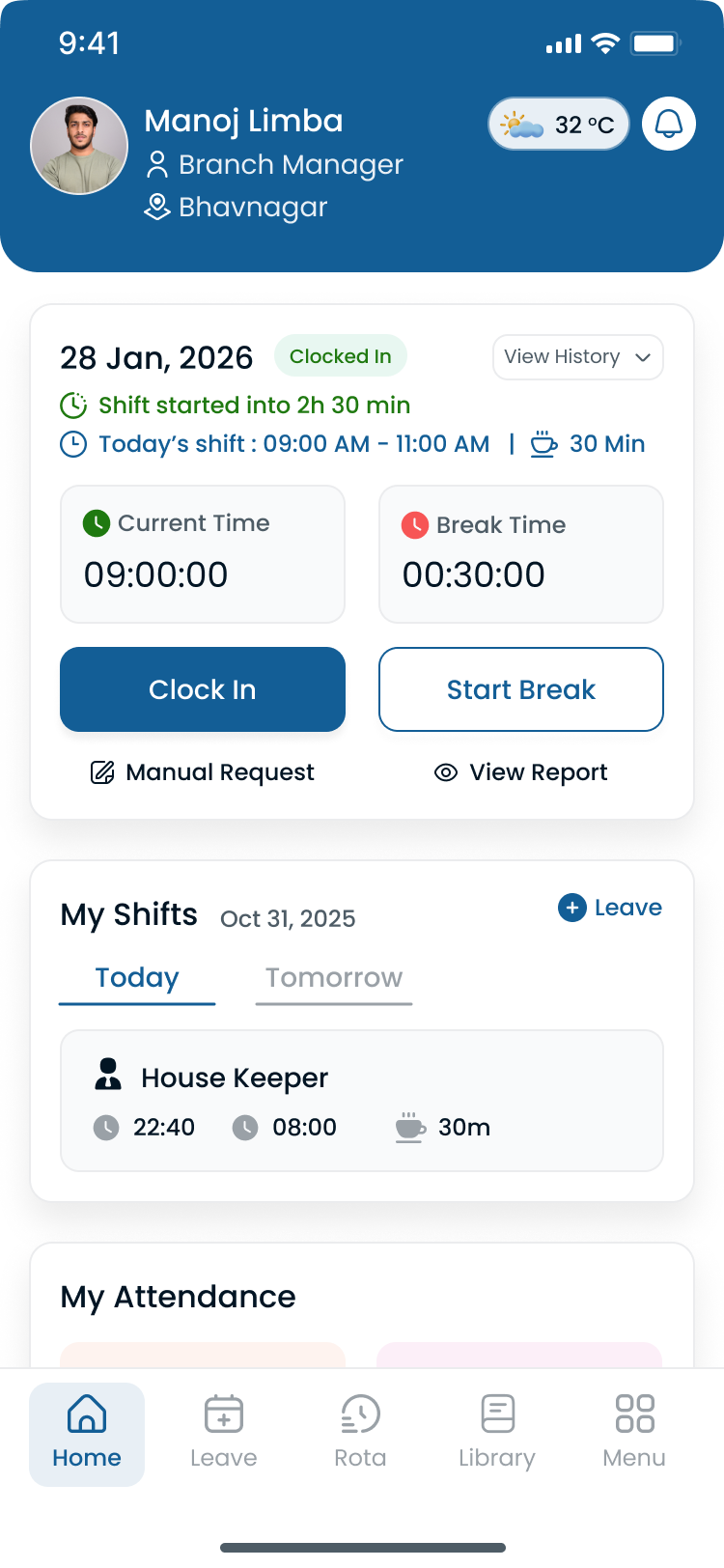
Drivers and warehouse staff should clock in against the same published shift dispatch and payroll both reference.
Best practice #7: Review scheduling data every week
Many businesses create schedules but rarely analyze how well those schedules performed.
Continuous improvement comes from reviewing workforce data regularly. Key metrics include overtime hours, attendance rate, schedule changes, open shift frequency, labor cost by department, shift coverage, and employee utilization.
Weekly workforce review questions:
- Which departments required overtime?
- Which shifts experienced staffing shortages?
- Which employees worked the most extra hours?
- How many schedule changes occurred?
- Were all customer orders fulfilled on time?
- Which warehouse required additional staffing?
Business impact: Data-driven scheduling helps businesses reduce unnecessary labor costs while improving operational efficiency.
Compare plans on pricing when you need workforce reporting at scale.
Logistics scheduling workflow
The most successful logistics companies follow a consistent scheduling process rather than creating schedules differently each week:
- Forecast demand
- Review employee availability
- Create weekly schedule
- Manager review
- Publish schedule
- Employee notifications
- Attendance tracking
- Adjust open shifts
- Review workforce reports
- Improve next week's schedule
Following a repeatable workflow creates consistency across departments and reduces scheduling errors.
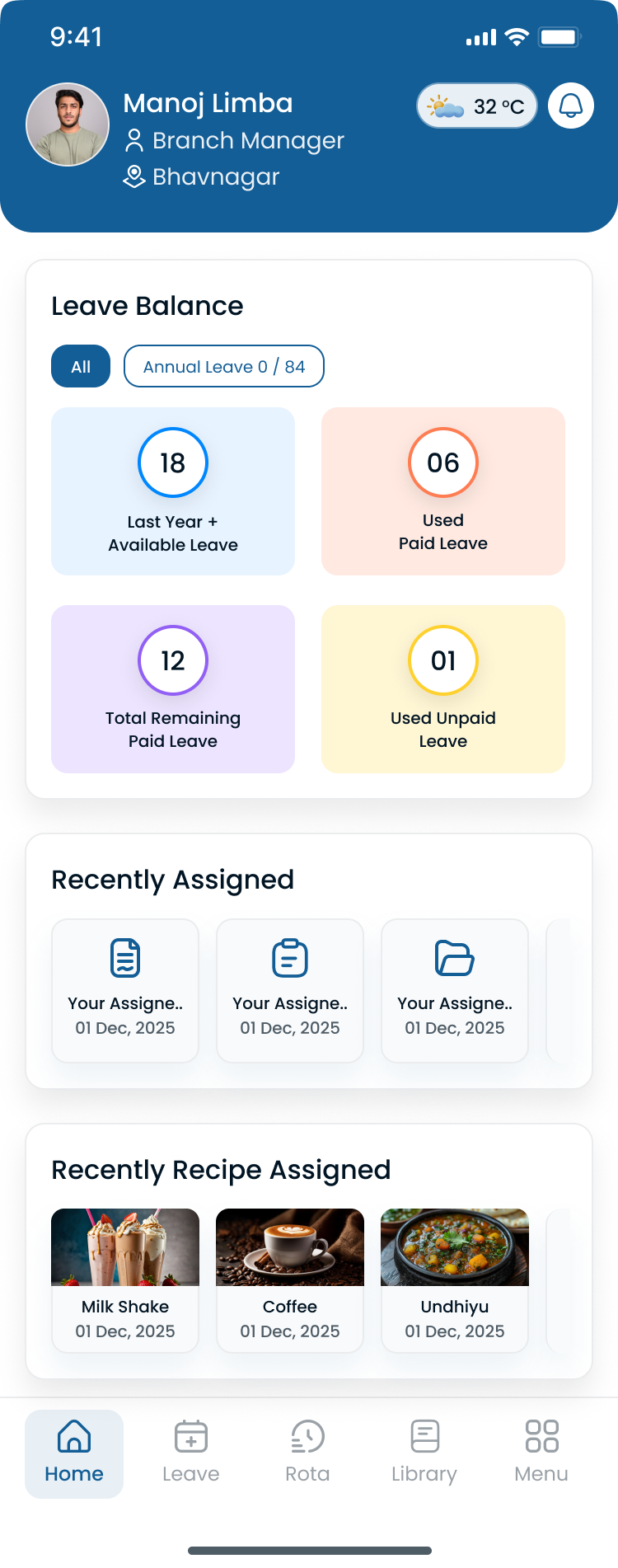
Review hour totals and thin coverage while planning the week, not only after payroll closes.
Best practice #8: Use scheduling data to reduce overtime
Overtime is one of the largest controllable labor expenses for logistics companies.
While overtime is sometimes unavoidable during seasonal peaks or unexpected demand, consistently high overtime often indicates scheduling inefficiencies rather than staffing shortages.
Instead of reviewing overtime after payroll has been processed, monitor employee hours while creating schedules. Ask which employees are approaching overtime, whether another qualified employee can cover a shift, and whether one warehouse is consistently understaffed.
For example, if one warehouse employee has already worked 38 hours by Thursday, assigning Friday's shift to another qualified employee may reduce overtime while balancing workloads across the team.
Business impact: Monitoring overtime during schedule planning helps control labor costs without affecting productivity or customer service.
Run scenarios with the overtime risk calculator before you publish a heavy week.
Best practice #9: Cross-train employees for operational flexibility
One of the biggest risks in logistics operations is depending on a small number of employees with specialized skills.
If only one employee can operate specific equipment or perform a particular warehouse task, unexpected absences can quickly disrupt operations.
Cross-training creates a more resilient workforce. Examples include receiving associates learning outbound shipping, picking teams assisting with packing during peak demand, warehouse employees receiving forklift certification, and drivers training on multiple delivery routes.
Business impact: Cross-training improves workforce resilience, reduces operational bottlenecks, and allows managers to fill shifts more confidently.
Best practice #10: Replace reactive scheduling with workforce planning
Many logistics businesses spend every week reacting to staffing issues. Managers adjust schedules only after someone calls in sick, requests leave, or customer demand changes.
Successful logistics companies move from reactive scheduling to proactive workforce planning. That means reviewing workforce data before creating schedules and planning for future operational needs.
Questions managers should ask include:
- Which weeks experience the highest demand?
- Which departments regularly require overtime?
- Which shifts are hardest to fill?
- Which locations may require additional employees next month?
- Do we have enough trained staff for upcoming projects?
Business impact: Proactive workforce planning improves labor utilization, reduces scheduling stress, and helps businesses scale more efficiently.
Compare vendors in best employee scheduling software for logistics companies when you are ready to replace manual rotas.
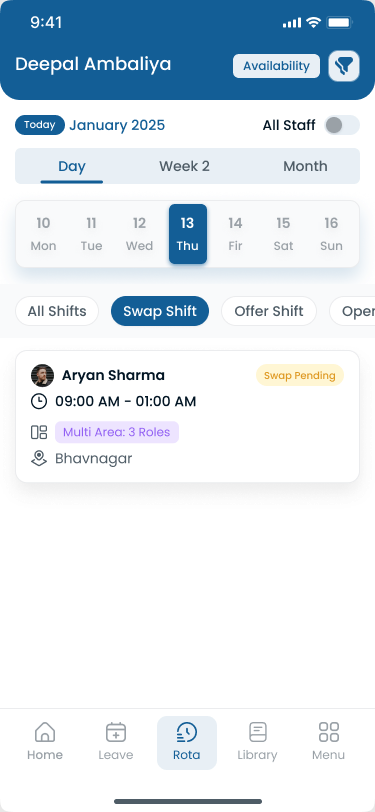
Structured swap and open-shift paths beat texting names until someone says yes.
Features every logistics scheduling solution should include
Choosing logistics scheduling software involves more than creating weekly schedules. Evaluate how well the platform supports warehouse workforce scheduling, transportation teams, and multi-site roll-up.
Easy schedule creation
Reduce hours of manual work by building employee schedules quickly with templates, copy-week, and bulk publish. See shift scheduling and AI-assisted shift drafting for speed without losing publish control.
Mobile workforce access
Employees should always have access to their schedules wherever they work. Drivers, pickers, and dock staff need the official week on phone, not screenshots in group chat. Explore the Heyshift mobile app.
Multi-location scheduling
Manage warehouses, distribution centers, and transportation hubs from one dashboard. Regional leads need roll-up hour totals without merged spreadsheet tabs. See multi-location areas and multi-location scheduling software.
Employee availability
Avoid scheduling conflicts by reviewing employee availability, approved leave, and credentials before publishing schedules. Explore people and availability.
Real-time communication
Notify employees instantly whenever schedules change on the official roster. Push notifications beat phone trees when a dock call-off needs coverage in minutes.
Reporting
Monitor staffing levels and workforce utilization while making better scheduling decisions. OT pacing, fill rate, and planned-vs-worked variance should export for operations and finance weekly. See workforce visibility.
Workforce scheduling by logistics business type
Logistics employee scheduling requirements differ by operation. Use this map when you prioritize features for demos.
Warehouses
Coordinate receiving, picking, packing, inventory, and shipping teams on one published week. Balance morning, evening, and overnight bands without separate files per shift. Compare warehouse scheduling software and the rotating shift schedule template.
Distribution centers
Manage employees across multiple departments while improving shift coverage for inbound, pick-pack, and outbound lanes. DC buyers should verify department templates and hour roll-up during trial.
Transportation companies
Schedule dispatchers, drivers, warehouse staff, and support teams with mobile access for field roles. Demo driver workflows, not only admin desktop grids.
Third-party logistics (3PL)
Manage multiple client operations while balancing workforce requirements across sites and contracts. Multi-location visibility and publish discipline matter early as client count grows.
Last-mile delivery
Coordinate delivery teams while adapting to changing customer demand. Route windows, on-call bands, and rapid open-shift fill reduce doubles when volume spikes.
Common scheduling mistakes logistics companies should avoid
Building schedules too early: Creating schedules before understanding customer demand often leads to unnecessary changes later in the week. Review operational forecasts before assigning shifts.
Ignoring employee availability: Scheduling employees who have already requested leave creates unnecessary conflicts and frustration. Always review availability before publishing schedules.
Relying on the same employees: Assigning overtime to the same high-performing employees every week may solve short-term staffing issues but often leads to burnout and higher turnover.
Managing scheduling and attendance separately: Scheduling determines who should be working. Attendance confirms who actually worked. Managing these processes separately reduces visibility and increases payroll corrections.
Waiting until problems become emergencies: Successful managers prepare backup plans, maintain cross-trained employees, and monitor workforce trends before problems affect operations.
Read employee shift swapping best practices and workforce scheduling software vs Excel.
Manual scheduling vs scheduling software
| Manual scheduling | Workforce scheduling software |
|---|---|
| Spreadsheet updates | Centralized scheduling |
| Phone calls | Instant notifications |
| Difficult shift changes | Quick schedule updates |
| Limited visibility | Real-time workforce dashboard |
| Multiple spreadsheets | One scheduling platform |
| Higher administrative work | Automated scheduling workflows |
Read why spreadsheets fail for workforce scheduling when your team debates cloud vs Excel.
Peak season scheduling tips
Logistics businesses experience significant staffing increases during:
- Holiday shopping
- Black Friday
- Cyber Monday
- End-of-year fulfillment
- Seasonal inventory changes
Preparation tips:
- Build schedules earlier than usual
- Hire seasonal employees in advance
- Balance workloads across qualified staff
- Reduce unnecessary overtime with planning-time hour totals
- Prepare backup staffing plans and open-shift paths before volume spikes
Pair peak planning with weekend surge staffing templates and the employee schedule template to standardize bands before software import.
Operators who treat peak season as a four-week sprint instead of an eight-week planning window usually pay for it in agency spend, mandatory doubles, and outbound delays. Build the first draft schedule earlier, then adjust daily against inbound and outbound actuals instead of rebuilding from scratch every Sunday night.
How better scheduling reduces labor costs
Efficient warehouse workforce management helps businesses:
- Reduce overtime with planning-time visibility
- Improve labor utilization across shifts and sites
- Balance workloads instead of stacking hours on the same employees
- Reduce idle time from understaffed receiving or outbound lanes
- Improve employee productivity with clearer shift expectations
- Increase operational efficiency through weekly workforce review
Even small improvements in workforce planning can significantly reduce operating costs over time. Run scenarios with the overtime risk calculator before you publish a heavy week.
Signs it's time to upgrade your scheduling process
If you recognize several of the situations below, it may be time to modernize your logistics workforce management process:
- Managers spend hours updating spreadsheets every week
- Employees regularly call supervisors to confirm schedules
- Overtime continues to increase
- Multiple versions of schedules exist across email, spreadsheets, and messaging apps
- Shift changes create confusion
- Payroll corrections happen frequently
- Supervisors struggle to coordinate multiple warehouses
- Employees do not receive schedule updates quickly
The more of these challenges your business experiences, the greater the potential benefit from adopting centralized employee scheduling software.
See shift scheduling software buyer's guide and employee scheduling software cost.
Scheduling maturity model
Every logistics company progresses through different stages of workforce scheduling.
| Stage | Typical process | Common challenges | Recommended next step |
|---|---|---|---|
| Level 1 | Paper schedules | Poor visibility | Move to digital schedules |
| Level 2 | Excel spreadsheets | Manual updates, errors | Centralize scheduling |
| Level 3 | Basic scheduling software | Limited reporting | Integrate attendance and leave management |
| Level 4 | Workforce management platform | Continuous optimization | Use workforce analytics for planning |
| Level 5 | Data-driven workforce planning | Ongoing improvement | Forecast labor demand and optimize operations |
Understanding your current stage helps determine what improvements will have the greatest impact.
Implementation checklist
Before changing your scheduling process, review the following checklist.
Workforce planning
- Forecast labor demand
- Review employee availability
- Plan for seasonal demand
- Prepare backup staffing
Schedule creation
- Balance employee workloads
- Reduce unnecessary overtime
- Verify department coverage
- Review compliance requirements
Workforce communication
- Publish schedules digitally
- Notify employees instantly
- Allow leave requests
- Support shift swaps through approval paths
Continuous improvement
- Review attendance weekly
- Monitor overtime
- Analyze workforce reports
- Improve schedules using operational data
Following this checklist creates a repeatable scheduling process that scales as your logistics business grows.
Start with one site and one publish rhythm before you migrate every DC. Operators who switch all sites in one weekend often lose the template discipline that makes peak season survivable.
Why growing logistics companies choose Heyshift
Heyshift simplifies workforce scheduling for logistics operations by helping managers:
- Build schedules faster with publish-first discipline
- Manage multiple warehouses from one account
- Improve employee communication around changes and open shifts
- Reduce scheduling conflicts with availability and leave visibility
- Improve workforce visibility for operations and finance
- Support business growth without enterprise implementation overhead
- Access schedules from anywhere on web and mobile
Whether managing one warehouse or multiple logistics facilities, Heyshift provides scheduling tools designed for growing operations. Explore logistics staff scheduling software, review pricing, and start a 30-day free trial on your highest-pain hub.
How scheduling software supports these practices
Modern logistics scheduling software brings the ten practices above into one workflow:
- Shift scheduling with publish-first discipline
- Attendance tracker beside published shifts
- Multi-location areas for regional roll-up
- Mobile app for deskless drivers and floor staff
- Workforce visibility for weekly review
Estimate admin time saved with the manager time savings calculator and scheduling ROI calculator.
Start 30-day free trial to pilot publish-first scheduling at one hub.
Final thoughts
Efficient workforce scheduling is no longer just an administrative responsibility. It is a competitive advantage.
As logistics operations grow, managers must coordinate larger teams, more locations, changing customer demand, and increasing labor costs. Relying on spreadsheets or manual scheduling processes makes that job increasingly difficult.
The most successful logistics companies do not simply create schedules. They build repeatable scheduling processes supported by workforce data, employee availability, attendance tracking, and clear communication.
By applying the best practices in this guide, businesses can improve warehouse productivity, reduce overtime, increase workforce visibility, strengthen employee communication, minimize scheduling conflicts, and scale operations with greater confidence.
Whether you manage one warehouse or a multi-location logistics network, improving your scheduling process can have a measurable impact on operational efficiency and employee satisfaction.
Ready to modernize your workforce scheduling?
If your logistics business has outgrown spreadsheets, phone calls, or manual scheduling, it may be time to adopt a workforce management platform designed for shift-based teams.
Heyshift helps logistics companies build employee schedules faster, track attendance in real time, manage leave requests, support employee shift swaps, coordinate multiple warehouses, improve workforce communication, and monitor labor trends and overtime.
Instead of spending hours updating schedules each week, managers can focus on improving operations and delivering better customer service.
Start your 30-day free trial (no credit card required) to map your first publish week.
Forecast first, publish once, review weekly, and let attendance and scheduling live in the same official roster.
Related logistics resources
Industry pages
- Logistics staff scheduling software
- Warehouse scheduling software
- Manufacturing shift scheduling software
Feature pages
- Employee scheduling software
- Multi-location scheduling software
- Shift scheduling
- AI-assisted shift drafting
Templates
Guides
Frequently Asked Questions
Continue with related topics
More articles on topics related to this one.

Best Logistics Scheduling Software (2026)
Compare the best logistics scheduling software for USA warehouses, 3PLs, and multi-site teams. Review coverage, overtime, attendance, and how to choose.
Read article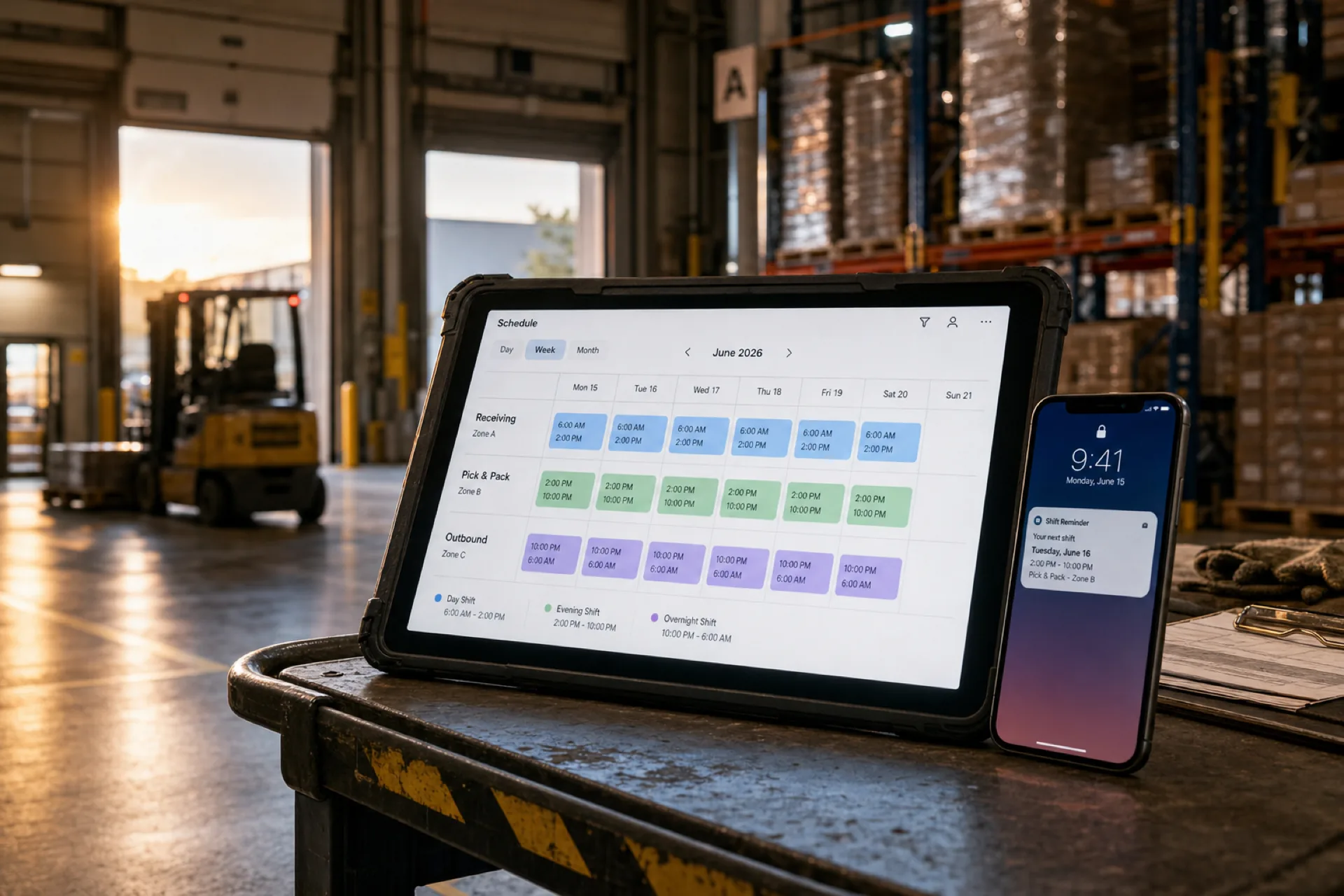
Best employee scheduling software for warehouses (2026 guide)
Compare the best employee scheduling software for warehouses in 2026: multi-shift scheduling, attendance tracking, overtime visibility, and workforce management for distribution centers and fulfillment teams.
Read article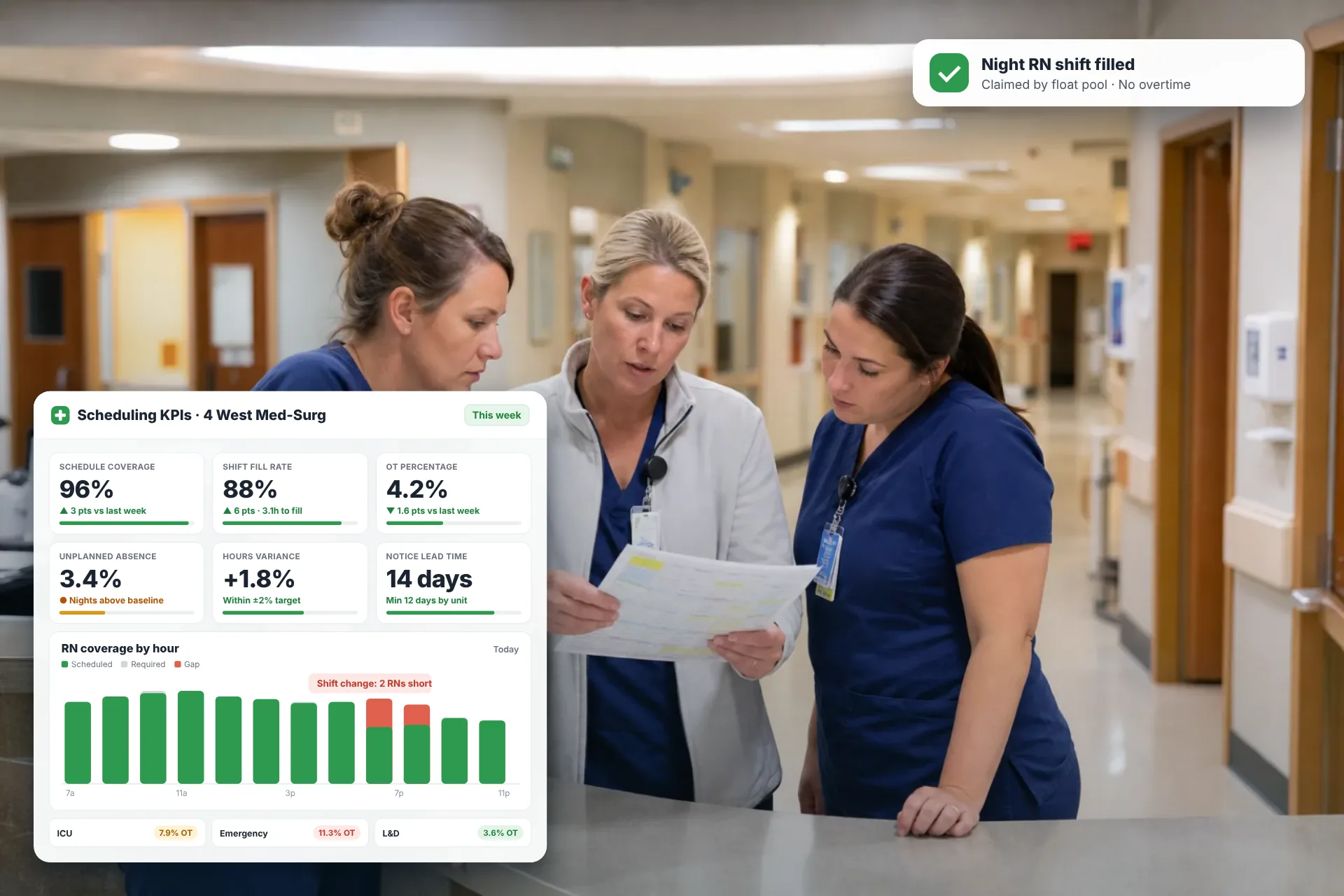
Employee Scheduling KPIs: 12 Metrics Every Operations Manager Should Track
Twelve employee scheduling KPIs with formulas, review cadences, and first actions, plus the trade-offs between them that most KPI lists skip.
Read article