

Multi-location workforce management guide for growing businesses (2026)
Learn multi-location workforce management for growing USA businesses: centralized scheduling, attendance, communication, labor control, and staffing across every site.
Multi-location workforce management for growing businesses
Opening a second site is a milestone. So is the third, the fifth, and the tenth. Growth creates revenue and brand reach. It also breaks the habits that worked when one manager, one roster, and one group chat were enough.
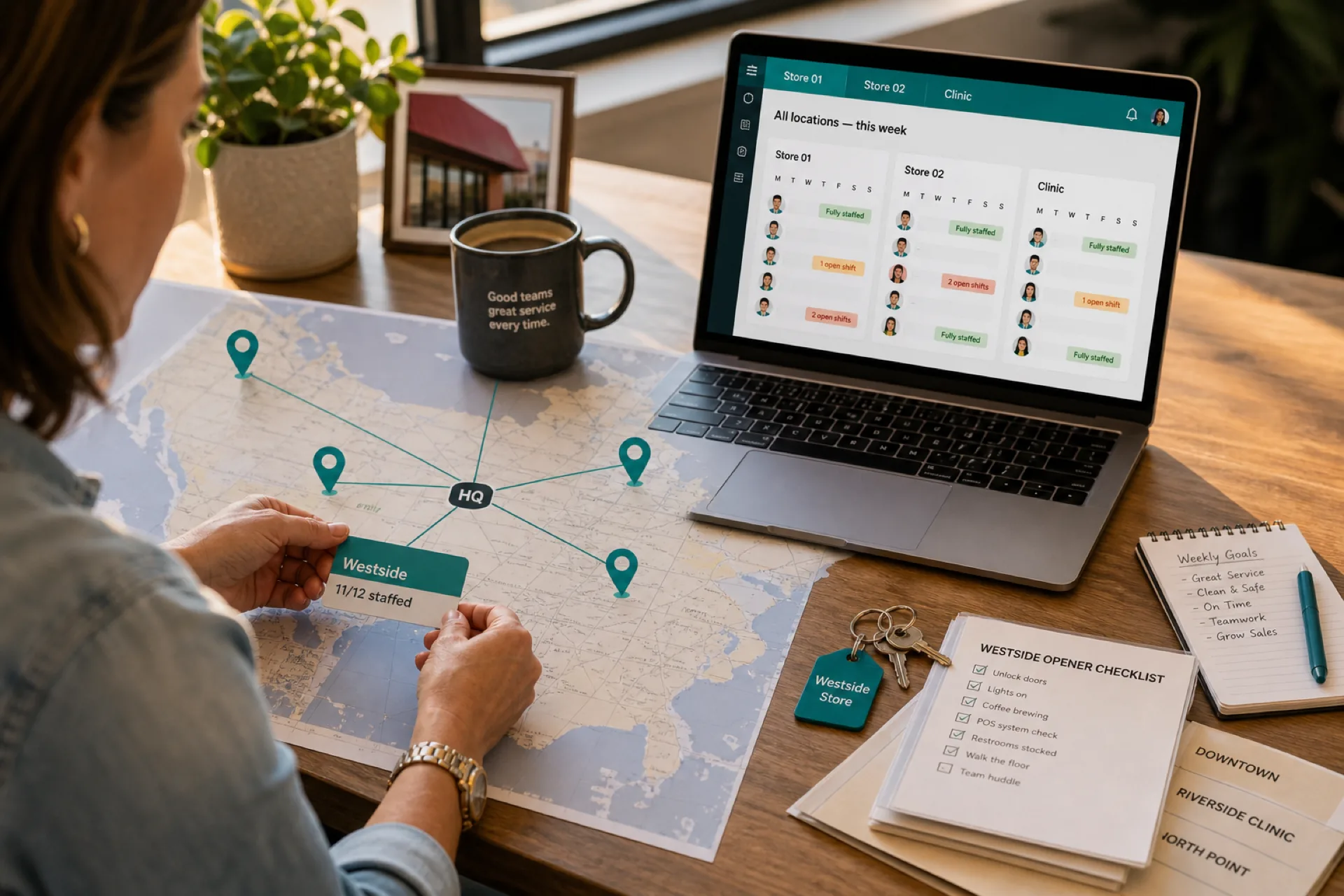
Multi-location workforce management is how you coordinate schedules, attendance, communication, labor cost, and coverage across every site without each location living in its own silo.
When leadership cannot answer basic questions (Who is understaffed today? Where is overtime building? Who can cover another store?), the problem is usually structure, not effort.
This guide explains what multi-location workforce management means, why it gets hard as you scale, the biggest operational challenges, seven best practices, and how software supports a single source of truth.
For product depth across sites, see multi-location scheduling platform built for hourly teams. For software-specific depth when the second site breaks your stack, see multi-location employee scheduling software for USA teams. For a vendor comparison, see best scheduling software for multi-location businesses (2026). For attendance across sites, see attendance management software for multi-location teams.
What is multi-location workforce management?
Multi-location workforce management means coordinating people, schedules, attendance, communication, and labor operations across more than one business site under one operating model.
Common examples:
| Business type | Multi-site pattern |
|---|---|
| Retail chains | Stores with different hours and peak days |
| Restaurant groups | Neighborhood units plus commissary or catering |
| Healthcare | Clinics, urgent care, mobile teams |
| Cleaning and field service | Routes and client sites |
| Warehousing and logistics | DCs, cross-docks, last-mile hubs |
| Franchise operators | Brand standards with local managers |
The goal is consistent customer-facing execution while you optimize staffing and labor cost across the whole organization, not site by site in isolation.
Why multi-location workforce management is difficult
Complexity scales faster than headcount. Each new site adds:
- Its own peak hours and staffing minimums
- Local managers with different habits
- Employees whose availability spans multiple sites
- Labor budgets that roll up to ownership or finance
What worked at one location (a spreadsheet, a printed grid, a single chat thread) often becomes many unofficial versions of the truth once sites multiply.
Without centralized visibility, leadership manages reactively: calling managers, reconciling exports, and fixing coverage after customers feel the gap.
The biggest challenges of managing multiple locations
Lack of workforce visibility
Separate spreadsheets, local tools, or manager-specific habits create information silos. Ownership cannot quickly see which sites are understaffed, where overtime is climbing, or which employees could work elsewhere this week.
Inconsistent scheduling practices
When each site builds schedules differently, you get uneven labor, confused employees, and harder comparisons across locations. Consistency does not mean identical grids. It means the same publish rules, approval paths, and hour visibility everywhere.
Employee communication problems
Updates scattered across email, texts, printed notices, and multiple apps mean staff miss changes. The larger the org, the more expensive a missed message becomes.
Labor cost control
Without roll-up visibility, overtime, overstaffing, and inefficient shift placement show up on payroll before anyone adjusts the week. See how to prevent overtime before payroll for weekly habits that help.
Attendance tracking complexity
Manual attendance across sites is slow and error-prone. Managers need clock-ins, late arrivals, and absences tied to what was published, not what someone remembers from a side chat.
Benefits of effective multi-location workforce management
| Benefit | What changes in practice |
|---|---|
| Lower labor cost | Fewer duplicate hours, less emergency OT, better match to demand |
| Better employee experience | One place to see shifts, swaps, and updates |
| Faster communication | Publish once; notify everywhere it applies |
| Operational visibility | Leadership sees yellow and red sites before the weekend |
| Higher productivity | Managers spend less time chasing versions and more time coaching |
Seven best practices for managing multiple locations
1. Standardize scheduling processes
Define one publish rhythm every site follows: when the week is built, when it is published, how swaps are requested, and who approves. Document it in a short site playbook managers can reuse.
Rollout discipline matters. Read multi-site rollout on one publish calendar when you are adding locations quickly.
2. Centralize workforce data
Maintain one source of truth for schedules and attendance. Each location can keep its own roster and roles, but leadership needs one account-level view without merging exports by hand.
3. Improve employee communication
Route schedule-related updates through the same system that holds the official week. Reduce parallel "real schedule in chat" habits that cause no-shows and disputes.
4. Monitor labor costs regularly
Review scheduled hours and budget signals before payroll, not only after export. Compare sites on the same calendar so you spot outliers early.
5. Track attendance in real time
Surface late arrivals and absences against the published roster while managers can still adjust coverage. Pair with reduce employee no-shows when attendance drives labor surprises.
6. Enable cross-location staffing
Qualified employees who can work multiple sites give you flexibility without defaulting to overtime on the same closers every week. Track their total hours across locations, not only per-site totals.
7. Use workforce management software
Workforce management software should support separate site rosters, centralized visibility, mobile access for hourly staff, swap approvals, and attendance aligned to publish. Technology does not replace manager judgment. It removes the admin tax that scales with each new door.
Industries that benefit most
| Industry | Multi-location pressure |
|---|---|
| Retail chains | Seasonal peaks, varying store formats, float pools |
| Restaurant groups | Different dayparts, shared training staff, event covers |
| Healthcare | Coverage minimums, compliance windows, on-call layers |
| Cleaning services | Mobile crews, route changes, client-site dispatch |
| Security services | Post coverage across client properties |
| Warehousing and logistics | Shift handoffs, surge weeks, absenteeism at scale |
| Franchise networks | Brand standards with local labor ownership |
Explore city-specific playbooks on Heyshift locations when you are building local SEO and ops context together.
How workforce management software simplifies multi-location operations
| Capability | Multi-site value |
|---|---|
| Centralized scheduling | Build and publish per location; roll up for leadership |
| Attendance tracking | Compare sites on the same published week |
| Labor monitoring | Spot OT and overstaffing before payroll |
| Employee self-service | Mobile schedule access reduces manager interruptions |
| Real-time notifications | One publish path for updates that must reach staff |
| Workforce visibility | Map which sites need help before service breaks |
Heyshift shift scheduling and multi-location areas are built for USA hourly teams that outgrew one-site tools: separate rosters per location, mobile visibility for staff, and manager approvals on the same published calendar ownership already trusts.
For buying criteria focused on scheduling when site two opens, use multi-location employee scheduling software for USA teams alongside this guide.
How Heyshift helps multi-location businesses
Heyshift helps growing operators manage multi-location workforce management without enterprise HR bloat:
- Schedules across locations with each site keeping its own roles and rhythm
- Attendance tracking tied to the published roster
- Shift coverage and swap approvals before hours change
- Labor utilization visibility for ownership and area managers
- Workforce communication through publish and mobile notifications
- Centralized account view whether you run five sites or fifty
When every location publishes the same way, leadership spends less time reconciling files and more time fixing staffing before customers notice.
Final thoughts
Growth is worth celebrating. Multi-location workforce management is what keeps growth from becoming chaos.
Businesses that centralize scheduling, attendance, communication, and labor visibility gain a durable operational edge: lower labor surprises, clearer employee experience, and managers who plan instead of patch.
As you add sites, invest in one publish path, one source of truth, and visibility leadership can trust before the busy week starts.
Start a Start 30-day free trial to map your locations inside one Heyshift account.
Frequently Asked Questions
Continue with related topics
More articles on topics related to this one.

Employee Schedule Change Management: One Official Roster
Learn employee schedule change management: a simple approval workflow, change log and notification process that keeps one official roster.
Read article
Healthcare staff scheduling software with attendance tracking: features, benefits, and how to choose
Compare healthcare staff scheduling software with attendance tracking. See how hospitals and clinics compare the published week with who actually worked.
Read article
How to prevent employee scheduling conflicts and double-bookings
Prevent employee scheduling conflicts before you publish: catch double-bookings, availability clashes, missed time off, and location overlaps.
Read article