


Planned vs Actual Employee Hours: Measure Schedule Accuracy
Learn how to compare planned vs actual employee hours, calculate schedule variance, and find why rosters drift. Includes formulas and a weekly routine.
What planned vs actual employee hours really mean
Featured answer: Subtract planned hours from actual hours for each employee, shift, and role. Then add up the absolute differences and divide by total planned hours. The result is your schedule accuracy rate, and the biggest individual gaps show you where to look first.
A published schedule is a plan, not a result. Comparing planned vs actual employee hours is the simplest way to see how far the two have drifted, and the gap usually shows up in payroll before anyone mentions it in a meeting.
If your roster says 160 hours for the week and your team works 172, you have already paid for 12 hours nobody planned. If another week comes in 15 hours short, you may have run thin on the floor and not noticed until customers did. Either way, you cannot fix what you do not measure.
This guide shows operations managers, finance leads, and payroll teams how to measure schedule accuracy in a way that is simple enough to repeat every week. You will get the definitions, the formulas, a worked example, a weekly routine, and a list of the causes that most often push a roster off course.
Planned hours, actual hours, and variance
Planned hours are the hours written into the roster you published. Actual hours are the hours employees worked, taken from clock-ins, clock-outs, and approved timesheets. Both numbers must come from one agreed source, otherwise the comparison starts with an argument about data.
Three definitions keep the numbers honest:
- Planned hours: paid shift hours on the last published version of the schedule, excluding unpaid breaks.
- Actual hours: worked hours from employee attendance tracking records, after approved corrections.
- Variance: actual minus planned. A positive number means people worked more than planned. A negative number means they worked less.
Decide up front how you treat breaks, rounding rules, and unpaid time, then apply the same rules every week. A consistent method matters more than a perfect one.
Keep the baseline honest. Planned hours are the hours on the last published roster, not the last unofficial edit in a chat thread. If you keep rewriting the plan after people have already seen the week, you are measuring a moving target. Actual hours are only as good as the punches and approved corrections behind them.
This is also a record-keeping habit worth having. In the United States, the Department of Labor's FLSA recordkeeping fact sheet lists hours worked each workday and total hours worked each workweek among the records employers must keep, and it says the information must be accurate. Rules differ by country and state, so check the requirements that apply to your business.
USA multi-site teams feel this more when each location keeps its own sheet. Site A can look on plan while Site B is quietly over. A person who works both sites can look fine in each file and over hours when you add them together. The comparison has to work by person, role, location, and week, not only as a company total.
This is a different job from a pre-publish audit. A pre-publish checklist asks whether the draft is ready to show employees. Planned vs actual asks whether last week's published promise held. You need both. One protects the week you are about to send. The other teaches you what to change on the next draft.
How to calculate schedule variance and roster accuracy
Use two measures together. Net variance shows whether you ran over or under plan. Schedule accuracy shows how closely each person and shift matched the plan, because overs and unders can cancel each other out in the total.
Variance (hours) = Actual hours − Planned hours
Variance % = (Actual − Planned) ÷ Planned × 100
Schedule accuracy = 1 − (sum of |Actual − Planned|) ÷ (sum of Planned)
A positive variance means people worked more than planned. A negative variance means they worked less. Do not mix sign conventions in the same report. If one manager writes "+12 over plan" and another writes "12 under budget" for the same week, the meeting will argue about the label instead of the cause.
Net variance is the first number most teams look at. It answers a cost question: did we work more hours or fewer hours than we published? Schedule accuracy answers a different question: how much of the roster was actually wrong in either direction?
If one employee works 5 hours more than planned and another works 5 hours less, net variance is zero. The week still missed the plan twice. Absolute gaps catch that. The accuracy formula turns those absolute gaps into a single rate you can track week after week.
| Metric | What it answers | What it hides |
|---|---|---|
| Net hour variance | Did we work more or less than planned in total? | Role and site mix |
| Absolute hour variance | How much of the roster was wrong in either direction? | Cost |
| Variance % | How large is the gap relative to the plan? | Small teams can look worse as a percent |
| Schedule accuracy | How closely did people and shifts match the plan? | Which cause created the gap |
Use at least two of these every week. One number is a slogan. Two numbers start a conversation.
Do not copy a target from another industry and treat it as a standard. A clinic with fixed appointment blocks will look different from a bar with late last covers. Start with your own history, then decide a threshold that fits your operation and keep it stable.
A worked example
The numbers below are illustrative. They show one team of four employees on a 40-hour plan for the week.
| Employee | Planned hrs | Actual hrs | Variance | Absolute variance |
|---|---|---|---|---|
| Employee A | 40 | 44 | +4 | 4 |
| Employee B | 40 | 38 | -2 | 2 |
| Employee C | 40 | 46 | +6 | 6 |
| Employee D | 40 | 44 | +4 | 4 |
| Total | 160 | 172 | +12 | 16 |
Net variance is +12 hours, or 7.5% over plan. Schedule accuracy is 1 − (16 ÷ 160), which equals 90%. The net figure says you went over. The accuracy figure says that even the hours which cancelled out were not where you planned them.
Employee B is the easy one to miss. That person worked 2 hours less than planned. In a net-only report, those 2 hours hide inside Employee C's extra 6. The floor may have been short while another person stayed late. Both things happened. The accuracy figure keeps both of them in view.
Run the same calculation by role and by location as well as by person. A team that looks accurate in total can hide a role that is consistently short and another that is consistently over. If you schedule across several sites, a multi-location schedule makes this split much easier to read.
A useful next cut on the same week is by cause, once you have tagged the gaps. If 10 of the 16 absolute hours came from late finishes and unplanned coverage, you know what to change. If you only padded next week by 12 hours, you would raise cost on every day, including the quiet ones.
Finance and payroll will often stop at the +12. That is the number that hits the labor line. Operations should keep going to the 16. That is the number that tells you the roster was wrong in more than one place. Share both. If you only send the net, the scheduler will hear "we went over" and add hours everywhere. If you send the accuracy figure with names and roles, they can see that Employee B was short and Employee C was long, which is a different next week.
The same four-person week can also be cut by shift. Suppose the +6 on Employee C was two late closes, and the -2 on Employee B was an early finish on a quiet Tuesday. The net still looks like "the team ran hot." The shift cut says "close is too short and Tuesday lunch is too long." That is a template change, not a pep talk.
Hours can also match while cost does not. Cost depends on who worked, when they worked, and the pay rate that applied. Overtime, employee mix, and premium periods can move the dollar line even when total hours look close. Measure hours first with the formulas above, then add cost if finance needs the budget result. Overtime rules and rates vary by location and by agreement, so use the rules that apply to your business. You can estimate overtime exposure with Heyshift's overtime risk calculator.
A weekly routine for measuring schedule accuracy
Measure weekly, not monthly. A monthly report shows you a problem after it has already cost four weeks of overtime or thin coverage. A short weekly review keeps the cause fresh enough to remember.
1. Freeze the baseline. Save the final published schedule at the start of the week. Later edits belong in your change log, not in the baseline.
2. Close the timesheets. Approve missed punches and corrections before you compare anything.
3. Pull planned and actual hours. Export both by employee, role, shift, and location.
4. Calculate variance and accuracy. Use the formulas above, and flag any shift or person more than your chosen threshold away from plan.
5. Tag the cause. Give every flagged gap one reason, such as call-off, late arrival, early finish, demand change, manager edit, or swap.
6. Decide one action. Pick the single change you will make in next week's schedule, then check whether it worked.
Pick a threshold that fits your operation and keep it stable for at least a quarter, so the trend means something. Share the weekly figure with the people who build the roster. Accuracy improves when schedulers see the result of their own decisions.
A useful review does not need to be long. A repeatable fifteen-minute routine beats a monthly spreadsheet exercise that no one trusts. A practical slot for many USA hourly teams is the same weekday you already use to lock next week. Look backward for 15 minutes, then publish forward. If you wait until payroll week, you will still correct punches, but you will not change the next roster in time.
For multi-site groups, run the same six steps at each location, then roll up. A company total that looks fine can hide one store that is always over and one that is always short. The rollup is where you see whether the cause is local (that closer, that Friday) or shared (the template is too short everywhere).
Write the action down. "Talk to the team" is not an action. "Move Saturday close from 8 hours to 8.5 for the next four weeks and review" is an action. If the same cause appears the following month, the action was too weak or it was never done.
A one-page weekly sheet is enough:
| Column | What you write |
|---|---|
| Planned hours | Published roster total |
| Actual hours | Approved worked hours |
| Net variance | Actual minus planned |
| Absolute variance | Sum of each gap without canceling |
| Schedule accuracy | 1 minus absolute variance divided by planned hours |
| Top two causes | From the fixed list |
| One action | The change on next week's published roster |
If you cannot fill that sheet in fifteen minutes, the extract is too slow or the punches are not ready. Fix the extract before you add more reports.
Check the data first on every flag. A large gap that turns out to be a missed punch is not a staffing problem. Approving corrections before you calculate is what keeps the weekly number trusted. If people believe the report is full of clock errors, they will stop using it.
High-volume operations may add a daily glance at the same two totals, planned versus actual so far this week, without running the full cause review. The daily glance is a steering check. The weekly review is the decision. Do not let the daily glance become a second monthly spreadsheet that nobody finishes.
Payroll cutoff deserves its own pass. Review variance before the pay period closes so exceptions are fixed while people still remember what happened. That is a record quality step as well as an accuracy step. The FLSA fact sheet is about hours actually worked, not about how tidy the roster looked on Monday. If the timesheet is wrong, the comparison is wrong, and the pay file may be wrong too. Confirm the rules that apply to your business with HR or counsel. This guide is an operations method, not legal advice.
Common causes of schedule drift
Most drift comes from a short list of repeat causes. Tagging each gap with a cause turns a vague complaint ("the schedule never holds") into a ranked list you can act on.
| Cause | What it looks like in the data | First thing to check |
|---|---|---|
| Call-offs and no-shows | Negative variance on a shift, then positive variance on the replacement | How quickly is cover found, and is it open shift cover or overtime? |
| Late edits after publishing | Planned hours differ from the baseline you froze | Are mid-week schedule changes approved and logged? |
| Early or late clock-outs | Small, repeated variances on the same shift | Does the planned shift length match the real work? |
| Unplanned overtime | Positive variance on the same few people | Who absorbs extra work, and is the overtime risk visible before the week starts? |
| Demand misjudged | Whole shifts over or under plan | Is the plan built from a staffing matrix, or from habit? |
| Informal shift swaps | Person scheduled differs from person who worked | Are swaps recorded in the roster? |
| Missed punches | Actual hours look too low or too high | Were timesheet corrections approved before the comparison? |
One pattern is worth watching in particular. If the same variance appears at the same shift every week, the schedule is wrong, not the people. Fix the template instead of correcting the week.
Label the cause before you change the roster. The wrong fix for the right hours is how teams pad every shift and still miss Friday.
Call-offs and no-shows. Someone is out, a replacement is called in, and hours and cost shift. If this appears every week, the issue may be a thin backup pool, not bad luck. Fix the backup, not only the fill. A named on-call person, a small open-shift list, and a rule for who can be asked twice in one week will do more than a lecture about attendance. If the same two people always cover, they will become your overtime line.
Late edits after publishing. Mid-week edits and manager additions change the plan without anyone resetting the baseline. If you edit the published roster and then compare actuals to the latest edit, variance will look smaller than the week felt. Record the original published hours as the plan, and record the edit as a cause. Otherwise you train the report to hide the thing you are trying to see.
Early or late clock-outs. Closing tasks, handovers, late customers, or unfinished work stretch shifts past their end time. Persistent overruns suggest the planned shift length is too short for the real work. Early finishes can mean the plan was long, or that work was left undone. If Saturday close is late four weeks in a row, the plan is wrong. Add time, add a closer, or cut work from the last hour.
Unplanned overtime. Extra hours that fall into overtime cost more per hour. Spotting that drift during the week lets you act before payroll closes. If the same names keep absorbing the extra work, you have a fairness problem as well as a cost problem.
Demand that differed from the forecast. A busier or slower day than expected is a legitimate reason for variance. The mistake is treating every variance as a performance problem instead of asking whether demand changed. If Saturday lunch beat the forecast and you added a person, that is a demand cause. If Saturday lunch matched the forecast and you still ran long, that is an overrun or staffing-mix cause. Same hours, different next step.
Informal shift swaps. A swap agreed in a group chat means the person on the roster is not the person who worked. Hours may balance, but the record does not. That breaks fairness reviews, skill checks, and payroll questions. If swaps are allowed, they need an approval path that updates the official week.
Missed punches. Forgotten clock-outs, missed punches, and manual edits can create variance that never happened in real life. Before you act on a gap, confirm the underlying record is right. A missing clock-out that auto-extends to midnight will look like a massive overrun. Fix the punch first. Then decide whether the remaining gap is real.
Use a short, fixed cause list every week. If a cause does not fit, add it to the list once. Do not invent a new label each Friday.
How to reduce the gap between planned and actual hours
Once you know the causes, the fixes are mostly about process. Start with the cause that appears most often in your tags.
Plan from demand and role needs. Build each shift from minimum and target staffing by role, so the plan reflects the work. The workforce scheduling guide covers how to set those numbers.
Control changes after publishing. Keep one official roster and require a recorded approval for edits.
Set overtime alerts before the week starts. Check projected hours per person while you build the schedule, not after payroll closes.
Match shift length to real work. If people regularly finish 20 minutes early or stay 20 minutes late, change the shift.
Close the loop weekly. Share the accuracy figure and the top three causes with the schedulers.
If call-offs dominate the tags, build a backup plan for the peak days instead of hoping the same closer can take one more shift. If late clock-outs dominate, sit through one close and time the last hour of work. If informal swaps dominate, move swaps onto an approval path that updates the official week. If demand tags dominate, rebuild the staffing numbers for that day part from recent sales or visit counts, not from last year's habit.
Two more habits keep the metric useful. Do not treat variance as blame. If employees fear the number, they will stop reporting accurately, and the data becomes useless. Use it to fix the process. And do not pad every shift so the report looks accurate. Adding buffer hours to every shift lowers variance on paper while raising cost in reality.
Variance is a diagnostic. It is not a grade. The moment it becomes a grade, people will hide early punches, delay reporting call-offs, or copy last week's hours into the timesheet. Then you will have a clean chart and a dirty week.
There is no universal benchmark that fits every industry, so treat any target as something to calibrate against your own history. Healthy signs include:
- Variance that is small and unbiased (not always over, not always under)
- A short list of known causes, each with an owner and an action
- Few surprises at payroll time
- Changes after publishing that are recorded and explained
- Trend lines that improve month over month, even if individual weeks are noisy
A team that is learning will still have noisy weeks. A team that is stuck will have the same cause in the same role for months. The difference is not the size of one Saturday. It is whether Saturday changed the next roster.
Ops, finance, and payroll should look at the same sheet. Ops owns the cause and the next published week. Finance owns whether the hour gap became a cost gap. Payroll owns whether the actuals are clean enough to pay. When those three reviews happen on different files, the argument starts again.
Where software helps
Doing this in spreadsheets works for a single small team. It becomes slow once you add locations, roles, and swaps, because planned hours sit in one file and actual hours in another. Employee scheduling software keeps the published roster as a fixed baseline, and attendance management software records the hours that were actually worked. When both live in one system, the weekly comparison becomes a report you open instead of a file you build.
What the system should make faster:
- One published roster as the planned-hours baseline
- Clock-ins and approved corrections as the actual-hours source
- Variance by person, role, location, and week
- A record of edits after publish
- A view managers can open before payroll cutoff
What the system should not pretend to do:
- Decide whether a late finish was demand or a slow close
- Guarantee that every punch is true
- Replace your overtime or pay rules
- Set a universal accuracy target for your industry
Heyshift is built for the publish-first version of this loop: one official week, attendance beside those shifts, and labor signals you can review while the week is still open. Confirm the planned-vs-actual views you need during a 30-day trial. Paid plans start after the trial, with seats for people who plan, publish, approve, or administer schedules. Staff mobile access for seeing the roster and clocking in is included.
The buying test is simple. Open last week. See planned hours and actual hours on the same people. If you still export two files to learn why Friday ran long, you have records. You do not have a comparison yet.
Conclusion
Planned vs actual employee hours is one of the most practical measures an operations team can track. It needs two data sets you already have, three formulas, and a short weekly review. Freeze the baseline, close the timesheets, calculate the variance, tag the cause, and change one thing next week.
If you want the comparison to run without exporting files, see how Heyshift employee scheduling software and attendance management software work together to keep plans and actuals in one place.
Frequently Asked Questions
Continue with related topics
More articles on topics related to this one.

How far in advance should employee schedules be published? A manager's guide
How far in advance should employee schedules be published? Use practical notice windows, a weekly cadence, and a controlled process for late changes.
Read article
Employee scheduling software with a mobile app: features, benefits, and how to choose
Compare employee scheduling software with a mobile app. See which features matter for shifts, availability, time off, swaps, and attendance.
Read article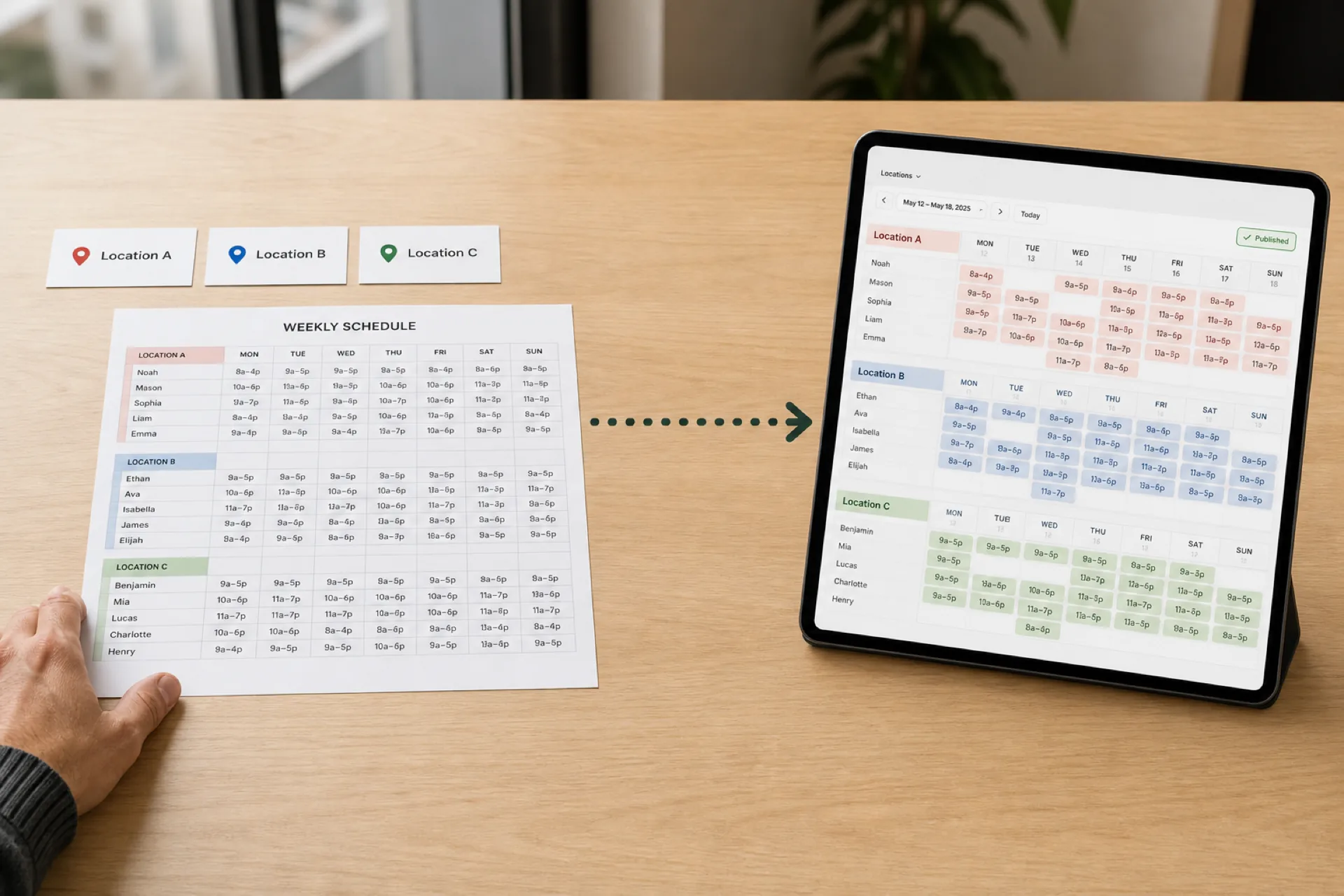
How to Create an Employee Schedule for Multiple Locations
Scheduling several locations is not the same as scheduling one store three times. Use a 10-step workflow, a staffing matrix, and one published roster.
Read article