

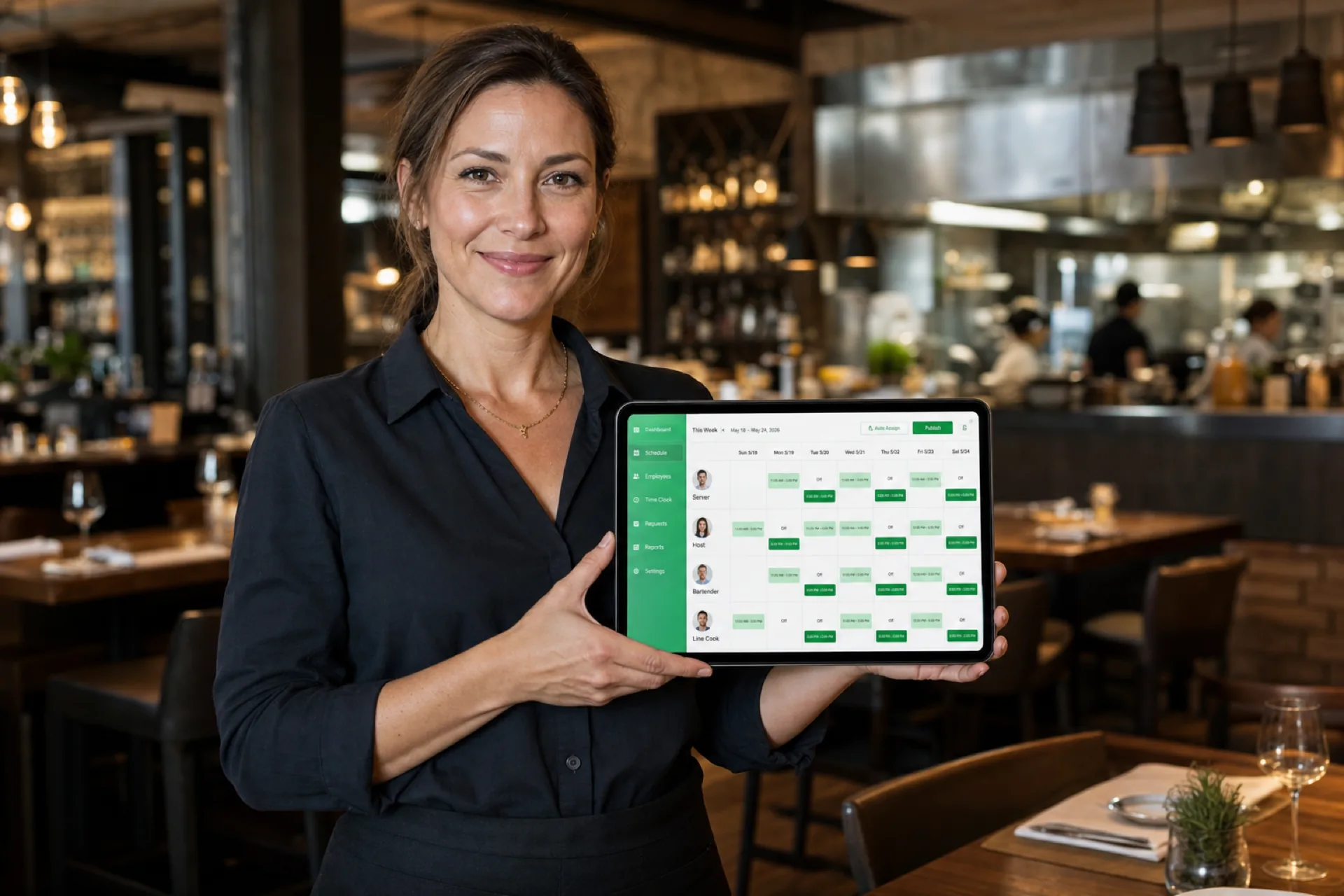
Best employee scheduling software for restaurants (2026)
Compare the best restaurant employee scheduling software in 2026: FOH and kitchen coverage, shift swaps, labor visibility, and multi-location support for USA operators.
Comparison table
| Software | Best for | Restaurant scheduling | Auto scheduling | Mobile | Shift swaps | Time off | Multi-location |
|---|---|---|---|---|---|---|---|
| Heyshift | Growing restaurant teams | Yes | Draft assist coming soon | Yes | Yes | Yes | Yes |
| 7shifts | Restaurant-focused teams | Yes | Yes on higher plans | Yes | Yes | Yes | Yes |
| Homebase | Smaller hourly businesses | Yes | Limited | Yes | Yes | Yes | Limited |
| Deputy | Broader workforce management | Yes | Yes on higher plans | Yes | Yes | Yes | Yes |
| Sling | Smaller teams that want a simple calendar | Yes | Limited | Yes | Yes | Yes | Limited |
How to read the table. “Limited” means the capability exists in a narrower form, on higher plans, or with extra products. 7shifts documents auto-scheduling and labor-forecast tools on paid restaurant plans. Confirm the current plan before you treat a cell as a buying decision.
1. Heyshift
Best for: Growing restaurant teams and multi-location groups
Key features:
- Employee scheduling
- Employee availability
- Shift management
- Open shifts
- Time-off management
- Multi-location scheduling
- Mobile access
- Attendance
Pros
- One workspace for locations, FOH and kitchen roles, and people
- Availability and time-off requests sit next to the roster
- Attendance can be reviewed against the published schedule
- Paid plans start at $4, $6, and $9 per seat after a 30-day free trial, with unlimited locations on paid plans
Considerations
- AI draft assist is coming soon on Pro and Business, not a finished auto-scheduler today
- Does not replace a POS, reservation book, or tip-pooling product
Start a 30-day free trial. No credit card required.
2. 7shifts
Best for: Restaurant-focused teams that want hospitality-native labor tools
Key features:
- Employee scheduling
- Employee availability
- Shift management
- Open shifts
- Time-off management
- Multi-location scheduling
- Mobile access
- Attendance
Pros
- Built for restaurant dayparts, roles, and labor targets
- Shift swaps, Shift Pool, and time-off requests are documented in 7shifts help
- Multi-location login and cross-location open shifts on supported plans
Considerations
- Advanced labor, tip, and payroll tools often sit on higher plans or add-ons
- Setup and packaging are heavier than a focused scheduler if you only need a roster
Confirm current 7shifts plans on 7shifts’ site.
3. Homebase
Best for: Smaller hourly restaurants that also want hiring or payroll add-ons
Key features:
- Employee scheduling
- Employee availability
- Shift management
- Open shifts
- Time-off management
- Multi-location scheduling
- Mobile access
- Attendance
Pros
- Familiar hourly-team workflows
- Fast setup for a single small store
Considerations
- Extra locations sit on paid plans, so multi-store depth is limited unless you expand
- Restaurant-specific labor tools are thinner than 7shifts
Confirm current Homebase plans on Homebase’s site.
4. Deputy
Best for: Operators who want broader workforce management and demand-style automation
Key features:
- Employee scheduling
- Employee availability
- Shift management
- Open shifts
- Time-off management
- Multi-location scheduling
- Mobile access
- Attendance
Pros
- Strong scheduling depth for complex, multi-site operations
- Auto-scheduling and demand-style tools on higher plans
- Broad marketplace if you already run a large HR or payroll stack
Considerations
- Pricing and packaging are harder to pin down from public pages alone
- Setup and admin time are usually heavier than a focused restaurant scheduler
Confirm current Deputy plans and add-ons on Deputy’s site.
5. Sling
Best for: Smaller restaurants that want a simple shared calendar
Key features:
- Employee scheduling
- Employee availability
- Shift management
- Open shifts
- Time-off management
- Multi-location scheduling
- Mobile access
- Attendance
Pros
- Fast to learn
- Shift offers and swaps are easy to explain to hourly staff
Considerations
- Multi-location controls, automation, and reporting are limited
- Attendance is basic compared with a full time-and-attendance suite
Confirm current Sling plans on Sling’s site.
Best scheduling software by restaurant type
Full-service restaurants. Focus on servers, hosts, bartenders, kitchen staff, and managers.
Quick-service restaurants. Focus on high-volume shifts, flexible staffing, and frequent schedule changes. A fast food employee schedule template can help you sketch crew bands.
Cafés. Focus on opening and closing coverage and smaller teams. See the café staff schedule template.
Bars. Focus on bartenders, servers, security, and late-night shifts. See the bar staff schedule template.
Food trucks. Focus on mobile teams and variable operating locations.
Restaurant groups. Focus on centralized multi-location scheduling.
Use the list as a starting point, not a ranking. A 12-person café and a 3-unit full-service group can pick different tools even if both serve food.
How to schedule restaurant opening and closing shifts
Opening and closing are named jobs, not leftover hours. This table is an example, not a universal staffing requirement.
| Shift | Example time | Typical roles |
|---|---|---|
| Opening | 6 AM-2 PM | Manager, prep, kitchen |
| Midday | 10 AM-6 PM | Servers, kitchen, cashier |
| Dinner | 4 PM-12 AM | Servers, bartenders, kitchen |
| Closing | 6 PM-2 AM | Closing manager, kitchen, cleaning |
A useful week shows those bands as separate shifts. That is how you see a missing closer before the door is supposed to lock. A server schedule template or restaurant shift schedule template can help you sketch FOH coverage.
How to schedule restaurant employees during busy periods
Friday and Saturday nights, holidays, special events, seasonal demand, lunch rush, dinner rush, and local events compress the same problems: more hours, more call-offs, and more overtime risk.
A practical process:
Forecast demand → Check availability → Build shifts → Review coverage → Publish → Communicate changes
Build the week from last year’s comparable service, not a guess. Confirm availability before you lock Friday night. Prepare backup coverage for the host stand, the line, and close. Monitor overtime before you add another double.
Example: scheduling a 3-location restaurant group
This is a hypothetical example, not a customer case study.
A restaurant group operates three locations with different operating hours and staffing requirements. Some employees can work at more than one location.
Without centralized scheduling. Three spreadsheets. Availability checks. Phone calls. Schedule changes. Every edit creates another version of the file.
With centralized scheduling. Locations first. Then employees, availability, shifts, coverage review, publish, and notifications.
The software path does not decide who should close. It removes the version-control problem when three managers edit the same weekend.
Which restaurant scheduling software is right for your business?
Choose Heyshift if: you need straightforward employee scheduling, availability management, shift coordination, and multi-location workforce visibility.
Choose 7shifts if: a restaurant-specific workforce platform is your primary requirement.
Choose Homebase if: you operate a smaller hourly workforce and want a simple scheduling platform.
Choose Deputy if: you need broader workforce management capabilities and have time for a heavier rollout.
Choose Sling if: you want a simple shared calendar and you do not need deep reporting.
How Heyshift helps restaurants manage employee schedules
Instead of another feature list, here is the working path.
- Add restaurant locations.
- Create departments or areas.
- Add employees and roles.
- Set availability.
- Create shifts.
- Assign employees.
- Review staffing coverage.
- Publish the schedule.
- Notify employees.
- Manage schedule changes.
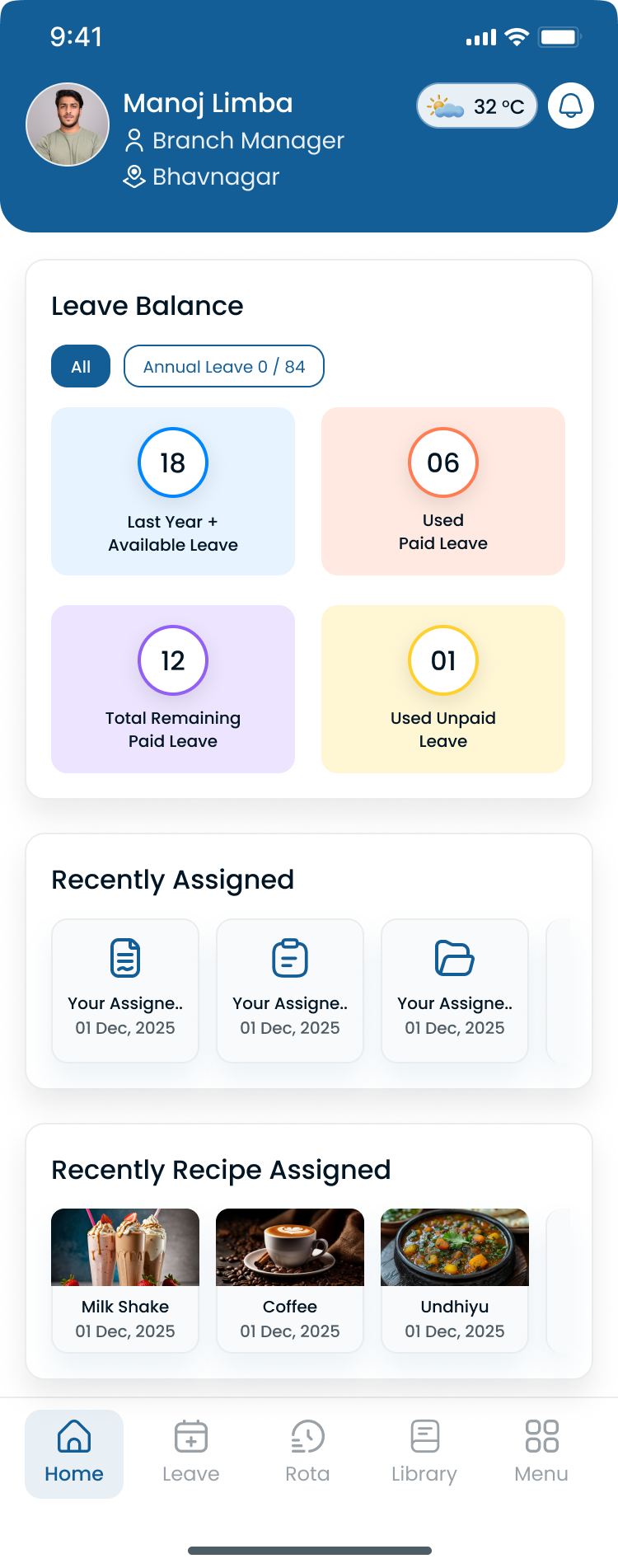
Managers can move between restaurants without exporting a new file for each unit.
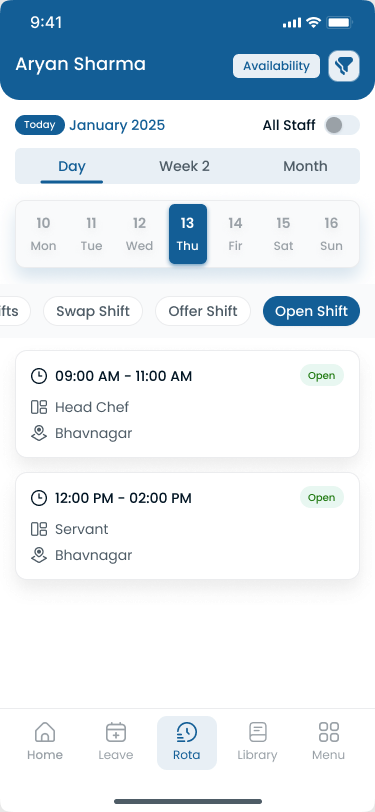
Servers and cooks can check the published roster on a phone, which matters on the floor where nobody wants another portal password.
Key takeaways
- Restaurant scheduling needs to account for changing demand throughout the day.
- Front-of-house and kitchen teams often require different staffing patterns.
- Employee availability and last-minute call-offs can make manual scheduling difficult.
- Mobile access helps restaurant employees stay informed about schedule changes.
- Multi-location restaurants benefit from centralized scheduling.
- The right platform depends on restaurant type, workforce size, locations, and scheduling complexity.
Final thoughts
The best restaurant scheduling software is the one your managers will actually update on a Saturday when a closer calls off. Start with dayparts, FOH and kitchen roles, availability, and attendance. Then decide whether you need 7shifts’ hospitality suite, Deputy-scale automation, or a focused scheduler.
Start your 30-day free trial to see Heyshift against a real service week. Or book a walkthrough.
Frequently Asked Questions
Continue with related topics
More articles on topics related to this one.
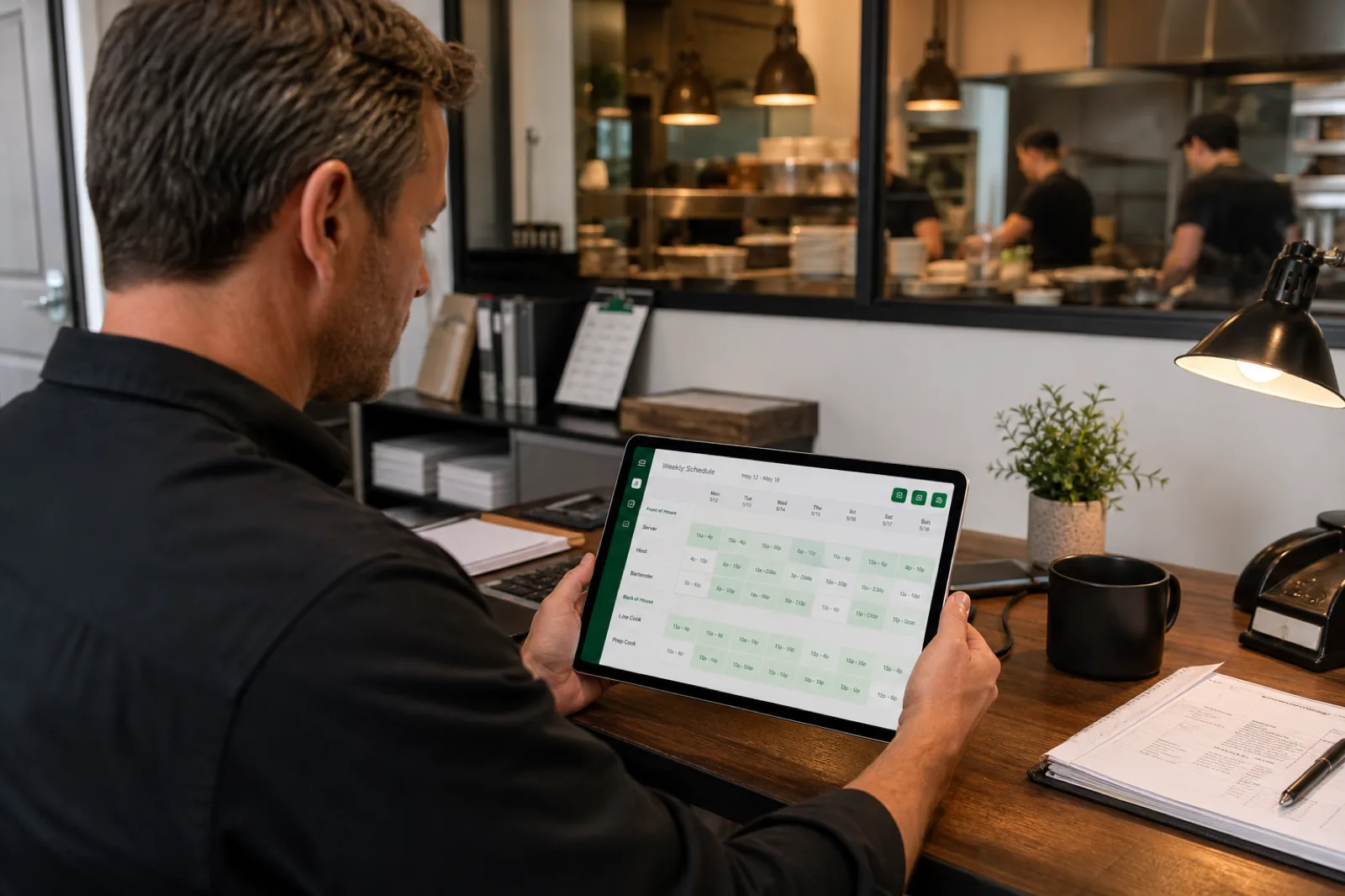
Restaurant staff scheduling: the complete guide for restaurant managers
Restaurant staff scheduling best practices help managers match FOH and BOH coverage to demand, control labor cost, handle call-offs, and keep hourly teams on one published roster.
Read article
Hotel Staff Scheduling Software for New York City Hotels (2026)
How hotel staff scheduling software helps New York City hotels simplify shift planning, coordinate departments, reduce labor costs, and manage 24/7 hospitality teams.
Read article
Best scheduling software for hospitality businesses (2026 guide)
Compare the best scheduling software for hospitality businesses in 2026: hotel and resort shift scheduling, attendance tracking, multi-property management, and workforce communication for guest-ready teams.
Read article