

Healthcare staff scheduling software with time-off management: features, benefits, and how to choose
Compare healthcare staff scheduling software with time-off management. See how hospitals, clinics, and care teams keep leave on the published staff week.
A nurse submitted vacation three weeks ago. HR approved it in email. The scheduler built next week from last month’s grid. Friday night still has her name on it. The charge nurse finds out at 6:40 AM, when she texts that she is not coming in because the leave was already approved.
That is not a leave-policy problem first. It is a scheduling-software problem. Approved time off lived in one place. The staff week lived in another.
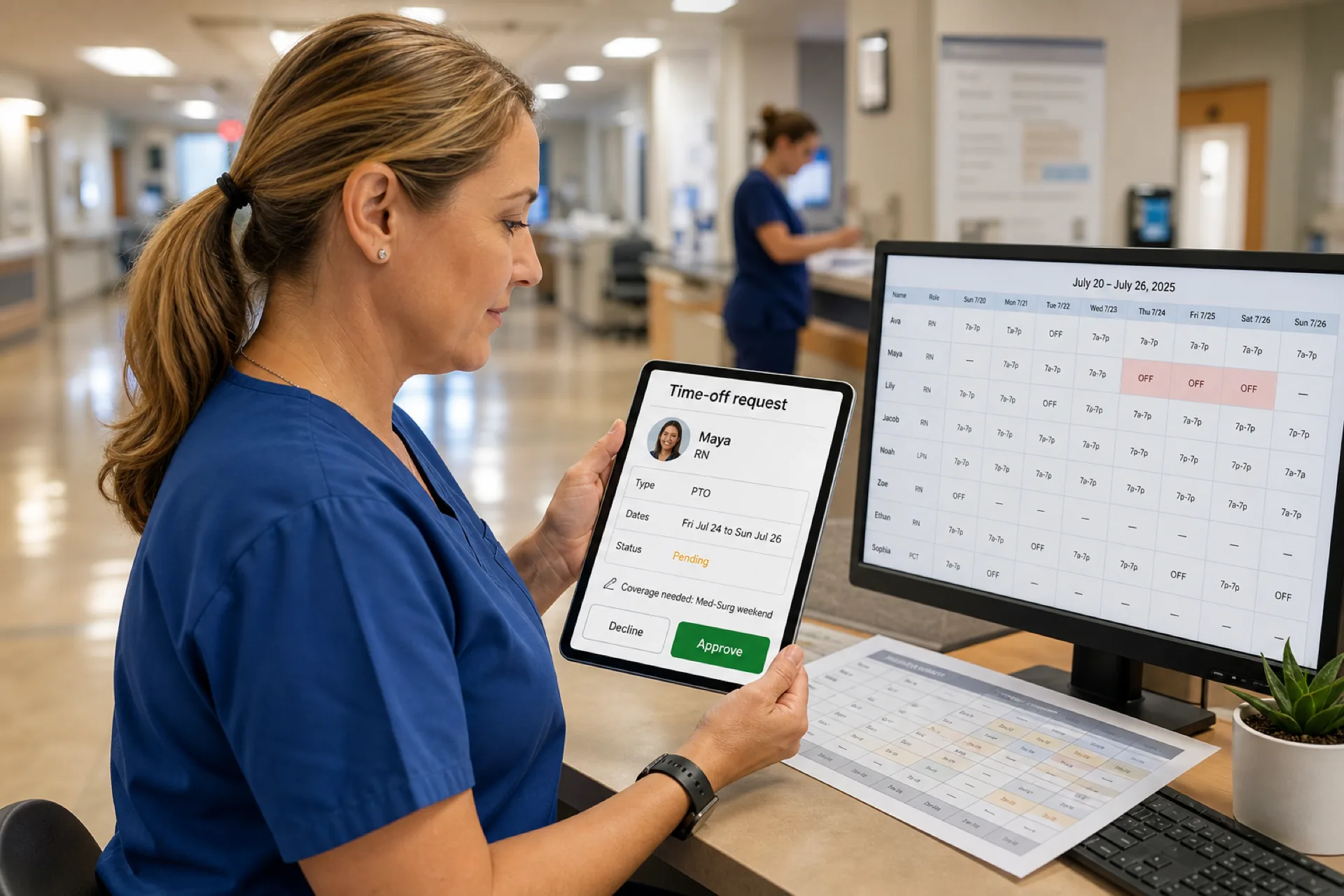
Healthcare staff scheduling software with time-off management puts those jobs in one workflow. Employees request leave. Managers approve or decline. The roster treats approved dates as a constraint before anyone publishes. For the operational playbook, use healthcare leave management best practices. For vendor lists, use best healthcare staff scheduling software.
This buying guide is for teams that already know they need scheduling software, and specifically need time off inside that software. It is not another general healthcare leave guide.
Quick answer: what should the software do?
Staff should submit PTO, vacation, or personal leave from the same system they use to see the published week. Managers should approve or decline. Approved dates should block assignment, show coverage work, and stay visible when the week publishes.
If a request can be approved without the scheduler seeing it, you still have two systems.
Who this is for: nurse managers, clinic administrators, home-care coordinators, and multi-site healthcare operators in the USA who are comparing healthcare employee time-off management software, not a standalone HR form tool and not a patient appointment book.
What is healthcare staff scheduling software with time-off management?
It is workforce scheduling software that treats leave as a scheduling input, not a side process.
Depending on the platform, teams can manage PTO requests, vacation, personal leave, employee availability, manager approvals, schedule conflicts, coverage planning, and the published staff week in one place.
The useful test is not “can someone file a form?” The useful test is whether an approved Friday off still appears when a manager assigns Friday night.
A healthcare scheduling app with PTO should usually include:
- Employee time-off requests with dates, type, and status
- Manager approval that the scheduler can see
- Availability that is separate from a leave request
- A conflict or warning when someone is assigned on an approved date
- Coverage work for the shifts that request leaves empty
- A published roster staff can open after the decision
This is staff scheduling, not patient appointment booking. Appointment software books patients. Leave-aware scheduling assigns employees to shifts and keeps approved absences off those shifts.
It is also not a full HRIS. Balance rules, accruals, and protected-leave determinations belong with qualified HR or legal counsel. The scheduling product should record the request and the decision, then keep the official week honest.
Why time-off management matters for healthcare scheduling
Healthcare organizations often need coverage every day of the week. An approved absence can change shift coverage, department staffing, weekend bands, nights, caregiver assignments, and clinic open and close.
The important point: time off should be considered before the schedule is published, not after a staffing problem appears.
A clinic that approves two medical assistants for the same Thursday and only notices when the board is already posted will spend the day hunting coverage. A hospital unit that publishes nights without checking approved vacation will assign someone who is not available, then pay for a last-minute fix.
Leave is not only an employee-relations topic. It is a coverage forecast. If the forecast lives in email, the published week will keep making the same mistake.
Managers also need a record. "I thought that Friday was approved" and "I never saw that request" are the same failure: the decision never sat next to the roster.
Home healthcare feels the same gap in a different place. A caregiver’s approved Friday off does not help if Friday’s 10:00 AM visit is still on their published list. The coordinator then spends the morning moving clients while the backup is already booked. Time off that never reached the staff week created the coverage problem.
Night and weekend coverage raises the stakes. Approving vacation on a rotation weekend without seeing who else is already off is how a unit publishes a thin night and then pays for a last-minute fill. The software should show the empty band before that week goes official.
How healthcare time-off scheduling works
The complete path is the product.
- The employee submits a request.
- The manager reviews it.
- The request is approved or declined.
- The scheduling system reflects approved time off.
- The manager builds or repairs coverage.
- The schedule is published.
- Employees open the updated week.
If any step happens in a side inbox, you will schedule someone during approved leave.
A worked clinic example: a medical assistant submits Thursday and Friday off on Monday. The office manager declines Thursday because two other people are already off, and approves Friday. The builder now shows Friday as blocked for that person. The manager posts Friday afternoon as an open shift. An eligible coworker claims it. The week publishes Tuesday. Staff see the new name on Friday, not a surprise at 7:55 AM.
A hospital unit follows the same spine with more bands. Vacation on a weekend rotation still has to clear the published nights. The charge nurse still approves. The official week still has to change.
Common healthcare time-off management problems
Most teams already “have a process.” The process is usually the problem.
Requests arrive by email, text, or a paper form in a drawer. Spreadsheets track some approvals and miss others. Managers forget an approved week when they copy last month’s grid. Two people keep different versions of the roster. Someone is scheduled during leave they already received. Coverage starts after the gap appears. Replacement staff are found by calling down a list.
Those failures stack. An email approval that never reaches the scheduler is how a published Friday still shows the person who is on vacation. A paper form that sits on a desk is how two Fridays in July lose the same role.
A second common failure is copy-forward scheduling. The manager duplicates last month’s grid, then patches names. Approved leave from this month never makes it onto the copy. The employee did everything right. The week still assigns them.
A third failure is split ownership. HR records the approval. The unit scheduler never gets a clean list. Operations finds out when the person does not appear. Healthcare staff leave management software should collapse that split: one request, one decision, one roster.
Healthcare staff vacation scheduling software should remove the hidden copy of the request. If the only source of truth is a forwarded message, the week will keep colliding with leave.
For habits and policy design, stay on the healthcare leave management best practices page. This page stays on the software requirement: leave has to sit inside the staff week.
What features should healthcare scheduling software with time-off management have?
Do not stop at “does it have PTO?” Ask what happens to the roster after someone clicks approve.
Employee time-off requests
Employees should submit requests in the same product they use for the published week. The request should name dates, a leave type you choose to track, and a status the employee can see.
A hallway conversation is not a request. If it is not in the system, it will not constrain the builder.
Manager approval
Managers should keep control. Self-service only works when someone can still decline a week that would empty a unit.
The approval screen should show what else is already off those dates. Approving in isolation is how three RNs get the same Saturday.
Availability integration
Approved time off is not the same as availability. Availability says when someone can work. Time off says they have asked not to be scheduled. The builder should see both. For the availability process, see healthcare employee availability management.
Conflict detection
The system should help identify an assignment that lands on approved leave, a second site at the same time, or hours you did not intend. It will not replace your policy. It should make the collision visible before publish.
Coverage management
Managers should see which shifts the absence leaves empty: role, unit or site, date, and band. “Maya is off” is not enough. “Med-Surg weekend nights need an RN” is the work.
Open shift management
Uncovered hours can be published to eligible staff instead of a phone tree. See healthcare open shift management.
Shift swapping
After leave is approved, remaining staff may still need a structured swap. The swap should not put someone on a date they already have off. See healthcare shift swapping.
Mobile access
Staff should submit and review requests from a phone. Managers should decide without waiting for a desktop hour. That is the same buying test as healthcare staff scheduling software with a mobile app.
Multiple locations
Clinic groups, medical offices, care facilities, and home-care branches need the site on both the request and the coverage view.
Department-level scheduling
A med-surg night is not a clinic front desk. Leave in one department should not be read as coverage in another.
PTO vs availability vs leave in healthcare scheduling
These are related inputs. They are not the same field.
Availability is when an employee can work. Recurring nights off, a school calendar, or a temporary limit belong here. Availability is a constraint on future assignment. It is not automatically approved vacation.
Time off is when an employee requests not to be scheduled for specific dates. PTO and vacation requests are the common version. The manager still decides.
Leave is the broader absence category. It may include PTO, personal days, and other approved absence types your organization tracks. Protected leave, pay, and eligibility are policy questions. Confirm them with qualified HR or legal counsel. Do not buy software by assuming it decides those questions for you.
If a vendor treats “unavailable Tuesdays” and “approved vacation next Thursday” as one toggle, the builder will stay noisy. Recurring limits and dated requests need different handling.
A clean split looks like this:
| Input | What it means | Who acts | What the roster should do |
|---|---|---|---|
| Availability | When they can work | Employee updates, manager uses it | Avoid assigning outside the pattern |
| Time-off request | Dated ask not to work | Employee submits, manager decides | Stay pending until approved |
| Approved leave | Dated absence you accepted | Manager recorded it | Block those dates and show coverage |
How time-off management prevents healthcare scheduling conflicts
Approved time off helps prevent employees being scheduled during leave, coverage gaps that appear after publish, last-minute changes, double-booking across sites, overtime from a rushed fill, and “I never saw that request” threads.
The mechanism is boring and useful. The approved dates sit in the same week the manager is building. The conflict is visible while there is still time to post an open shift or decline a stacked request.
That is the same discipline as availability: constraints belong in the builder, not in memory. Availability says the pattern. Time off says the exception. Conflicts appear when either input is missing.
Software does not remove every call-off. Sick hours and same-day absences still happen. The win is fewer surprises you already approved.
A useful conflict check is boring on purpose. Before publish, the manager should see anyone assigned on an approved date, anyone assigned at two sites at the same start time, and any weekend that lost more people in one role than the unit can spare. If those three checks require a highlighter on a printed grid, the software is not doing the scheduling job yet.
Do not expect the product to invent a legal overtime rule. Ask it to show the hours and the collision. Your counsel and HR still own the policy.
Healthcare time-off scheduling for nurses
Nurses often work days, nights, rotating weekends, and float assignments. Planned vacation has to clear those patterns without turning this page into another nurse scheduling article.
A nurse time-off scheduling workflow should let an RN request a block of dates, show the manager which weekend or night bands go empty, and keep the official week updated after the decision. Open shifts can then reach eligible staff. Swaps remain a separate path for people who are still working.
Do not treat the product as a clinical staffing committee. Licensure, ratios, and overtime rules stay with qualified HR or legal counsel.
For the nurse-specific software page, see nurse scheduling software. This page’s job is narrower: vacation and other dated leave have to land on the nurse roster before publish.
Healthcare time-off scheduling for caregivers
For caregivers, time off can empty a client visit or a facility band. Recurring client schedules still need a person. Vacation and personal leave create replacement work, not only a hole on a grid.
The coordinator should see which visits or sites need coverage, not only that a caregiver is off. Approved leave should stop the builder from assigning that person to Friday’s 10:00 AM visit. An open shift or a reassignment should update the published week the caregiver and the backup both open on a phone.
This is still staff scheduling. It is not automatically visit verification or clinical routing.
For product fit in the field, see home healthcare scheduling software.
Healthcare time-off management across multiple locations
A group may run clinics, medical offices, care facilities, and home-care branches. A centralized system helps managers see how approved absences change staffing across sites.
A person who works two clinics can request Monday off. Both site views should show the absence. Approving leave at Clinic 1 should not leave Clinic 2 assigning the same person that morning.
| Employee | Location | Time off | Coverage needed |
|---|---|---|---|
| Nurse A | Clinic 1 | Monday | Yes |
| Nurse B | Clinic 2 | Tuesday | Yes |
| Caregiver C | Branch 1 | Friday | Yes |
A regional lead should see that Thursday is thin at the west clinic because two medical assistants are already off, without exporting five spreadsheets. Local supervisors should still approve the requests they own.
See multi-location healthcare workforce management.
How mobile time-off requests work
Most requests start away from a desk.
- The employee opens the mobile app.
- They select dates and a leave type.
- They submit the request.
- The manager reviews it, including who else is off.
- The manager approves or declines.
- Approved time off appears in the builder.
- The published week reflects the decision.
If staff still email a screenshot of dates, the mobile path is incomplete. The same product that shows today's shift should hold the request. Night staff will not wait for a desktop hour to ask for a weekend off. Caregivers will not drive to an office to file Friday.
That is why the healthcare mobile scheduling buying page and this page belong next to each other: one is access, the other is leave inside the week. Buy both capabilities in one system if you can. A phone calendar that cannot request leave, and a leave form that cannot publish a week, recreate the split you already have.
Healthcare scheduling software vs manual time-off tracking
Manual tracking can work for a small, stable clinic. It gets harder as roles, nights, and sites increase.
| Task | Manual process | Scheduling software |
|---|---|---|
| Submit request | Email or paper form | Digital request |
| Manager approval | Inbox or hallway | Centralized decision |
| Schedule conflict | Memory or a second file | Visible in the week |
| Coverage | After the gap appears | Shown with the absence |
| Open shifts | Calls and messages | Published offer |
| Employee access | Email or a posted sheet | Mobile and desktop |
| Multiple locations | Separate files | One workforce view |
| Schedule updates | Another message | Published roster |
A spreadsheet is not always the wrong tool. The break appears when approved leave and the official week diverge.
How much does healthcare time-off scheduling software cost?
Vendors price per employee, per location, by feature pack, by monthly subscription, or by workforce size. Do not compare only the cost of a leave module.
Judge the full path: request, approval, builder constraint, coverage, open shifts, swaps, mobile access, locations, and the published week. A cheap form tool that never reaches the roster still costs supervisor time.
Also price the work you already do by hand: rebuilding a Friday after someone was scheduled on approved vacation, answering “did my PTO go through?”, and filling nights after publish.
Heyshift paid plans start at $4, $6, and $9 per seat after a 30-day free trial, with unlimited locations on paid plans. Other vendors will quote differently. A lower seat price is not cheaper if leave still lives in email.
Free healthcare time-off tools vs scheduling software
A basic tool may collect requests. A shared inbox, a free form, or a standalone PTO tracker can store dates. That is useful filing. It is not healthcare workforce scheduling.
A scheduling platform should connect time off to availability, staffing, the staff schedule, and coverage. The commercial difference is the arrow:
Time off → availability check → staffing → published schedule → coverage
If the product stops at “request received,” you will keep exporting dates into a grid. If it stops at a calendar with no approvals, staff will treat every submission as granted.
Buy the workflow. Do not buy a form and hope the scheduler looks at it.
How to choose healthcare staff scheduling software with time-off management
Use the demo as a rehearsal of next month’s vacation week, not a tour of icons.
- Can employees submit time-off requests?
- Can managers approve or decline them?
- Does approved time off affect the builder?
- Can the system show which shifts need coverage?
- Can managers publish open shifts?
- Does it support shift swaps without ignoring leave?
- Can staff and managers work from a phone?
- Can it manage more than one location?
- Can it schedule by department and role?
- Does attendance sit next to the roster after the week runs?
- Will hourly and clinical staff actually use it?
- Can it grow as you add units and sites?
Bring real constraints. Use a weekend rotation, two people requesting the same Friday, a caregiver with two sites, and a request that should be declined. If those four scenes still require a side spreadsheet, keep looking.
Ask who publishes. Leave that never reaches the official week is decoration.
Ask the vendor to process one request live. Submit dates, show a conflicting assignment, decline or approve, then reload the builder. If that path needs an export, you are still buying a form.
Who should consider healthcare scheduling software with time-off management?
Any healthcare organization that already schedules staff, and already approves leave somewhere else, should consider connecting those jobs.
Hospitals with nights, weekends, and unit-level coverage. Vacation on a rotation has to clear the published band, not only an HR calendar.
Medical clinics with mixed roles and thinner benches. Two medical assistants off on the same Thursday can close a room.
Urgent care with extended hours. Same-week leave still has to update the board before the next evening peak.
Home healthcare agencies with caregivers across client sites. Approved time off should stop a visit from staying on that caregiver’s week.
Assisted living and nursing homes with 24/7 coverage. Recurring bands make forgotten leave expensive.
Dental and specialty practices with small teams. One approved Friday can empty the chair-side role.
Confirm setting-specific leave and staffing rules with qualified HR or legal counsel. The product records the decision and the week. It does not write your policy.
Why Heyshift for healthcare staff scheduling and time-off management
Heyshift keeps staff schedules, employee availability, time off, open shifts, swaps, attendance, locations, and publish in one workspace. It is not an enterprise HRIS, and it is not a patient appointment system.
Approved time off should not live separately from the schedule. It should be part of the scheduling workflow.
Use a trial the same way you would run a week: submit a real PTO request, approve it, confirm the builder blocks those dates, post coverage if needed, and publish. If those steps stay in one system, you have healthcare staff leave management software in the sense that matters. If they bounce back to email, you do not.
Healthcare time-off management checklist
- Employee submits the request
- Manager reviews who else is off
- Approval or decline is recorded
- The builder shows approved dates
- Coverage work is identified
- A replacement is assigned, or an open shift is published
- The employee sees the decision
- The team sees the updated week
- The final roster is published
- Attendance later compares with that published week
Check a box only when you saw the step in the product, not when a salesperson said the feature exists.
Final thoughts
Healthcare staff scheduling software with time-off management should carry approved leave on the official week, not store vacation in a separate inbox.
The useful path is request, decide, constrain the builder, cover the gap, publish, then compare attendance.
Choose software that keeps managers in control of approvals and keeps staff from being assigned on dates you already accepted.
Frequently Asked Questions
Continue with related topics
More articles on topics related to this one.

Healthcare staff scheduling software with compliance tracking: features, benefits, and how to choose
Compare healthcare staff scheduling software with compliance tracking. See qualifications, credentials, training, and assignments in one staff workflow.
Read article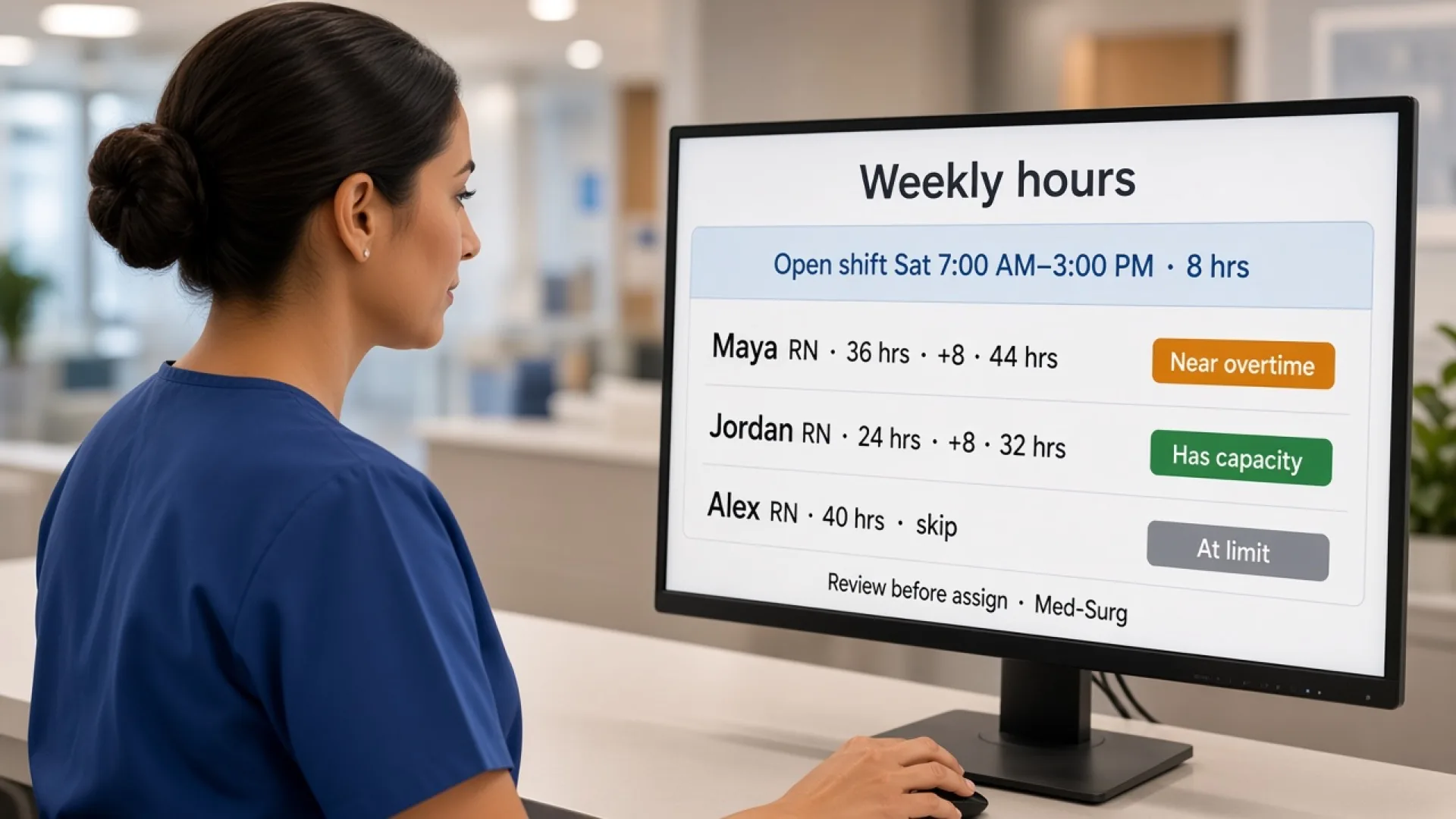
Healthcare staff scheduling software with overtime management: features, benefits, and how to choose
Compare healthcare staff scheduling software with overtime management. See how hours, alerts, attendance, and coverage help managers decide before they publish.
Read article
Healthcare staff scheduling software with attendance tracking: features, benefits, and how to choose
Compare healthcare staff scheduling software with attendance tracking. See how hospitals and clinics compare the published week with who actually worked.
Read article