

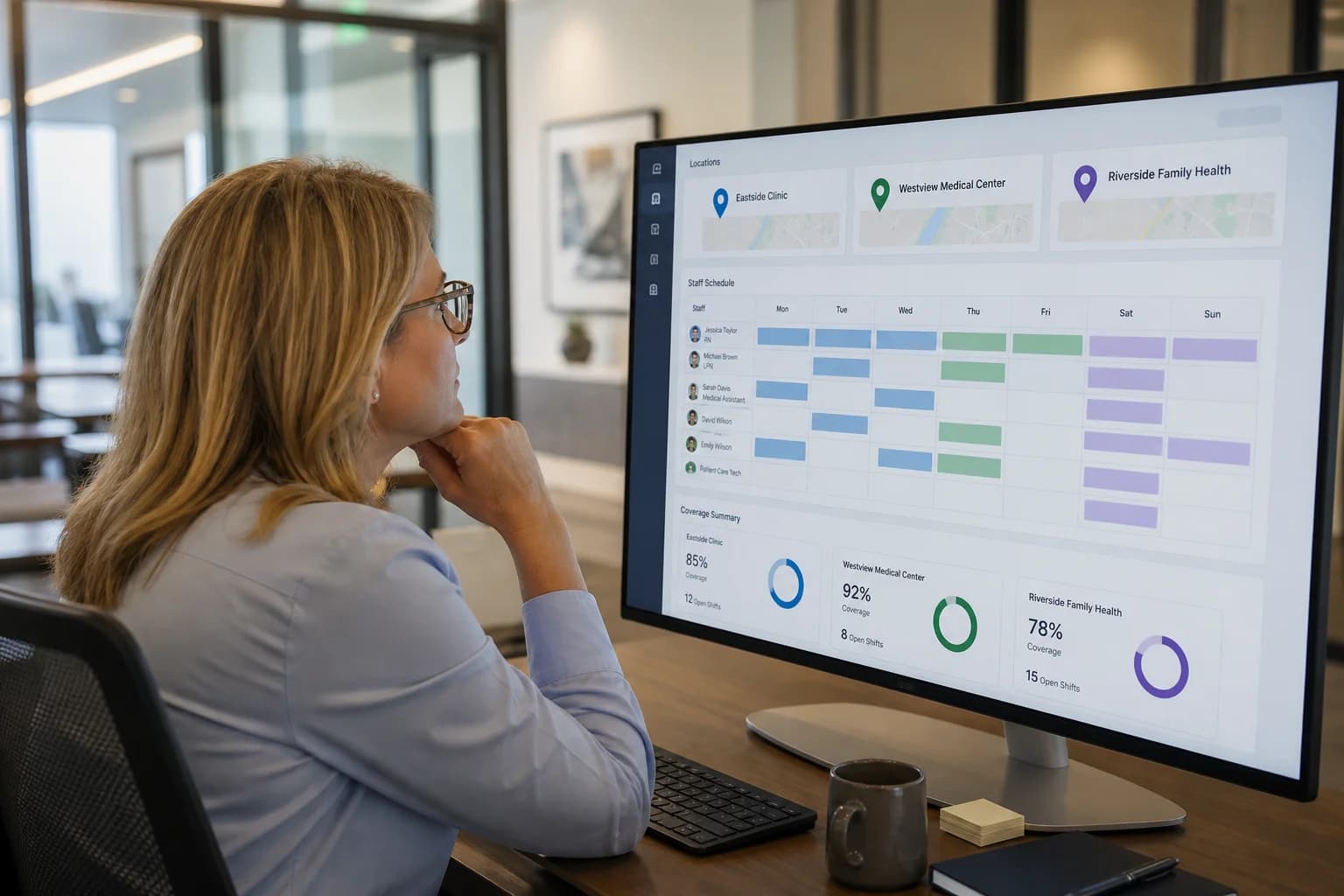
Multi-Location Healthcare Workforce Management: How to Manage Staff Across Multiple Facilities (2026)
Learn how multi-location healthcare organizations can manage employee schedules, availability, attendance, open shifts, overtime, and workforce operations across multiple facilities.
Multi-location healthcare workforce management: how to manage staff across multiple facilities (2026)
A regional medical group runs five clinics, two urgent care sites, and a home health branch. Each location manager maintains a separate spreadsheet. When Location A posts an open evening shift, nobody checks whether Location B has a per diem nurse marked available. Leadership asks for overtime totals by site and receives three different exports that do not reconcile.
Managing employees becomes significantly more complex when a healthcare organization operates across multiple locations.
A healthcare group may have several clinics, hospitals, urgent care centers, specialty facilities, or home healthcare branches. Each location may have different staffing requirements, schedules, employee availability, and operational needs.
When every location manages schedules independently, leadership can have limited visibility into the overall workforce.
Multi-location healthcare workforce management brings scheduling, availability, attendance, leave, open shifts, and workforce information into a more centralized process while local managers still control day-to-day staffing at their sites.
Featured answer: What is multi-location healthcare workforce management? Multi-location healthcare workforce management is the process of coordinating employee schedules, availability, attendance, leave, open shifts, and labor visibility across multiple healthcare facilities or service areas from a shared platform, while location managers retain control over their teams.
Who should read this: Operations directors, regional nurse leaders, practice administrators, and HR leaders at hospital networks, clinic groups, and growing healthcare organizations evaluating healthcare workforce management software before adding another site.
Related reading:
- Healthcare staff scheduling software
- Healthcare open shift management
- Healthcare employee availability management
- Hospital staff scheduling software
Executive summary
Multi-location healthcare workforce management improves staffing decisions when schedules, availability, attendance, and labor data roll up across sites instead of living in disconnected files per facility.
In this guide you will find:
- Why multi-location healthcare workforce management is difficult
- Problems with managing each location separately
- Features and benefits of centralized workforce visibility
- Organization types, a three-location example, and centralized vs separate comparison
- Implementation steps, software evaluation, FAQ
Why multi-location healthcare workforce management is difficult
Hospital workforce management at one campus is already complex. Add second and third sites and the coordination layer multiplies.
Healthcare organizations with multiple locations often deal with:
- Different staffing requirements by unit, session type, or visit volume
- Separate schedules maintained by different managers
- Employees working across locations or floating between sites
- Different operating hours and shift bands
- Employee availability that changes by location
- Last-minute call-outs and open shifts
- Overtime that may not be visible organization-wide
- Leave management spanning employees who rotate sites
- Different managers with different scheduling habits
- Multiple departments within each facility
- Inconsistent scheduling processes from site to site
Leadership needs roll-up visibility. Local managers need tools that fit their floor or clinic without waiting on a central team for every change.
Problems with managing each location separately
Separate spreadsheets
Each facility may maintain its own schedule, making organization-wide visibility difficult. Consolidating for payroll or labor review becomes manual work every pay period.
Inconsistent scheduling processes
Different managers may use different approaches to build, communicate, and update schedules. New hires experience different rules at each site.
Difficult cross-location coverage
A location may have an open shift while another location has an employee with availability who could help, but nobody sees both facts in one place. Cross-location staffing still requires credential, contract, and policy checks.
Limited overtime visibility
Leadership may not easily see working-hour patterns across the organization until after hours accumulate at one site.
Duplicate administrative work
Each location may independently manage schedules, attendance, leave, and shift changes with repeated setup and reporting.
Communication gaps
Employees working across locations may not have a single source for their schedules, availability updates, or approved leave.
See why spreadsheets fail for workforce scheduling for the broader pattern when sites outgrow one file per location.
What is multi-location healthcare workforce management?
Multi-location healthcare workforce management is the process of coordinating employees and workforce operations across multiple healthcare facilities or service locations.
It can include:
- Employee scheduling
- Employee availability
- Open shifts
- Shift swaps
- Attendance
- Time tracking
- Leave management
- Overtime visibility
- Workforce reporting
- Location-level management
- Organization-wide visibility
The goal is centralized workforce visibility without removing local management control. A clinic manager still builds the week for their site. Regional leadership can see coverage, hours, and gaps across the group.
This differs from the general multi-location workforce management guide, which covers cross-industry operators. This guide focuses on healthcare staffing patterns, clinical settings, and multi-site workforce decisions.
Features to look for in multi-location healthcare workforce software
Evaluate multi-location healthcare scheduling software and broader healthcare workforce management system capabilities together.
Centralized employee scheduling
Create and manage schedules across multiple locations from one account with location filters and roll-up views.
Location-based scheduling
Managers can focus on their own facility while leadership maintains broader visibility. Permissions should match who can publish at each site.
Employee availability
Understand where and when employees are available, including staff who float or pick up shifts at more than one location.
Open shift management
Identify uncovered shifts across locations and post them to qualified staff with the right credentials and hour headroom.
Shift swapping
Allow employees to request changes while maintaining approval workflows that respect location rules and coverage.
Attendance tracking
Compare scheduled and actual working hours by location and employee.
Leave management
Manage time off across employees and locations so approved leave blocks assign before publish.
Time tracking
Monitor working hours and overtime risk during the pay period, not only after export.
Mobile access
Allow employees to access schedules, availability, and open shifts from their devices across all assigned locations.
Workforce reporting
Review staffing, attendance, and labor information across locations for operational and finance review.
Benefits of multi-location healthcare workforce management
Centralize workforce visibility
Leadership can understand staffing across the organization instead of reconciling separate files each week.
Reduce administrative duplication
Locations can use a common workforce process instead of maintaining disconnected systems with repeated setup.
Improve cross-location coverage
Organizations can identify potential staffing resources across locations when policy, credentials, and contracts allow. Software improves visibility; managers still approve cross-site assign.
Improve overtime visibility
Managers and leadership can see working-hour patterns across facilities before defaulting to premium labor.
Standardize workforce processes
Organizations can establish consistent scheduling, attendance, and change workflows as they add sites.
Support organizational growth
A centralized healthcare workforce management software approach can scale as new locations are added without rebuilding processes from scratch each time.
Which healthcare organizations need multi-location workforce management?
Healthcare staff scheduling across locations becomes a priority when a second site opens or when float pools span facilities.
Hospital networks
Coordinate hospital workforce management across multiple hospitals, campuses, or service lines. Read hospital staff scheduling software and hospital staff scheduling best practices.
Medical practice groups
Manage employees across multiple clinics with shared per diem and administrative staff. See medical clinic scheduling software.
Urgent care networks
Coordinate staff across several urgent care locations with extended hours. Read urgent care scheduling software.
Dental groups
Manage dentists, hygienists, assistants, and office teams across offices. See dental practice scheduling software.
Physical therapy groups
Coordinate therapists and support employees across clinics. Read physical therapy scheduling software.
Behavioral health organizations
Manage teams across facilities and programs with varied session bands. See behavioral health scheduling software.
Home healthcare organizations
Coordinate caregivers and nurses across service areas and branches on mobile-first workflows. Read home healthcare scheduling software.
Nursing teams across settings
Multi-site healthcare scheduling for nurses often includes rotation fairness, credential tags, and float visibility. See nurse scheduling software.
Example: managing staff across three healthcare locations
A healthcare organization operates three locations: a clinic (Location A), an urgent care center (Location B), and a specialty office (Location C).
Location A has an open evening shift after a call-out.
Location B has an employee with evening availability on file.
Location C has an employee already approaching overtime threshold for the pay period.
With centralized workforce visibility, a manager or staffing coordinator can review:
- Open shifts at Location A
- Employee availability at Location B
- Existing schedules to avoid double-booking
- Working hours and potential overtime at Location C
- Location assignments and whether cross-site coverage is allowed
- Credentials and role fit for the band
The organization can then make a more informed staffing decision: post the open shift to Location B staff first, avoid assigning Location C without hour review, or escalate to regional leadership if no qualified candidate appears.
This is an example of visibility and decision support, not an automatic cross-location staffing guarantee. Policy, licensure, union rules, and patient acuity still govern final assign.
This workflow connects healthcare employee availability management, healthcare open shift management, and healthcare overtime management across sites.
Centralized vs. location-based workforce management
| Area | Centralized approach | Separate location systems |
|---|---|---|
| Workforce visibility | Organization-wide | Location-specific |
| Scheduling | Centralized platform | Separate files or systems |
| Availability | Shared visibility | Fragmented by site |
| Open shifts | Easier to identify across sites | Tracked separately by location |
| Attendance | Centralized compare to schedule | Separate records per site |
| Overtime | Organization-wide hour visibility | Difficult to compare across sites |
| Reporting | Consolidated roll-up | Manual consolidation |
| Growth | Easier to add locations with shared process | More administrative work per new site |
Centralized does not mean one manager assigns every shift for every site. It means one system of record with location permissions and roll-up reporting.
How to implement multi-location workforce management
Multi-location employee scheduling rollout works best in phases rather than a single big-bang cutover.
Step 1: Define locations
Create each facility, clinic, branch, or service area in the platform with clear names and time zones.
Step 2: Organize departments
Define the teams operating at each location so managers publish to the right groups.
Step 3: Add employees
Assign employees to appropriate locations and departments, including staff who work at more than one site.
Step 4: Collect availability
Maintain current employee availability so managers see constraints before assign.
Step 5: Build location schedules
Managers create schedules based on staffing requirements at each site.
Step 6: Manage open shifts
Identify and address uncovered shifts through structured open shift workflow.
Step 7: Track attendance
Compare schedules with actual working hours using attendance tracking.
Step 8: Review workforce data
Analyze staffing, attendance, and overtime across locations on a regular cadence.
Pilot on two locations before rolling out to the full network. Align publish deadlines and manager permissions early.
How to choose multi-location healthcare workforce software
Evaluate healthcare employee scheduling software and workforce modules together:
| Requirement | Why it matters |
|---|---|
| Multi-location scheduling | Build and view schedules by site and org-wide |
| Location-based permissions | Local managers control their teams |
| Employee availability | Input before assign across sites |
| Open shift management | Fill gaps with qualified staff |
| Shift swaps | Route changes with approval |
| Attendance tracking | Scheduled vs actual by location |
| Time tracking | Hour totals during the pay period |
| Leave management | Approved time off visible at assign |
| Overtime visibility | Review totals before premium labor |
| Mobile access | Floor and field staff across sites |
| Workforce reporting | Roll-up for leadership and finance |
| Scalability | Add locations without new processes |
| Manager permissions | Match your governance model |
Compare best healthcare staff scheduling software when evaluating full platforms. Run a 30-day pilot on two sites with real publish cycles before network-wide rollout.
Why choose Heyshift?
Heyshift addresses multi-location healthcare workforce management as a platform for organizing workforce operations across locations while allowing managers to maintain control over their teams.
Multi-location scheduling and employee scheduling
Build schedules by location with organization-wide visibility. Explore shift scheduling and multi-location areas.
Employee availability, open shifts, and shift swaps
Collect availability before assign. Post open shifts to qualified staff. Route swap requests through manager approval. Read people and availability.
Attendance tracking, time tracking, and leave management
Compare scheduled assign to actual hours. Show approved leave beside the grid. See workforce visibility.
Overtime visibility, mobile access, and workforce reporting
Review hour totals when building weeks and approving changes. Give staff mobile access across assigned locations. Use cost and labor insights for roll-up review.
Review pricing. Start 30-day free trial. Software improves visibility and workflow; managers still own credential rules, safe staffing, cross-site policy, and final assign decisions.
Final thoughts
Managing workforce operations across multiple healthcare locations requires more than separate schedules for each facility.
Organizations need visibility into employee availability, staffing coverage, open shifts, attendance, leave, working hours, and overtime while still allowing local managers to operate their locations effectively.
A centralized multi-location workforce management approach can reduce fragmented processes, improve workforce visibility, and provide a stronger foundation for healthcare organizations as they grow.
Related Healthcare Resources
Frequently Asked Questions
Continue with related topics
More articles on topics related to this one.
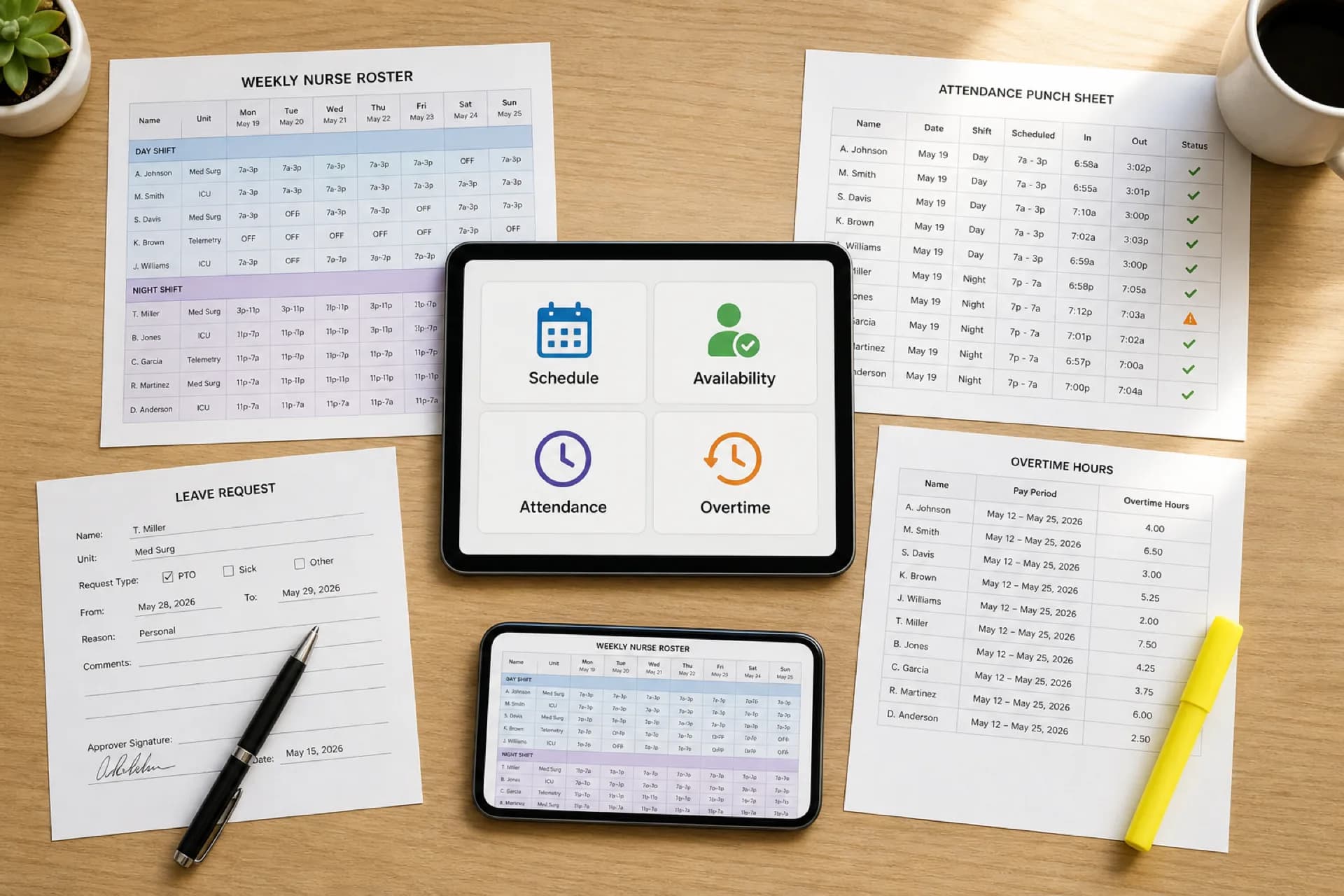
Healthcare Workforce Management Software: Complete Guide for 2026
Learn how healthcare workforce management software helps hospitals, clinics, and care organizations manage scheduling, availability, attendance, overtime, leave, and staffing from one platform.
Read article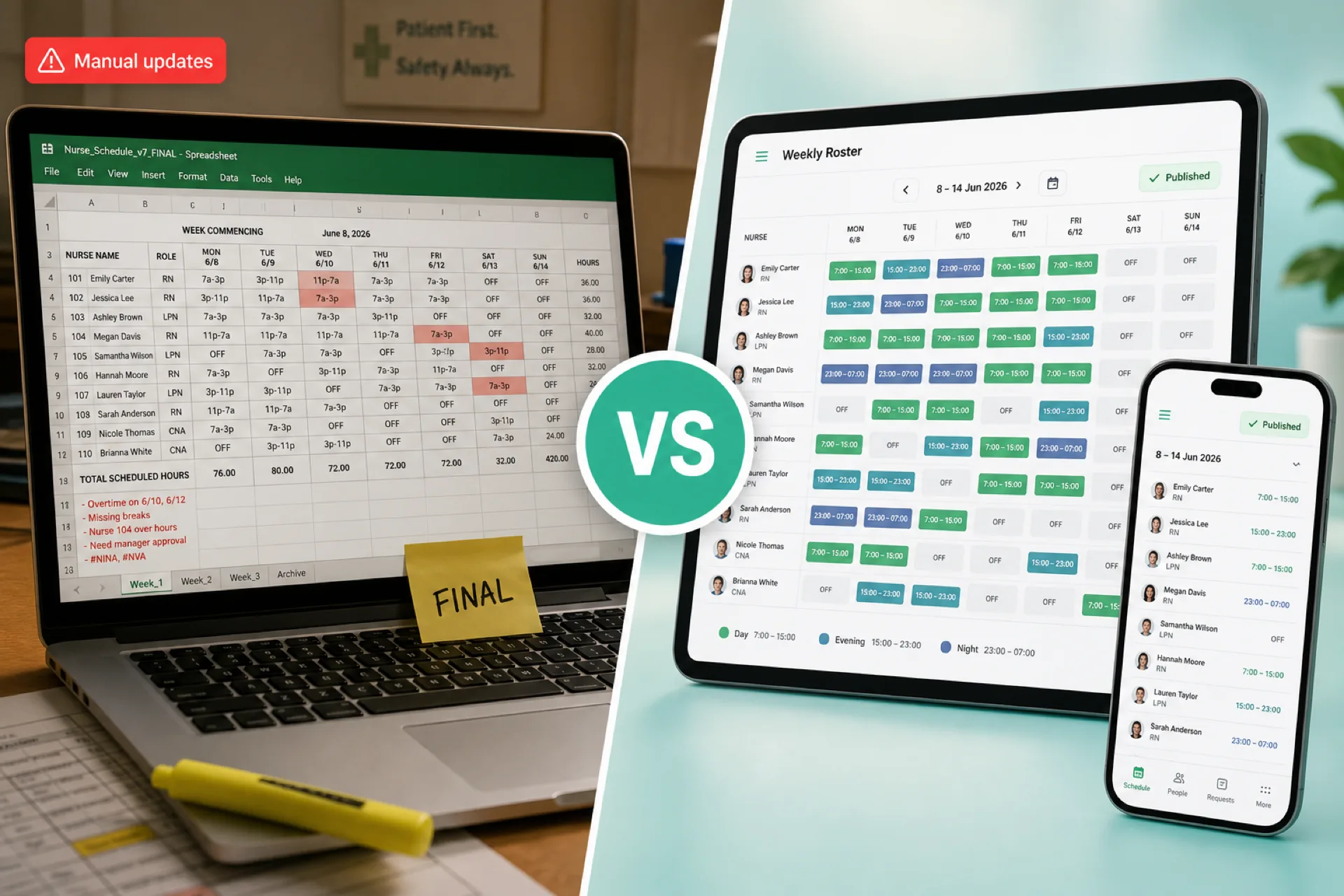
Healthcare Scheduling Software vs. Excel: Which Is Better for Managing Staff? (2026)
Compare healthcare scheduling software and Excel for staff scheduling, availability, open shifts, attendance, overtime, and multi-location workforce management. Learn when each option fits.
Read article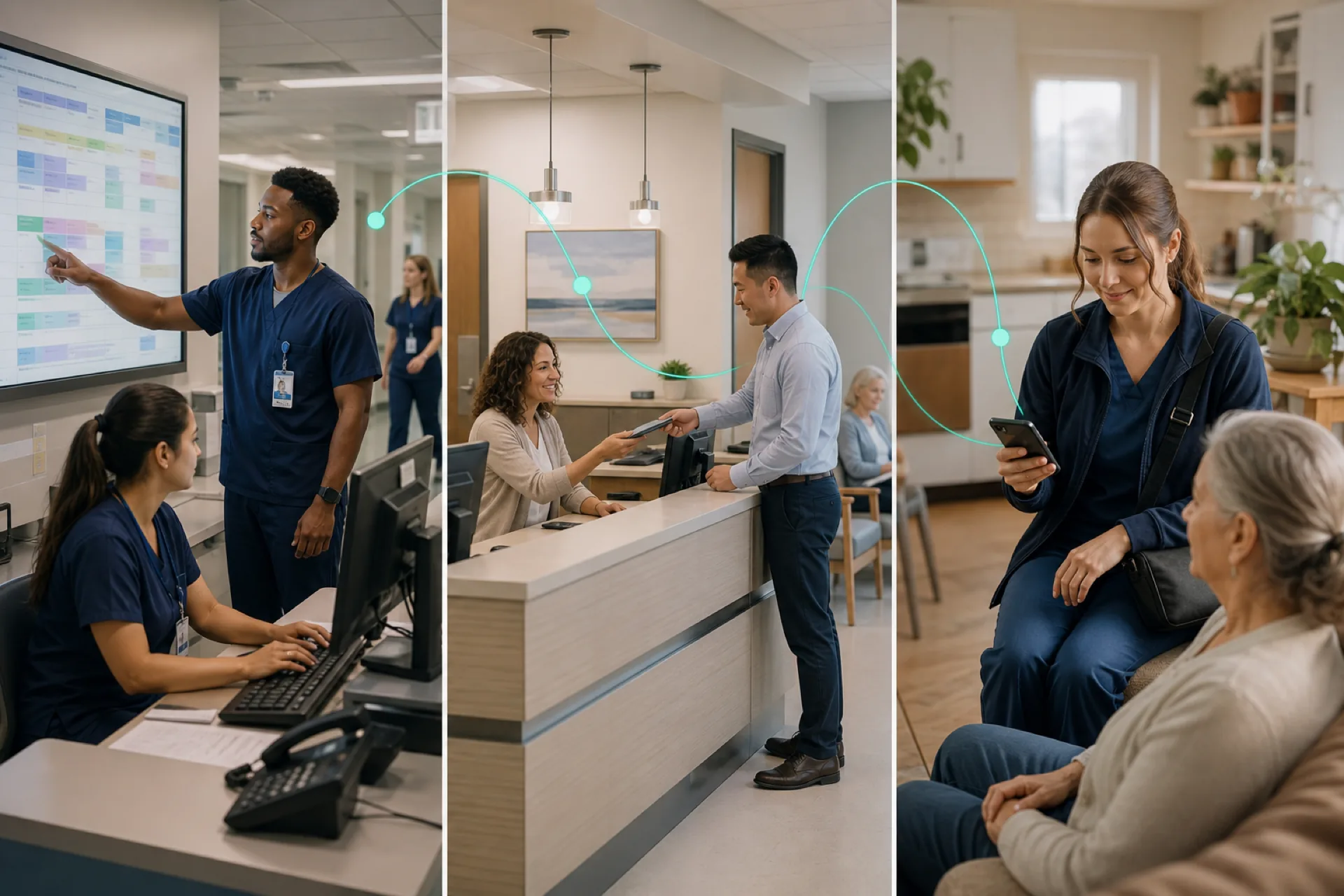
Healthcare Workforce Management: The Complete Guide for Hospitals, Clinics & Care Providers (2026)
Learn healthcare workforce management best practices for hospitals, clinics, and care providers: staff scheduling, attendance tracking, labor planning, overtime reduction, compliance, and workforce communication in one guide.
Read article