

Healthcare Workforce Management Software: Complete Guide for 2026
Learn how healthcare workforce management software helps hospitals, clinics, and care organizations manage scheduling, availability, attendance, overtime, leave, and staffing from one platform.
Healthcare workforce management software: complete guide for 2026
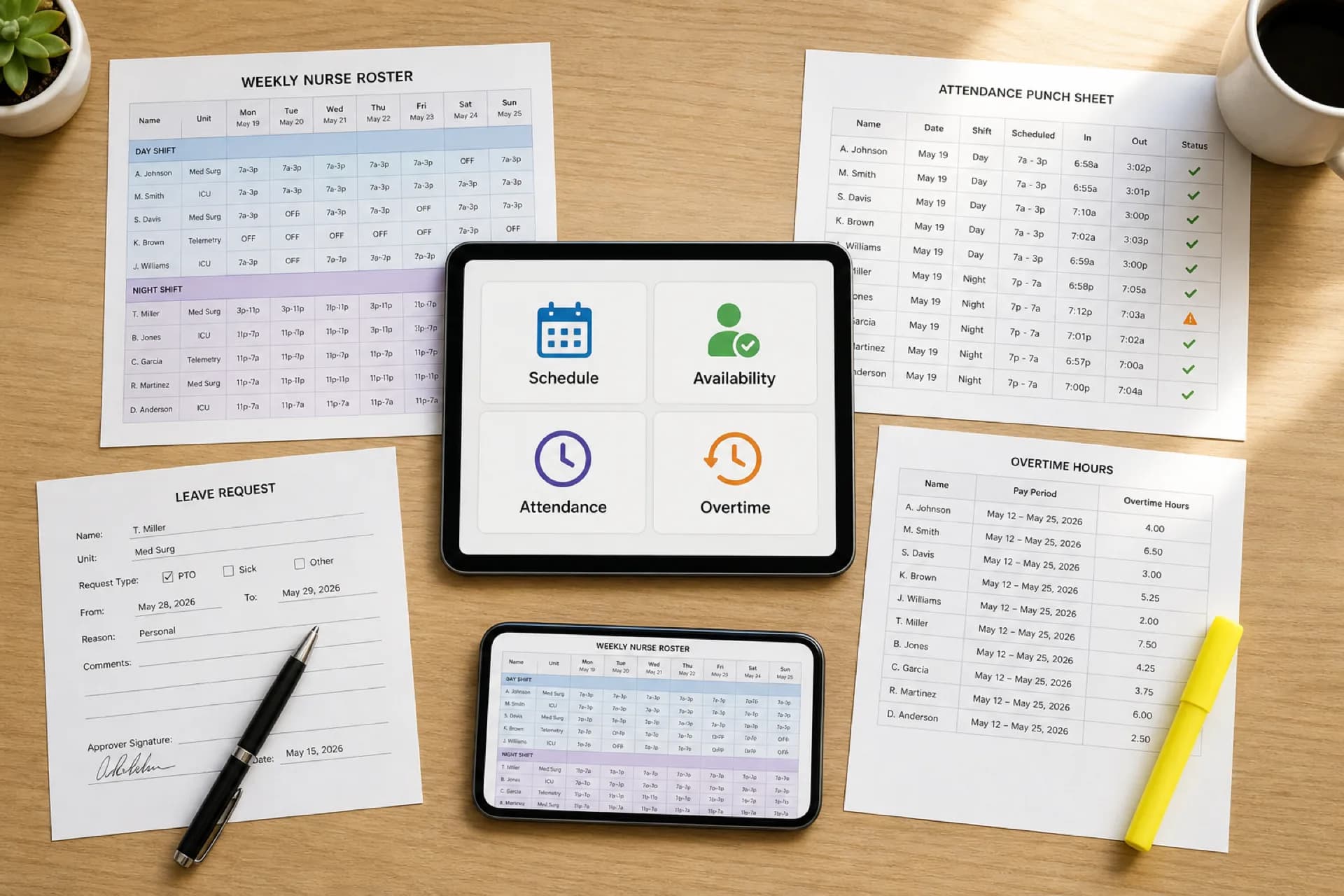
A hospital staffing office publishes next week in a spreadsheet. Attendance lives in a time clock export. Leave sits in HR email. Open evening bands get filled from a phone list. By Friday, four files tell four different stories about who worked, who was off, and who is already in overtime.
Managing a healthcare workforce is more than creating employee schedules. Organizations need to coordinate employees, departments, shifts, availability, leave, attendance, open shifts, shift swaps, working hours, and overtime.
For a small team, spreadsheets can hold that together. As the organization grows, disconnected tools make healthcare staff management software a coverage and labor-visibility problem, not a software preference.
Featured answer: What is healthcare workforce management software? Healthcare workforce management software is a platform that helps hospitals, clinics, and care organizations plan, publish, and track employee schedules, availability, leave, attendance, open shifts, shift changes, working hours, and overtime from one system instead of separate files.
Who should read this: Operations leaders, nurse managers, practice administrators, and HR partners comparing a healthcare workforce management system after scheduling-only tools or Excel stop keeping the official week accurate.
For process depth (KPIs, compliance, weekly habits), use the healthcare workforce management guide. This page is the software hub: what the platform includes, how it works, and how to choose one.
Executive summary
Healthcare workforce management software centralizes the work that usually lives in grids, texts, and payroll exports so managers can see coverage and hours before the week breaks.
In this guide you will find:
- What healthcare workforce management software includes
- Why healthcare workforce operations differ from other industries
- Key features and benefits
- How hospitals, clinics, home health, and other settings use it
- Problems software can help address
- Software vs Excel comparison
- How the workflow runs from employees to reporting
- Buying criteria, vendor questions, and a staged migration path
- FAQ and links to specialty, operational, pricing, and template guides
What is healthcare workforce management software?
Healthcare workforce management software helps organizations plan, manage, and track daily workforce operations, not only the calendar grid.
Depending on the platform, a healthcare employee management software stack can include:
- Employee scheduling and publish
- Employee availability
- Open shift management
- Shift swaps with approval
- Attendance tracking
- Time tracking
- Leave management
- Overtime visibility
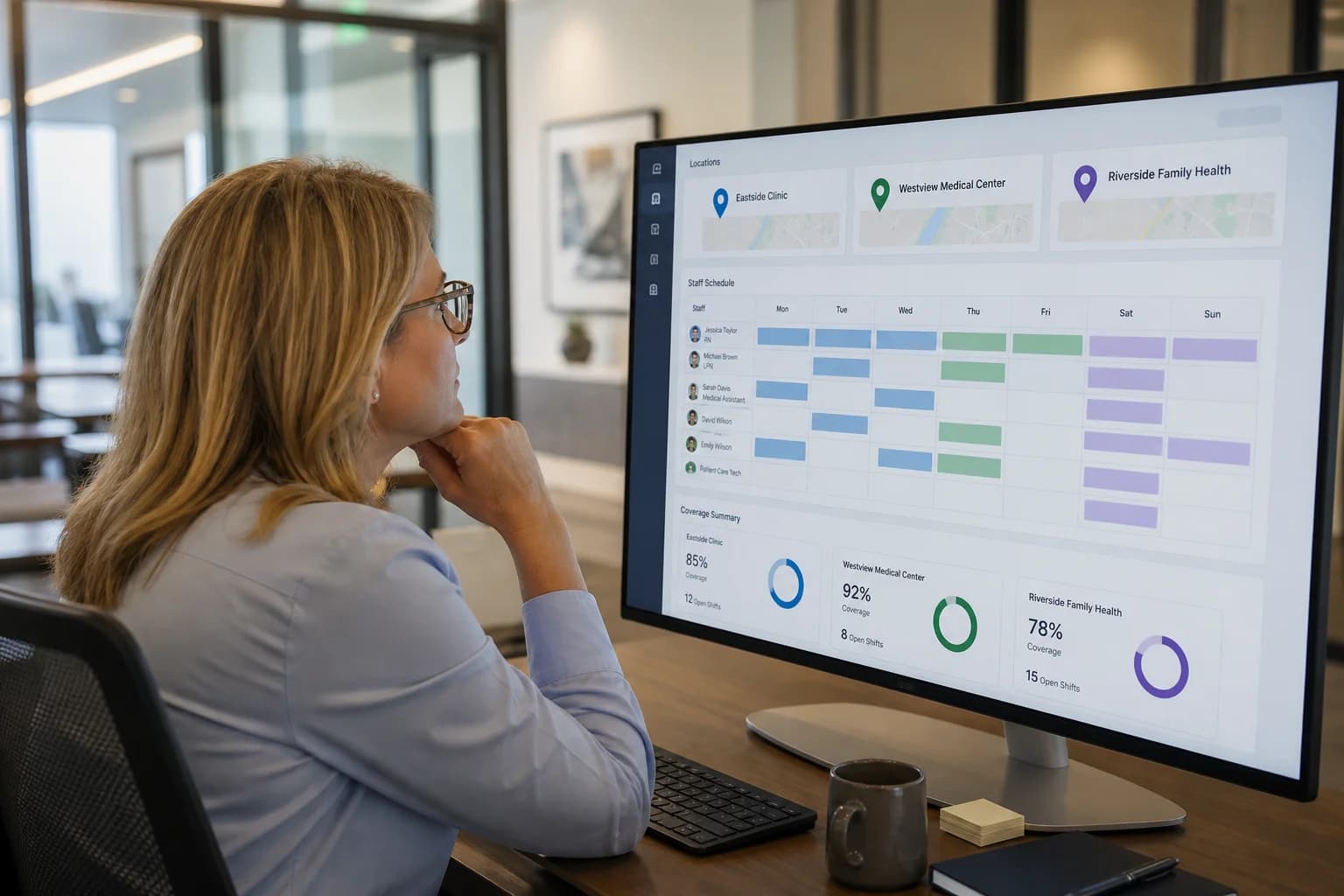
- Multi-location management
- Workforce reporting
The goal is visibility and less repetitive administration. Software does not remove call-outs, census spikes, or hiring gaps. It should keep one published roster aligned with who can work, who showed up, and where hours are stacking.
Healthcare workforce management is the operating process. Healthcare workforce management software is the system that holds that process in one place. Scheduling-only tools cover the grid. A workforce platform connects the grid to availability, changes, punches, and labor review.
Product entry point: healthcare staff scheduling software. Broader Heyshift context: employee scheduling software.
Why healthcare workforce management is different
Healthcare staffing is not a Monday-to-Friday desk roster.
Teams often operate:
- 24/7 or extended hours
- Across day, evening, and night bands
- Across multiple departments or units
- Across multiple facilities or visit locations
- With full-time, part-time, per diem, and float staff
- With variable availability and credentials
- With frequent schedule changes
- With unexpected call-outs
- With overtime that appears only after the week runs
That makes workforce management an ongoing operational process, not a one-time weekly scheduling task. Healthcare labor management software has to survive Tuesday night, not only Friday publish.
Key features of healthcare workforce management software
Employee scheduling
Create and publish schedules from staffing requirements and availability. Healthcare workforce scheduling software should make one official week the version staff trust. See healthcare staff scheduling software.
Employee availability
Track when employees can and cannot work before you assign. See healthcare employee availability management.
Open shift management
Identify uncovered shifts and route coverage without a private phone tree. See healthcare open shift management.
Shift swapping
Let employees request changes through a structured, manager-approved workflow. See healthcare shift swapping.
Attendance tracking
Compare scheduled shifts with actual attendance before payroll close. See healthcare staff attendance tracking.
Time tracking
Monitor working hours beside the published roster. See time tracking.
Leave management
Keep vacation, sick leave, and other absences off assignable rows. See healthcare leave management best practices.
Overtime visibility
Review hours while the week is still a draft. See healthcare overtime management.
Multi-location management
Manage employees across facilities with site control and roll-up visibility. See multi-location healthcare workforce management.
Workforce reporting
Review scheduling, attendance, hours, and overtime without merging five exports.
Benefits of healthcare workforce management software
Better workforce visibility
Managers see schedules, availability, attendance, and hours in one place instead of reconciling files after the fact.
Less manual administration
Fewer spreadsheet versions, group texts, and after-hours coverage calls.
Better shift coverage
Open bands are visible early enough to fill from qualified, available staff.
Clearer employee flexibility
Staff can view the official week and request changes without creating a shadow roster.
Better overtime visibility
Hour totals surface before premium labor is locked in.
More consistent processes
Hospitals and clinic groups can use the same publish, swap, and attendance rules across sites.
Easier growth
Centralized operations scale when you add employees, departments, or facilities without cloning another workbook.
Healthcare workforce management by organization type
Hospitals
Large teams, departments, 24/7 bands, and float pools. Start with hospital staff scheduling software and hospital workforce habits.
Medical clinics
Clinical and administrative staff on session-aware grids. See medical clinic scheduling software.
Urgent care centers
Extended hours and fast coverage changes. See urgent care scheduling software.
Home healthcare agencies
Caregivers and nurses across patient locations. See home healthcare scheduling software.
Dental practices
Dentists, hygienists, assistants, and front desk. See dental practice scheduling software.
Physical therapy clinics
Therapists, assistants, and support staff. See physical therapy scheduling software.
Behavioral health organizations
Clinical and support teams across programs and sites. See behavioral health scheduling software.
Nursing teams
Rotations, availability, leave, coverage, and hours. See nurse scheduling software.
City-specific buyers can use local guides such as healthcare staff scheduling software in New York City, Los Angeles, and Chicago.
Healthcare workforce management problems software can help address
Scheduling conflicts
One published roster makes double-books and missing credentials easier to catch before the week starts.
Open shifts
Uncovered bands sit on the same system as availability, not in a manager's notes app.
Shift changes
Swaps and call-outs update the official week instead of living in a group chat.
Attendance gaps
Planned vs actual hours are visible before payroll exports.
Overtime visibility
Managers see hour stacks across day, evening, and night bands while they can still rebalance.
Availability changes
Updated constraints feed the next assign cycle instead of sitting in a text thread.
Multi-location complexity
Location-level scheduling stays local while leadership gets one workforce view.
Software helps these problems when people actually publish and approve on the platform. It will not invent staff you do not have.
Healthcare workforce management software vs. Excel
| Area | Excel | Workforce management software |
|---|---|---|
| Basic scheduling | Yes | Yes |
| Availability | Manual, often a second tab | Centralized beside assign |
| Open shifts | Phone lists | Structured post and fill |
| Shift swaps | Side deals | Request and approval workflow |
| Attendance | Separate file or paper | Centralized with the roster |
| Time tracking | Manual | Integrated options |
| Overtime visibility | Formulas after the fact | Easier monitoring before publish |
| Multiple locations | Separate files | Centralized with site control |
| Employee access | PDF, email, screenshot | Web and mobile |
| Reporting | Manual pivots | Workforce reports |
| Schedule changes | Re-send files | One official update |
For the full decision frame, read healthcare scheduling software vs Excel. If you still need a starting grid, use healthcare staff scheduling templates.
How healthcare workforce management software works
A typical loop looks like this:
Employees → Availability → Scheduling → Open shifts → Shift changes → Attendance → Working hours → Reporting
Step 1: Add employees
Set up people, roles, departments, and locations.
Step 2: Collect availability
Keep current constraints beside the grid.
Step 3: Build the schedule
Assign against operational requirements, then publish.
Step 4: Manage open shifts
Flag uncovered bands and offer them to qualified staff.
Step 5: Handle changes
Approve swaps, record call-outs, and update the official week.
Step 6: Track attendance
Compare scheduled and actual hours.
Step 7: Review workforce data
Look at coverage, attendance, hours, and overtime before the next publish cycle.
That is healthcare employee scheduling connected to labor management, not a calendar sitting beside five other tools.
How to choose healthcare workforce management software
Evaluate the platform against work you do every week:
- Scheduling and publish
- Employee availability
- Open shift management
- Shift swaps
- Attendance and time tracking
- Leave management
- Overtime visibility
- Mobile access
- Multi-location support
- Reporting
- Manager permissions
- Scalability
- Ease of use for charge nurses and clinic managers, not only IT
Compare vendors on best healthcare staff scheduling software. For budget, see healthcare scheduling software cost and pricing.
Questions to ask before buying
- Can the platform manage multiple locations?
- Can employees view schedules on mobile?
- Can employees request shift swaps?
- Can managers approve schedule changes?
- Can employees manage availability?
- Can managers track attendance and working hours?
- Can managers monitor overtime before publish?
- Can the system manage open shifts?
- What workforce reports are included?
- How does pricing scale with employee count, seats, or locations?
Bring one messy week to trial: a call-out, a swap, an open band, and a punch exception.
How to move from manual workforce management to software
You do not need to change everything in one weekend.
Step 1: Identify current processes
Document how scheduling, attendance, leave, and shift changes happen today.
Step 2: Find the biggest bottlenecks
Note where managers spend the most time: rebuilds, coverage calls, or payroll corrections.
Step 3: Prioritize features
Start with the problem that breaks the week most often.
Step 4: Set up locations and departments
Create the structure before you import names.
Step 5: Add employees
Import or create profiles with roles and sites.
Step 6: Introduce scheduling
Publish one official week in the new system.
Step 7: Add workforce processes
Layer availability, open shifts, swaps, attendance, and leave after publish discipline holds.
Step 8: Measure adoption
Review scheduling time, fill rate, and whether staff still screenshot an old file.
Why choose Heyshift?
Heyshift is hospital workforce management software and clinic-group software for organizations that have outgrown disconnected files.
Heyshift helps teams centralize:
- Employee scheduling and published rosters
- Employee availability and leave
- Open shift management and shift swaps
- Attendance tracking and time tracking
- Overtime visibility
- Mobile access
- Multi-location workforce management
- Workforce reporting
Heyshift does not claim to eliminate understaffing or call-outs. It is built to keep scheduling, changes, hours, and locations on one official process so managers spend less time reconciling tools.
Review pricing. Start a 30-day free trial or contact Heyshift with your locations, departments, and roles.
Final thoughts
Healthcare workforce management extends far beyond employee scheduling.
Organizations need to coordinate schedules, availability, open shifts, changes, attendance, leave, hours, overtime, departments, and locations. A centralized healthcare workforce management platform gives managers one view of that work.
Spreadsheets can still serve small, stable teams. As complexity grows, dedicated software is the more structured path. Start with the playbook that matches your biggest bottleneck, then trial a platform on a real week, not a demo dataset.
Related Healthcare Resources
- Healthcare Workforce Management Guide
- Healthcare Scheduling Software vs Excel
- Healthcare Scheduling Software Cost
- Healthcare Staff Scheduling Templates
- Healthcare Overtime Management
- Healthcare Staff Attendance Tracking
- Healthcare Employee Availability Management
- Healthcare Staff Scheduling Software
Frequently Asked Questions
Continue with related topics
More articles on topics related to this one.
Multi-Location Healthcare Workforce Management: How to Manage Staff Across Multiple Facilities (2026)
Learn how multi-location healthcare organizations can manage employee schedules, availability, attendance, open shifts, overtime, and workforce operations across multiple facilities.
Read article
Healthcare Workforce Management: The Complete Guide for Hospitals, Clinics & Care Providers (2026)
Learn healthcare workforce management best practices for hospitals, clinics, and care providers: staff scheduling, attendance tracking, labor planning, overtime reduction, compliance, and workforce communication in one guide.
Read article
Healthcare Scheduling Software for Startups: How Growing Healthcare Teams Can Manage Staff
Healthcare startups often start on spreadsheets. Learn when growing teams should move to scheduling software, which features matter first, and how to scale staffing without rebuilding the process every quarter.
Read article