

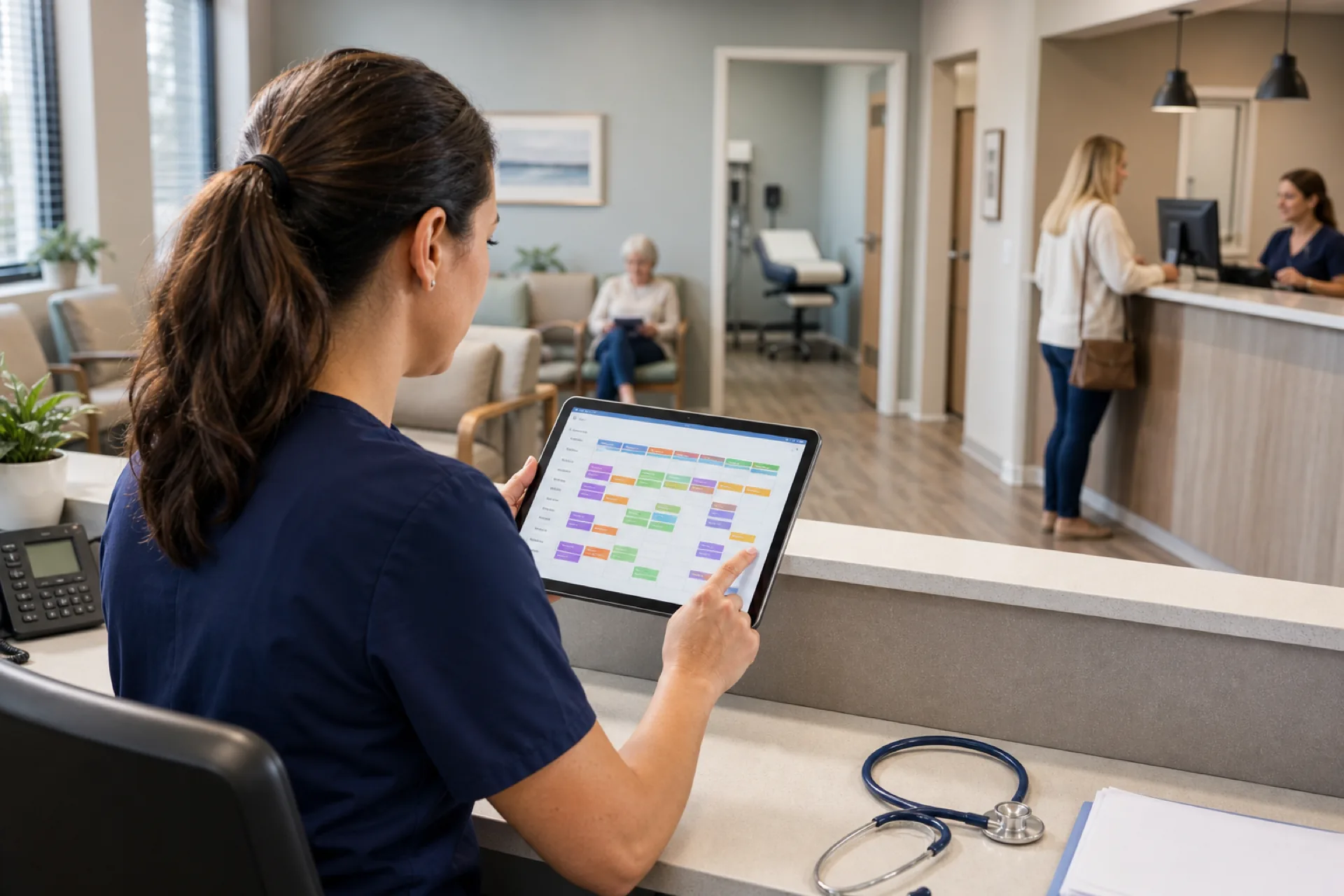
Medical Clinic Scheduling Software for Staff Management (2026)
Medical clinic scheduling software for staff: manage employee shifts, availability, leave, and attendance. This guide is not about patient appointment booking.
Medical clinic scheduling software for staff management (2026)
Monday opens with twelve patients booked and one medical assistant short because the swap never reached the published roster. The practice manager rebuilds the week in Excel while the front desk texts three float staff who already picked up shifts at another location. Payroll exports a schedule that does not match what nurses actually worked.
If you search medical clinic scheduling software, you need more than appointment scheduling for patients. You need staff shift grids that match session demand, availability captured before assign, manager-approved swaps, open shift fill on mobile, leave beside the grid, and attendance aligned with the official week.
Medical clinics need to coordinate physicians, nurses, medical assistants, receptionists, technicians, and other staff across different schedules. As a practice grows, managing availability, shifts, leave, attendance, and last-minute changes through spreadsheets creates unnecessary administrative work. Medical practice scheduling software buyers in 2026 are evaluating tools that publish one roster clinical and support teams trust, not a file that changes five times before Tuesday.
This guide explains what clinic staff scheduling software should deliver: why clinics need better staff scheduling, common problems with manual methods, essential features, benefits, clinic types, a practical example, how to choose, how Heyshift helps, FAQ.
Featured answer: What is medical clinic scheduling software? Medical clinic scheduling software helps medical practices create employee schedules, manage availability and shift changes, track attendance, manage leave, and coordinate clinical and support staff from a centralized platform.
Who should read this: Clinic owners, practice managers, medical office administrators, operations managers, and healthcare HR teams comparing scheduling software for medical practices before a trial.
Compare platforms on healthcare staff scheduling software and nurse scheduling software. For outpatient habits, read clinic staff scheduling best practices.
Staff scheduling is not patient appointment scheduling
This guide focuses on employee scheduling: who works, when they work, where they work, availability, leave, open shifts, swaps, attendance, and working hours. It does not replace patient appointment or EHR scheduling systems.
Medical clinic scheduling vs general healthcare scheduling
Medical clinic scheduling focuses specifically on staffing outpatient practices and medical offices. It may involve physicians, nurses, medical assistants, receptionists, technicians, and other support staff working around clinic hours and patient-session demand.
Broader healthcare staff scheduling can include hospitals, nursing facilities, home healthcare, behavioral health, urgent care, and other healthcare environments with different staffing models.
This page focuses specifically on medical clinic employee scheduling, rather than patient appointment scheduling or general healthcare workforce management.
Medical clinic and medical office scheduling can overlap significantly. This guide focuses on employee scheduling for clinics and outpatient practices, while medical office scheduling best practices may also include administrative and front-office workflows. The scheduling requirements should ultimately be based on the organization's staffing model rather than the label used for the facility.
Executive summary
Medical clinic scheduling software worth adopting in 2026 publishes one official week for every hourly and salaried support role, fills call-offs through open shifts on mobile, and keeps attendance beside the roster finance exports.
Medical clinic scheduling software provides a centralized way to manage staff schedules while improving visibility into staffing and working hours as clinics add providers, rooms, and locations.
In this guide you will find:
- Why medical clinics need better staff scheduling
- Which clinic employees can be scheduled
- Common scheduling problems with spreadsheets and messages
- Features every clinic buyer should prioritize
- How clinic hours differ from employee shifts
- Benefits for admin time, conflicts, communication, and overtime
- Best fit by clinic type and how to staff around session demand
- A practical multi-role scheduling example
- How to choose the right platform and FAQ
Table of contents
- Staff scheduling is not patient appointment scheduling
- Medical clinic scheduling vs general healthcare scheduling
- Why medical clinics need better staff scheduling
- Which medical clinic employees can be scheduled?
- Common medical clinic scheduling problems
- Features to look for in medical clinic scheduling software
- Clinic hours do not always equal employee schedules
- Benefits of medical clinic scheduling software
- Who should use medical clinic scheduling software?
- Schedule staff around clinic demand
- Medical clinic scheduling example
- Why Heyshift for medical clinics?
- How to choose the right medical clinic scheduling software
- Frequently asked questions
- Final thoughts
Why medical clinics need better staff scheduling
Outpatient clinics run on appointment-linked coverage: physicians, nurses, MAs, front desk, lab, and billing support must align with session volume, not a static weekly grid copied from last month. Healthcare clinic scheduling software replaces that friction with publish-first discipline.
Multiple employee roles
A single clinic day may need physicians in three rooms, two MAs per provider band, nurses for procedures, reception for check-in peaks, and a lab tech for draw hours. Medical staff scheduling software keeps role clarity on one grid instead of separate files per department.
Different working hours
Primary care opens early; specialty clinics run compressed surgical days; walk-in sites extend evenings. Shift templates and copy-week reduce rebuild time when hours change seasonally.
Employee availability
Per diem pools, part-time MAs, and staff with school-age children need availability captured before assign. That cuts the text thread volume practice managers handle every Sunday.
Staff vacations and leave
Approved PTO for a lead MA must appear while building next week's grid. Explore leave management and healthcare leave management best practices.
Last-minute call-outs
When an MA calls in sick, open shifts on mobile beat phone trees. Read reduce no-shows and call-offs.
Overtime
California, Texas, and other state rules make visible hour totals while building shifts essential. Pair software with healthcare overtime management.
Multiple departments
Clinical, front office, and back office often schedule in silos until payroll merges exports. One platform with department tags keeps assignments consistent.
Multiple clinic locations
Growing groups operating several sites need multi-location roll-up so float staff do not double-book across locations. See multi-location scheduling software and multi-location healthcare workforce management.
Common medical clinic scheduling problems
Manual methods fail predictably as headcount and session complexity grow. Medical employee scheduling software buyers usually outgrow spreadsheets when they pass roughly 15 to 20 hourly staff, add a second location, or run multi-provider days weekly.
Excel spreadsheets
Multiple "final" versions circulate by email. Staff screenshot outdated grids. Managers re-key availability every week while physicians assume support coverage matched their session templates.
Manual schedule updates
Every call-out triggers a rebuild. Swap agreements in group chat never update the official week payroll uses.
Scheduling conflicts and double-booked employees
Float MAs and per diem nurses appear on two site grids when locations do not share one system of record.
Unfilled shifts
Without open shift posts on mobile, managers lose hours while patients wait or sessions compress.
Poor communication
Employees learn about changes from coworkers, not from publish alerts on the official roster.
Difficulty tracking overtime
Hour totals hidden until payroll close turn into labor surprises instead of decisions made while building shifts.
Separate attendance records
When punches live in one tool and schedules in another, reconciliation becomes a manual merge every period.
Read why spreadsheets fail for workforce scheduling and open shift and swap approvals for habits that complement software.
Which medical clinic employees can be scheduled?
Medical clinic scheduling software may be used to coordinate:
- Physicians
- Nurses
- Medical assistants
- Nurse practitioners
- Physician assistants
- Receptionists
- Lab technicians
- Imaging technicians
- Billing staff
- Administrative staff
- Float and per-diem employees
The exact roles depend on the clinic, but the scheduling system should allow managers to organize employees by role, department, location, and availability. For rotation patterns used by clinical teams, see nurse shift rotation best practices. Download a starter clinic staff schedule template if you are still mapping roles before a trial.
Features to look for in medical clinic scheduling software
When evaluating medical office staff scheduling platforms, prioritize capabilities that match how clinic teams actually work.
Employee scheduling
Create and publish clinic shifts for physicians, nurses, medical assistants, reception, lab, and support staff with templates, copy-week, and role bands tied to session types.
Employee availability
See physician, nurse, MA, front-desk, and support-staff availability before assigning clinic shifts. Explore people and availability.
Shift swaps
Allow clinic employees to request swaps while maintaining manager approval on the published roster.
Open shifts
Identify uncovered clinic shifts and notify available MAs, nurses, or float staff on mobile instead of running a call list.
Attendance tracking
Compare scheduled clinic hours with actual attendance beside the grid. See attendance tracking and healthcare attendance tracking best practices.
Leave management
Manage vacations, sick leave, and other absences for clinical and front-office staff alongside schedules without separate spreadsheets. Pair with healthcare leave management best practices.
Time tracking
Track employee working hours for clinic roles and monitor overtime before payroll close. Pair with attendance management software.
Mobile access
Allow physicians, nurses, MAs, and support staff to view clinic schedules and updates from phones before commutes or between sites (mobile app).
Multi-location scheduling
Manage staff across several clinics with site tags and roll-up reporting (multi-location areas).
Workforce reporting
Give practice managers visibility into staffing, hours, attendance, and overtime by clinic location and role.
| Feature | Why clinic teams need it |
|---|---|
| Employee scheduling | Match MAs and front desk to session demand |
| Availability and leave | PTO beside grid prevents surprise gaps |
| Swaps and open shifts | Fill call-offs without phone trees |
| Attendance | Planned vs worked hours finance trusts |
| Mobile access | Per diem and float staff see updates instantly |
| Multi-location | One account for growing medical groups |
| Reporting | Overtime pacing before payroll close |
This article focuses on staff scheduling, not patient appointment booking. Strong clinic workforce management software handles employee rosters, attendance, leave, and labor visibility. Confirm in trial that staff publish workflows fit your clinic's session patterns.
Clinic hours do not always equal employee schedules
A clinic may be open from 8:00 AM-5:00 PM, but individual employees may work 7:30 AM-4:00 PM, 8:00 AM-4:30 PM, 8:30 AM-5:00 PM, part-time coverage, or extended evening shifts.
Scheduling software should manage those employee shifts, not simply duplicate the clinic's operating hours. Opening, closing, lunch coverage, and provider session bands often require staggered start times even when the waiting room is open the same hours every weekday.
Benefits of medical clinic scheduling software
The right medical practice scheduling software pays back in labor cost, staff experience, and patient throughput.
Save administrative time
Reduce the time managers spend creating and updating schedules when templates and swap workflows replace manual rebuilds.
Reduce scheduling conflicts
Centralized scheduling makes employee assignments easier to manage across rooms, roles, and locations.
Improve staff communication
Employees can access current schedules and schedule updates through one system instead of scattered messages.
Improve overtime visibility
Managers can identify potential overtime before it becomes a larger labor issue. See prevent overtime before payroll.
Support clinic growth
A centralized platform can grow with additional employees, departments, and locations without adding another spreadsheet owner.
Who should use medical clinic scheduling software?
Different outpatient settings share scheduling pain with different emphasis.
Primary care clinics
Family medicine and internal medicine run high-volume appointment grids. MAs and nurses must align with provider session blocks. Read clinic staff scheduling best practices.
Family medicine practices
Multi-provider days need float coverage and consistent front-desk bands through lunch peaks.
Specialty clinics
Cardiology, orthopedics, dermatology, and other specialties run procedure-heavy days where nurse and tech coverage matters as much as MA support.
Multi-location medical groups
Centralize scheduling across sites with consistent swap approval and roll-up hours. Compare best healthcare staff scheduling software for national vendor criteria.
Outpatient clinics
Ambulatory sites affiliated with hospital systems still often schedule hourly support on spreadsheets until they adopt publish discipline.
Walk-in clinics
Extended hours and variable volume need open shift fill and fast swap approval more than static monthly grids.
Community health clinics
Federally qualified and community clinics coordinate diverse roles across extended access hours with tight labor budgets.
Independent medical practices
Solo and small groups benefit once hourly headcount, session complexity, or a second location exceeds spreadsheet capacity.
Schedule staff around clinic demand
Staffing requirements vary by clinic type and patient volume. Software should help managers assign people to those coverage bands. It does not replace the manager's judgment about how many patients a session will bring.
| Clinic period | Staffing need |
|---|---|
| Opening | Front desk plus clinical support |
| Morning peak | Additional MAs and nurses |
| Lunch | Reduced or rotating coverage |
| Afternoon | Standard coverage |
| Closing | Front desk plus required clinical staff |
Use this as a planning prompt, not a forecast. Confirm in your own clinic whether morning peaks, procedure days, or walk-in volume change the mix.
Medical clinic scheduling example
Consider a growing medical practice with four physicians, six medical assistants, three nurses, four receptionists, and two lab technicians across one main site and a satellite office.
| Role | Main site | Satellite | Typical need |
|---|---|---|---|
| Physicians | 4 | 2 | Session coverage |
| MAs | 6 | 2 | Provider support |
| Nurses | 3 | 1 | Clinical coverage |
| Reception | 4 | 1 | Check-in |
| Lab | 2 | 1 | Lab hours |
Satellite coverage often comes from the same employee pool (providers and float staff who split sites), not a second full roster.
The practice manager currently uses a spreadsheet and messages employees whenever a shift changes. When an MA calls out, the manager texts float staff individually while the front desk runs short during the morning rush.
A centralized clinic staff scheduling software workflow changes that pattern:
- Build weekly schedules with templates tied to provider session bands
- Check employee availability before publish instead of after conflicts appear
- Identify open shifts and post them to qualified staff on mobile
- Manage shift swaps with manager approval on the official roster
- Track attendance beside published shifts for payroll reconciliation
- Monitor working hours with overtime indicators while building the grid
- Manage leave so approved PTO appears before assign
- Communicate schedule changes through publish alerts, not group chat
The manager still publishes locally for each site, but regional leadership sees coverage and labor context before payroll close. That is the practical difference between a static weekly file and publish-first medical clinic scheduling.
Why Heyshift for medical clinics?
Heyshift helps clinic managers publish one roster and keep availability, leave, attendance, and shift changes in the same workflow.
- One schedule: Give managers and employees one published roster.
- Better coordination: Manage availability, leave, open shifts, and swaps together.
- Workforce visibility: Connect schedules with attendance and working hours.
- Multi-location support: Coordinate employees across clinics.
- Mobile access: Give employees access to schedule updates away from the office.
Review pricing. Start 30-day free trial for multi-site rollouts.
How to choose the right medical clinic scheduling software
Use this checklist when comparing scheduling software for medical practices.
| Requirement | What to look for |
|---|---|
| Scheduling | Fast schedule creation with templates and copy-week |
| Availability | Employee availability management before assign |
| Shift swaps | Employee requests with manager approval |
| Attendance | Scheduled vs actual hours beside the roster |
| Leave | Centralized absence management beside publish |
| Mobile | Employee schedule access on iOS and Android |
| Locations | Multi-clinic support with roll-up |
| Reporting | Workforce and labor reports by site and role |
| Scalability | Support for growing teams and new locations |
Run a two-week pilot with one messy week: call-offs, swaps, and a high-volume clinic day. If the published roster matches attendance exports at period end, expand. National buyers should read best employee scheduling software for healthcare teams alongside this clinic-specific guide.
For workforce stack context, see the healthcare workforce management guide, mobile workforce management guide, and time tracking software for NYC small businesses as a workflow reference.
Final thoughts
Medical clinics need staff scheduling that keeps pace with session demand, growing teams, and multi-location expansion.
Modern medical clinic scheduling software centralizes employee schedules, availability, attendance, leave, shift changes, and workforce information. Managers spend less time on manual grids; staff see one official week they can trust.
Related Healthcare Resources
- Healthcare Staff Scheduling Software
- Clinic Staff Scheduling Best Practices
- Medical Office Scheduling Best Practices
- Nurse Scheduling Software
- Urgent Care Scheduling Software
- Multi-Location Healthcare Workforce Management
- Hospital Staff Scheduling Software
- Behavioral Health Scheduling Software
- Physical Therapy Scheduling Software
- Dental Practice Scheduling Software
- Home Healthcare Scheduling Software
Frequently Asked Questions
Continue with related topics
More articles on topics related to this one.
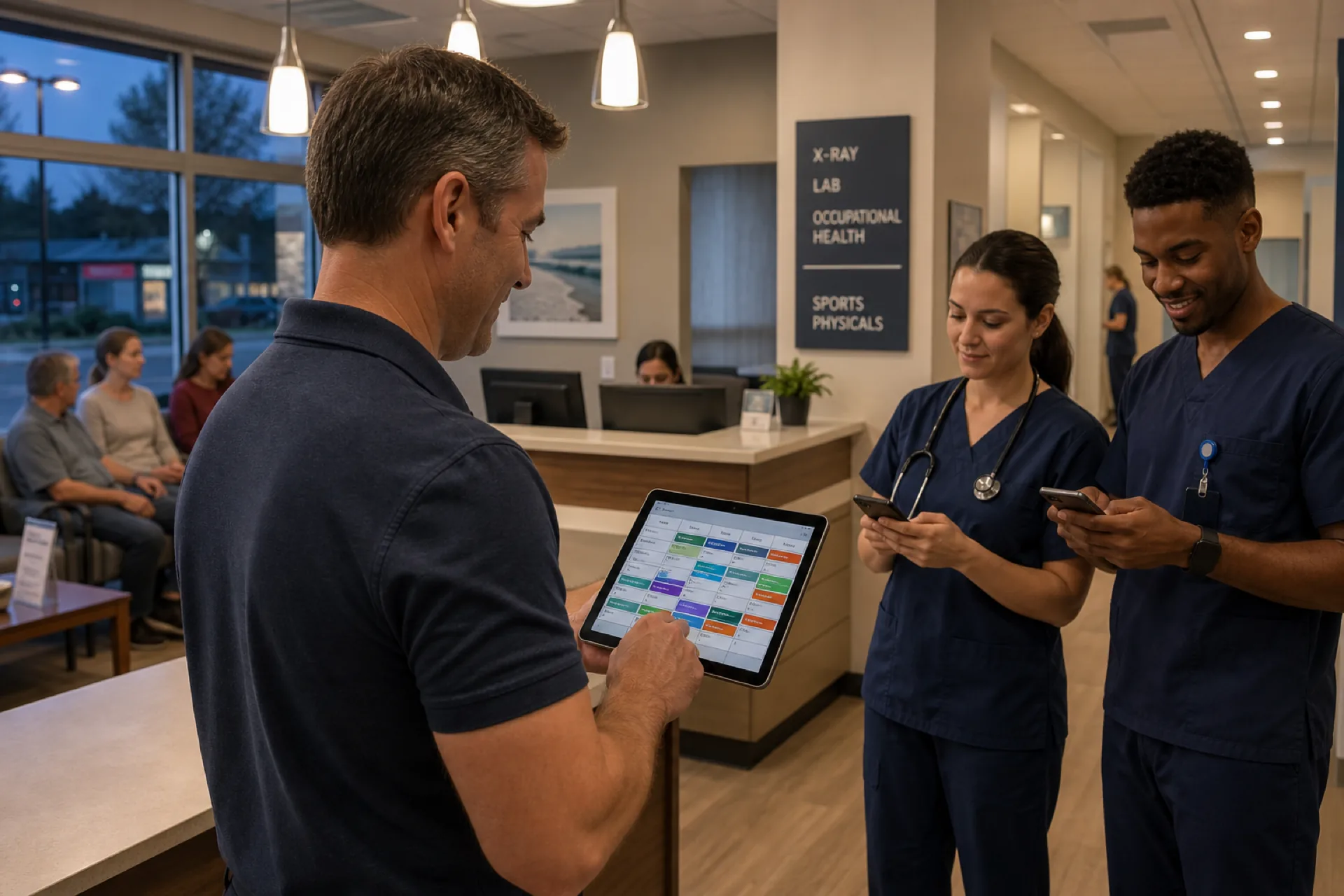
Urgent Care Scheduling Software for Staff Management (2026)
Discover how urgent care scheduling software helps clinics manage staff shifts, availability, attendance, shift coverage, and overtime while improving workforce efficiency.
Read article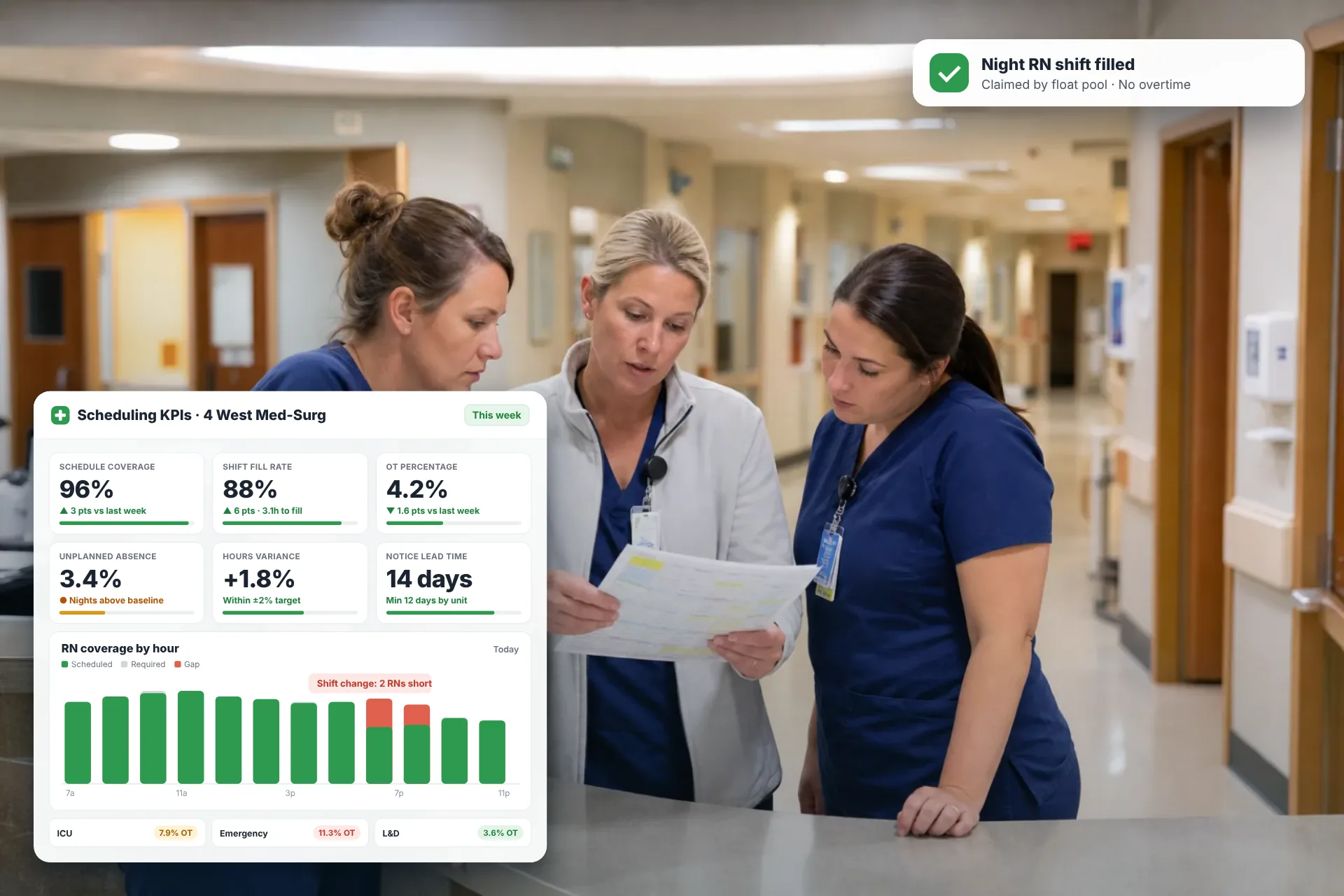
Employee Scheduling KPIs: 12 Metrics Every Operations Manager Should Track
Twelve employee scheduling KPIs with formulas, review cadences, and first actions, plus the trade-offs between them that most KPI lists skip.
Read article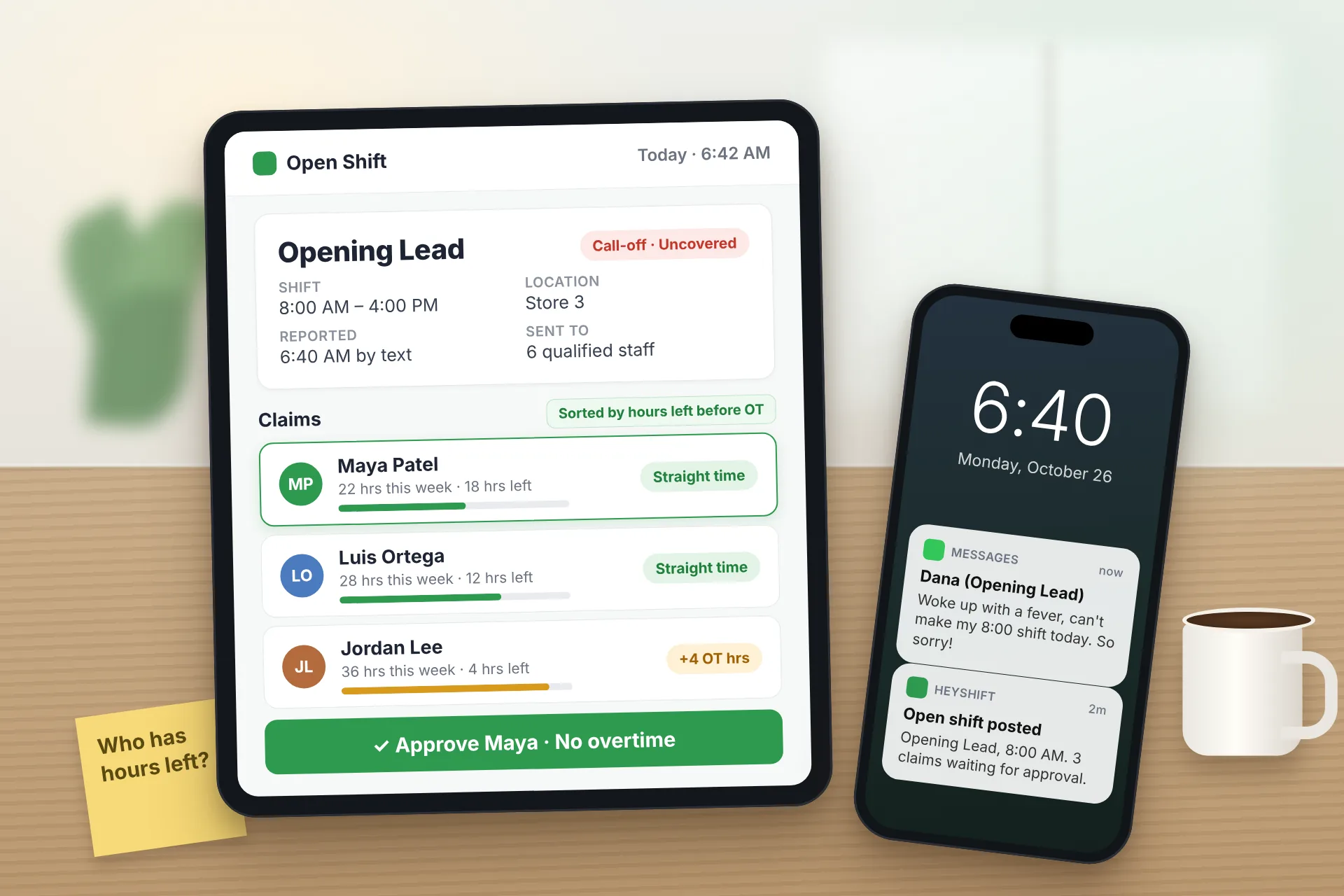
Same Day Employee Call Off Coverage: How to Handle Call-Offs Without Creating Overtime
A 30-minute response sequence for same-day call-offs: build a qualified list, post an open shift to everyone at once, and check overtime before you approve anyone.
Read article