

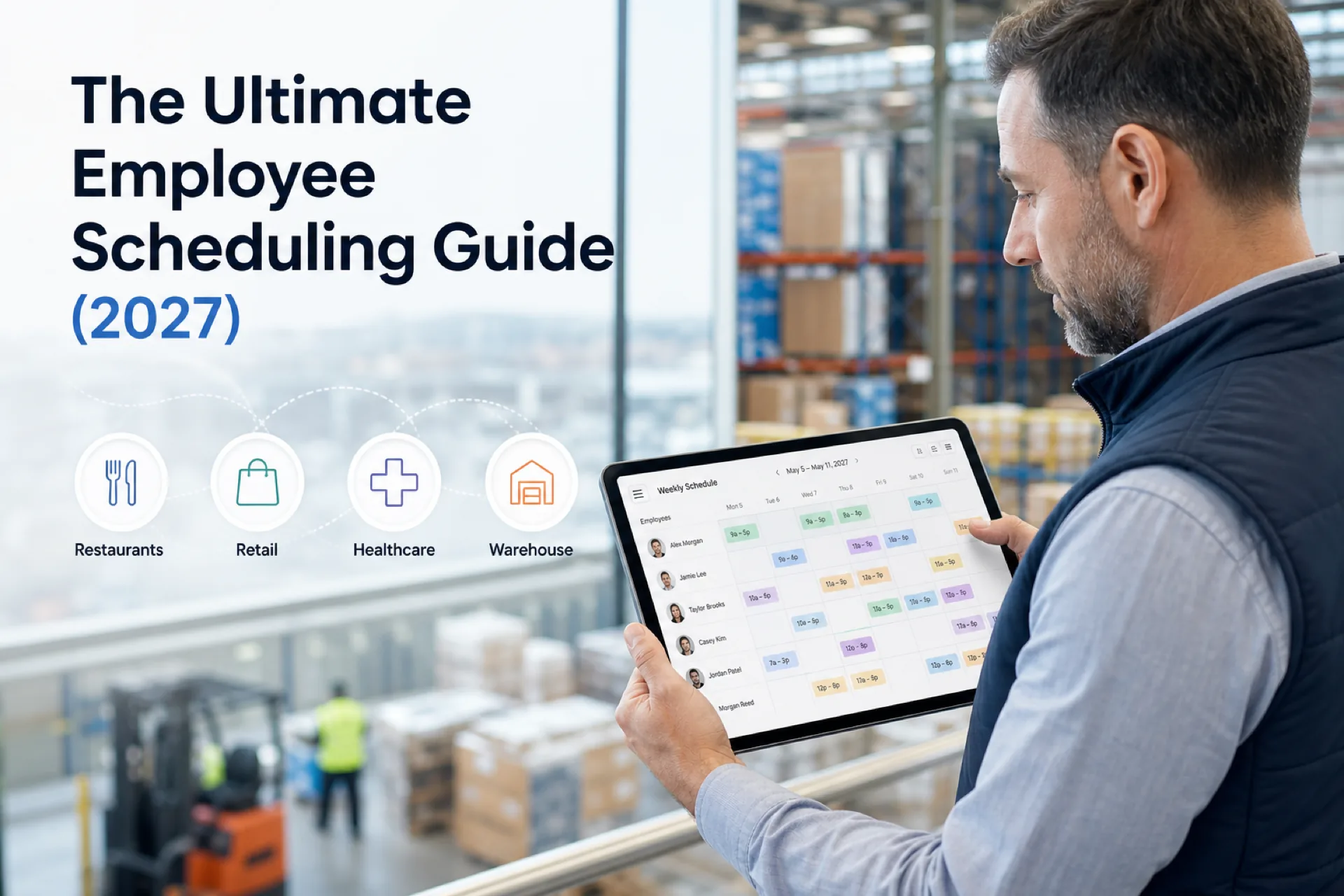
The ultimate employee scheduling guide (2027): software, best practices, and templates
Complete employee scheduling guide for USA operators: what it is, schedule types, best practices, software features, industry playbooks, and when to replace spreadsheets.
Types of employee work schedules
Different industries require different shift scheduling approaches. Match the pattern to your operation before you choose software templates.
Fixed schedule
Employees work the same shifts each week.
Best for: offices, clinics, administrative teams, and stable retail hours where demand is predictable.
Fixed patterns simplify employee roster planning but still need publish discipline when PTO or training creates exceptions.
Rotating shifts
Employees rotate between morning, afternoon, evening, and overnight shifts.
Common in: healthcare, manufacturing, warehousing, and security.
Use the rotating shift schedule template or 2-2-3 shift schedule template to standardize bands before software import.
Split shifts
Employees work two separate periods during the same day.
Often used in: hospitality, transportation, and food service where lunch and dinner rushes need different coverage blocks.
Read what is a split shift when compliance and break rules matter in your state.
Flexible scheduling
Employees work varying schedules depending on business demand.
Popular in: retail, restaurants, and seasonal businesses where traffic swings by daypart.
Flexible does not mean chaotic: managers still publish one official week with hour totals visible while drafting.
On-call scheduling
Employees remain available when additional staffing is required.
Frequently used by: healthcare, home care, emergency services, and field teams covering after-hours call volume.
On-call bands belong on the same roster as regular shifts so managers see total exposure before approving assignments.
Choosing the right schedule type for your business
Before you buy employee scheduling app seats, document which bands your operation actually runs. A restaurant that only needs lunch and dinner blocks should not import a 24/7 rotating hospital template. A warehouse running three eight-hour shifts needs different OT pacing than a retail store with mostly four-hour part-time blocks.
Document shift start and end times, break expectations, minimum coverage by role, and whether employees float between departments. That baseline makes software configuration faster and prevents managers from rebuilding logic every Sunday.
| Schedule type | Primary risk without software | Software helps by |
|---|---|---|
| Fixed | PTO conflicts hidden until publish | Leave blocks before assignment |
| Rotating | Unfair weekend stacking | Rotation history on official roster |
| Split | Break and hour compliance drift | Planned bands tied to attendance |
| Flexible | Last-minute chat changes | Publish once with notifications |
| On-call | Invisible hour stacking | OT pacing while building week |
Employee scheduling metrics that matter
High-performing operators review a short KPI set every week. Work schedule management improves when numbers replace gut feel.
| Metric | Why it matters |
|---|---|
| Overtime hours | Early signal of understaffing or poor load balancing |
| Fill rate | How often open shifts pick up internally before doubles |
| Schedule change count | Process friction and communication gaps |
| Absenteeism by band | Recurring Monday or post-holiday patterns |
| Planned vs worked variance | Payroll accuracy and roster trust |
| Manager scheduling hours | Admin time saved by software |
| Labor cost as % of revenue | Context for staffing decisions |
Pair weekly review with the labor cost percentage calculator and scheduling ROI calculator when building a business case.
Scheduling, attendance, and payroll together
Employee roster discipline breaks when scheduling, attendance, and payroll live in three systems that never agree.
The integrated model:
- Publish the official week with roles, sites, and bands
- Clock or mobile check-in references the published assignment
- Leave and exceptions adjust the plan before payroll export
- Export or integrate clean hours to payroll
Split systems recreate spreadsheet chaos: managers trust one file, payroll trusts another, and variance meetings become arguments about which version was official.
Scheduling and labor compliance awareness
Employee scheduling interacts with wage-and-hour rules, break requirements, predictive scheduling ordinances in some cities, and union contracts where applicable. Software does not replace legal counsel or union stewards, but it helps operators:
- See hour totals and consecutive days while building the week
- Document publish timestamps and approved changes
- Separate planned bands from attendance for audit questions
- Apply role and site tags that match how policies define coverage
Configure platform rules where supported; document human approvals where policy requires override. Explore labor compliance management during enterprise evaluations.
Templates vs software: when to use each
Free templates help teams standardize shift bands before software import. They do not replace publish discipline, mobile notifications, or OT pacing at scale.
| Resource | Best use |
|---|---|
| Employee schedule template | General weekly grid for any hourly team |
| Restaurant shift schedule template | Food service dayparts and FOH/BOH roles |
| Rotating shift schedule template | 24/7 warehouses, manufacturing, security |
| Nurse schedule template | Clinical units and care settings |
| 8-hour shift schedule template | Three-shift warehouse or ops coverage |
| Employee availability form template | Collect constraints before weekly build |
Browse the full templates hub when you need starting patterns. Move to employee scheduling software when swap volume, multi-site roll-up, or payroll variance justifies centralized publish.
Migrating from spreadsheets to scheduling software
Migration is an operational project, not only an IT task. Operators who succeed follow a short sequence:
| Phase | Focus |
|---|---|
| Week 1 | Name the official publisher per site; export four weeks of history |
| Week 2 | Standardize shift labels; import roster with roles and sites |
| Week 3 | Pilot publish on highest-pain department |
| Week 4 | Add attendance alignment with payroll partner |
| Week 5+ | Expand sites; cut parallel email PDFs on fixed date |
Common mistakes include big-bang rollouts across every site, ignoring per-diem pools still managed in texts, and skipping mobile training before go-live weekend.
Read why spreadsheets fail for workforce scheduling and fair staff rotas when migration is also a fairness reset.
Industry scheduling snapshots
Below are quick staff scheduling priorities by sector. Follow the linked pages for full playbooks.
Healthcare: Unit templates, float visibility, credential tags, and attendance beside published clinical bands. Start with healthcare staff scheduling software and best healthcare staff scheduling software.
Retail: Appointment and traffic-driven dayparts, multi-store roll-up, and mobile access for floor staff. See retail employee scheduling best practices.
Restaurants: Session grids, FOH/BOH separation, and surge coverage for weekends. Compare restaurant scheduling software and best employee scheduling software for restaurants.
Logistics and warehousing: Receiving, pick-pack, outbound lanes, driver mobile access, and peak season planning. Read logistics workforce scheduling best practices and best employee scheduling software for warehouses.
Manufacturing: Rotating production bands, skill tags, and OT pacing on continuous operations. Explore manufacturing shift scheduling software.
Construction: Crew and job-site assignment, weather delays, and foreman publish paths. See construction crew scheduling software.
Security: Post coverage, licensing, and overnight rotation fairness. Read best employee scheduling software for security companies.
Field service: Route-friendly scheduling, on-call bands, and mobile-first field staff. Compare field service scheduling software.
Property management: Maintenance, leasing, and cleaning coordination across buildings. See property management scheduling best practices.
Manual scheduling vs employee scheduling software
| Manual scheduling | Scheduling software |
|---|---|
| Spreadsheet updates | Automated scheduling workflows |
| Manual shift changes | Instant updates on published roster |
| Phone calls | Mobile notifications |
| Difficult communication | Real-time communication |
| Higher error rates | Organized scheduling |
| Time-consuming | Faster schedule creation |
Manual methods fail when headcount, sites, or shift change volume cross a threshold. Read workforce scheduling software vs Excel for migration context.
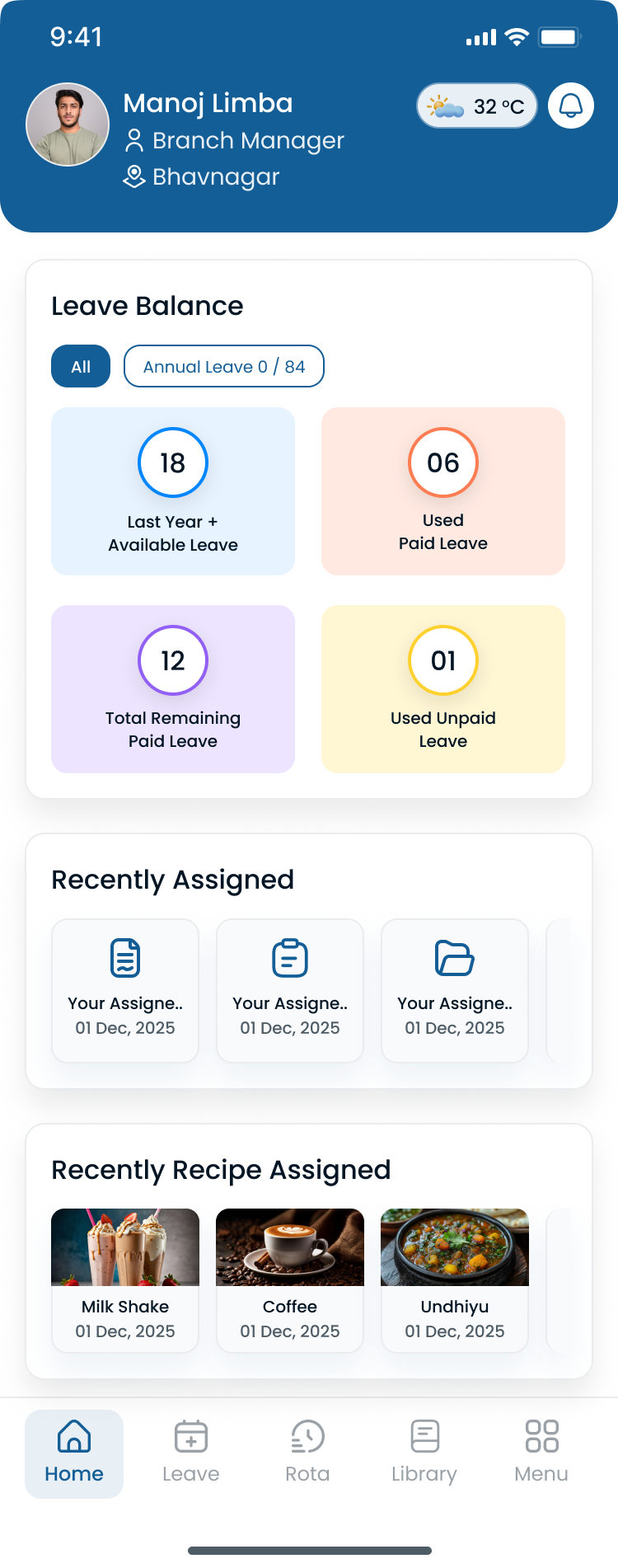
Buyers should see hour totals beside the grid during demos, not only a static calendar.
Industries that benefit from employee scheduling software
Employee scheduling software supports nearly every shift-based industry. Use the links below for setting-specific playbooks and product pages.
| Industry | Heyshift resource |
|---|---|
| Healthcare | Healthcare staff scheduling software |
| Retail | Retail employee scheduling software |
| Restaurants | Restaurant scheduling software |
| Hospitality | Hospitality scheduling software |
| Logistics | Logistics staff scheduling software |
| Warehousing | Warehouse scheduling software |
| Manufacturing | Manufacturing shift scheduling software |
| Construction | Construction crew scheduling software |
| Security | Security guard scheduling software |
| Cleaning | Cleaning company scheduling software |
| Property management | Property management staff scheduling software |
| Field service | Field service scheduling software |
| Home healthcare | Best scheduling software for home healthcare agencies |
| Education | Employee scheduling software for growing teams |
| Nonprofits | Best employee scheduling software for small business |
Each industry adds constraints: clinical credentials, route windows, guard licensing, union rules, or seasonal peaks. The hub principle stays the same: one published employee roster with attendance beside the plan.
Features to look for in employee scheduling software
When comparing work schedule software platforms, evaluate day-to-day workforce management, not only calendar UI.
Easy schedule creation
Reduce scheduling time from hours to minutes with templates, copy-week, and bulk publish. See shift scheduling and AI-assisted shift drafting.
Employee availability
View employee availability, credentials, and constraints before assigning shifts. Explore people and availability and the employee availability form template.
Mobile schedule access
Employees should access schedules anytime on the official roster. Deskless teams need the Heyshift mobile app, not PDF attachments.
Shift swapping
Allow managers to review and approve schedule changes quickly on the published roster. Read employee shift swapping best practices and open shift and swap approvals.
Time-off requests
Review leave requests before publishing schedules so PTO blocks assignment, not surprises at handoff. See leave management.
Multi-location scheduling
Manage multiple departments or business locations from one platform. Compare multi-location scheduling software and multi-location areas.
Notifications
Instantly notify employees when schedules change. Pair publish events with shift reminders so staff see updates before shift start.
Reporting
Monitor staffing levels, overtime pacing, fill rate, and workforce utilization. Explore workforce visibility and attendance reports.
Open shifts
Internal open-shift pickup reduces doubles and agency spend when call-offs spike. See what is open shift management.
| Feature | Why it matters for buyers |
|---|---|
| Publish-first roster | One source of truth for staff and payroll |
| Attendance beside plan | Narrow planned vs worked variance |
| OT alerts while drafting | Control labor before export |
| Role and site tags | Multi-department clarity |
| Payroll export path | Clean handoff to provider |
Employee scheduling best practices
Successful workforce scheduling starts with a consistent process.
Best practices include:
- Publish schedules in advance so staff can plan personal time
- Review employee availability regularly before building the week
- Balance workloads fairly across qualified employees
- Minimize unnecessary overtime with planning-time hour totals
- Use recurring schedules and copy-week where patterns repeat
- Plan for busy seasons before volume spikes
- Keep communication centralized on the official roster
- Review hour totals and coverage gaps before publishing
- Collect employee feedback on fairness and predictability
- Continuously improve scheduling using weekly workforce data
Operators who adopt these habits before software still benefit; software makes the habits enforceable at scale.
Planning for peak and seasonal demand
Seasonal businesses should extend the same publish discipline into peak weeks:
- Build schedules earlier than usual when holiday, back-to-school, or harvest volume is predictable
- Hire and onboard seasonal staff before the first heavy week
- Balance workloads so the same core employees are not stacked every weekend
- Prepare backup staffing plans and open-shift paths before volume spikes
- Review OT pacing daily during peak, not only at payroll close
Retail and logistics operators should pair this section with weekend surge staffing templates and logistics workforce scheduling best practices.
Ten habits high-performing schedulers share
- Forecast demand before opening the grid
- Block leave before assignment, not after publish
- Cross-train for coverage flexibility
- Track attendance beside the same roster payroll uses
- Fill open shifts internally before approving doubles
- Run weekly OT review with finance or ops lead
- Pilot changes on one site before network rollout
- Train mobile before go-live weekend
- Stop parallel PDFs on a fixed cutover date
- Measure manager hours saved and variance narrowing
Industry playbooks with deeper detail:
- Logistics workforce scheduling best practices
- Retail employee scheduling best practices
- Hospital staff scheduling best practices
The employee scheduling workflow
Repeatable shift scheduling beats heroic weekly rebuilds. Most growing teams follow this cycle:
| Step | Action |
|---|---|
| 1. Forecast | Expected demand, appointments, shipments, or coverage minimums |
| 2. Availability | Approved PTO, preferences, credentials, part-time limits |
| 3. Draft | Assign shifts by role, site, and band |
| 4. Review | Hour totals, thin coverage, OT thresholds |
| 5. Publish | One official roster with notifications |
| 6. Operate | Swaps, open shifts, call-offs through approval paths |
| 7. Attendance | Planned vs worked on same timeline |
| 8. Report | OT, fill rate, absenteeism, variance |
| 9. Improve | Adjust templates and staffing rules next cycle |
Following a repeatable workflow creates consistency across departments and reduces errors when managers change or sites expand.
How to choose employee scheduling software
Evaluate employee scheduling app candidates on outcomes from a real week at your hardest site, not demo theater alone.
| Criterion | What to verify in trial |
|---|---|
| Publish speed | Can a manager publish one department in under 30 minutes after onboarding? |
| Mobile adoption | Do floor staff see open shifts without asking for screenshots? |
| Availability and leave | Does approved PTO block assignment before publish? |
| Overtime visibility | Do warnings appear while building the week? |
| Multi-site roll-up | Can district leads see hours without merged Excel? |
| Attendance fit | Do punches reference published assignment? |
| Reporting | Can ops and finance share weekly OT pacing? |
| Total year-one cost | Model seats, sites, and modules on pricing |
Read employee scheduling software pricing guide and employee scheduling software cost before annual contracts.
Demo questions every buyer should ask:
- Show hour totals by employee while the schedule is still a draft.
- Where do open shifts notify only qualified staff?
- How does leave appear relative to publish?
- Can I compare planned vs worked hours before payroll export?
- What does mobile look like for staff with no desk?
Total cost beyond list price
Compare year-one cost, not only per-user list price:
| Cost driver | Question to ask |
|---|---|
| Headcount | Per-employee vs flat site pricing at scale |
| Sites | Multi-location fees on tiers |
| Managers vs staff | Who needs a paid seat for publish and approvals |
| Attendance | Bundled or separate module |
| Payroll export | Integration fees or manual export labor |
| Support and onboarding | Included hours vs paid implementation |
Run employee scheduling software pricing guide math with manager hours saved and OT reduction scenarios before you sign annual contracts.
Employee scheduling by team size
Small teams (roughly 10 to 30 employees)
Spreadsheets often work until swap volume, PTO tracking, or a second supervisor role appears. Small teams still benefit from publish discipline and mobile access early. See best employee scheduling software for small business.
Growing teams (roughly 30 to 150 employees)
This is where parallel schedule versions, OT surprises, and manager hour drain typically begin. One platform with attendance and leave visibility pays back quickly. Read employee scheduling software for growing teams.
Multi-location operators (150 to 500+ employees)
District visibility, site templates, and roll-up reporting become non-negotiable. Compare multi-location employee scheduling software USA patterns before signing multi-year deals.
Signs your business needs scheduling software
You may have outgrown spreadsheets if:
- Scheduling takes several hours each week
- Employees frequently miss shifts or schedule updates
- Managers constantly answer scheduling questions
- Overtime continues increasing
- Multiple locations use separate schedules
- Shift changes become difficult to manage
- Communication relies on text messages or printed schedules
The more boxes you check, the greater the return from centralized employee scheduling software. Start a pilot on the highest-pain site, not the friendliest manager location.
How employee scheduling software improves team communication
Communication is often overlooked when discussing scheduling.
Modern scheduling platforms improve communication by:
- Delivering instant notifications when schedules publish or change
- Keeping schedules in one place staff trust on mobile
- Reducing missed updates from parallel chat threads
- Improving manager visibility into coverage and hour totals
- Helping employees stay informed about open shifts and swaps
Read mobile workforce management guide when field and floor staff are your primary audience.
If dispatch still assumes everyone saw the group text, you have a source-of-truth problem. Fix publish discipline first; notifications second.
Communication checklist for shift-based teams
| Practice | Outcome |
|---|---|
| Publish once per cycle | Staff know when the official week is final |
| Push on change | Approved edits reach affected employees immediately |
| Open-shift alerts | Qualified staff see gaps before managers call |
| Mobile-first access | Floor and field staff never hunt for PDFs |
| Manager office hours | Fewer "what time do I work?" interruptions |
A real-world scheduling scenario
Consider a regional operator with three retail stores and one warehouse (140 hourly employees).
Before structured scheduling: each store manager maintained a separate spreadsheet. The warehouse supervisor texted weekly grids. District leadership merged tabs for OT review every Sunday night. Call-offs triggered phone trees. Payroll variance meetings happened twice a month because attendance sign-in sheets did not match the roster managers thought was official.
After publish-first scheduling: one account with site tags, department templates, mobile access for stock and floor teams, leave blocks before publish, and weekly OT pacing shared by store and warehouse leads.
| Metric | Before | After |
|---|---|---|
| Schedule versions | Parallel files per site | One published roster per location |
| Manager scheduling hours | 6 to 8 hours per site weekly | 2 to 3 hours with templates |
| OT discovery | Payroll export | Planning-time alerts |
| Call-off fill | Phone tree | Mobile open shifts |
| Payroll variance | Frequent corrections | Narrowing planned vs worked gap |
The win was visibility and communication, not cutting customer-facing hours. Pilot the hardest site first, include finance in week two, and measure baseline OT for 90 days before claiming ROI. Read employee scheduling software ROI guide.
Why businesses choose Heyshift
Heyshift helps businesses simplify employee scheduling while supporting growing teams.
With Heyshift you can:
- Create schedules faster with publish-first discipline
- Improve employee communication around changes and open shifts
- Reduce manual scheduling and spreadsheet merges
- Manage multiple locations from one account
- Improve workforce visibility for ops and finance
- Reduce scheduling conflicts with availability and leave blocks
- Support business growth without enterprise implementation overhead
Whether you operate one location or a regional network, Heyshift makes work schedule management practical for shift-based teams. Explore employee scheduling software, review pricing, and start a 30-day free trial on your busiest site.
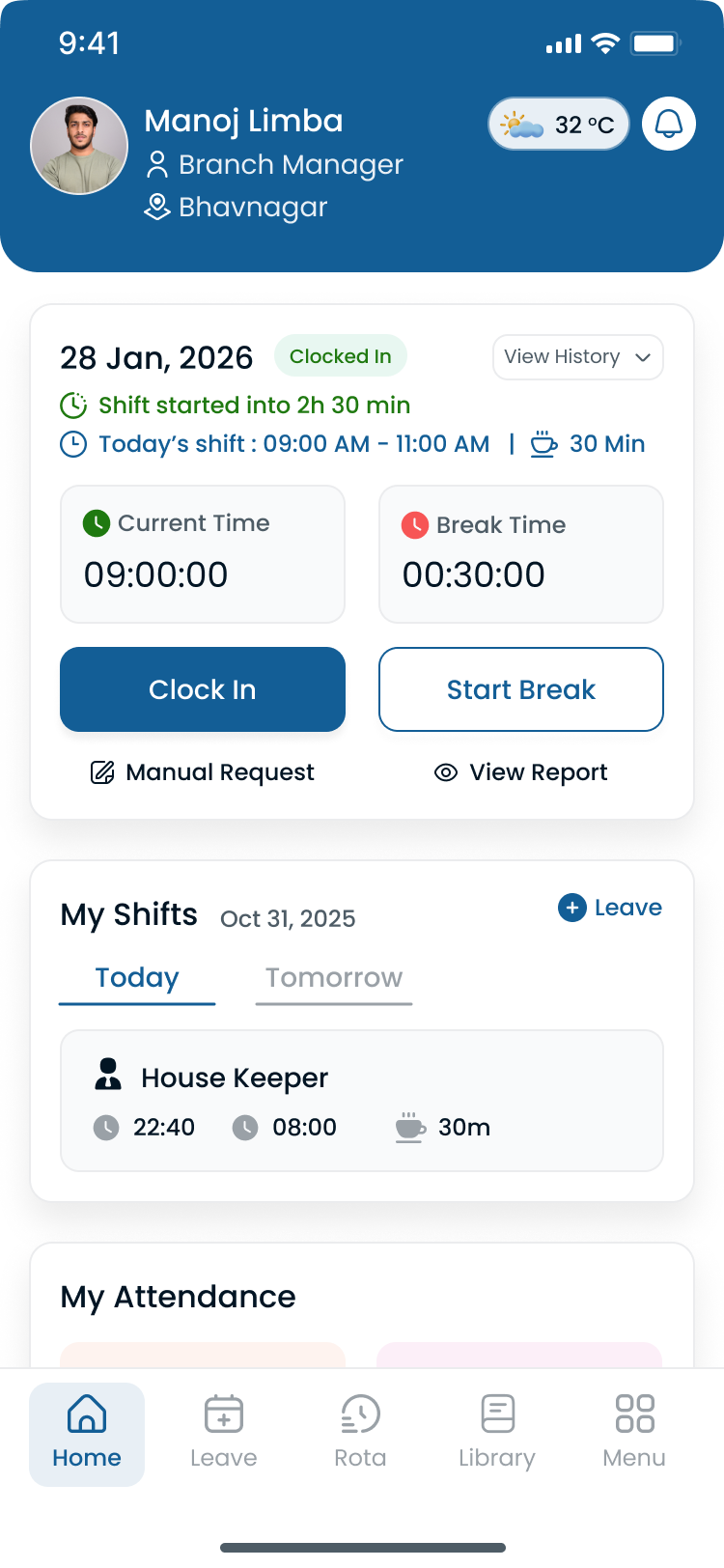
Scheduling and attendance should share one timeline before payroll export.
Final thoughts
Employee scheduling is one of the highest-leverage operational disciplines for shift-based businesses. The teams that win treat the published roster as infrastructure: forecast first, publish once, communicate on the official week, and review attendance and labor data every cycle.
Spreadsheets and paper processes can start a business, but they rarely scale across sites, seasons, and swap volume without manager burnout and payroll variance.
Use this guide as your hub: link from industry pages, feature pages, templates, and comparison posts back here when you explain fundamentals. When you are ready to trial software, pilot Heyshift on your hardest site for one full publish cycle.
Start 30-day free trial with your headcount, site count, and primary schedule type.
Buy the system that becomes the official week, not the calendar your managers export to email.
Related resources hub
Industry pages
- Healthcare staff scheduling software
- Retail employee scheduling software
- Restaurant scheduling software
- Logistics staff scheduling software
- Warehouse scheduling software
- Manufacturing shift scheduling software
- Construction crew scheduling software
- Hospitality scheduling software
- Security guard scheduling software
- Cleaning company scheduling software
- Property management staff scheduling software
- Field service scheduling software
Feature pages
- Employee scheduling software
- Shift scheduling
- AI-assisted shift drafting
- People and availability
- Leave management
- Multi-location scheduling software
- Mobile app
- Workforce visibility
- Attendance tracker
Templates
- Employee schedule template
- Restaurant shift schedule template
- Rotating shift schedule template
- Nurse schedule template
- Restaurant staff schedule template
- 8-hour shift schedule template
Guides and tools
Frequently Asked Questions
Continue with related topics
More articles on topics related to this one.

Employee scheduling software with a mobile app: features, benefits, and how to choose
Compare employee scheduling software with a mobile app. See which features matter for shifts, availability, time off, swaps, and attendance.
Read article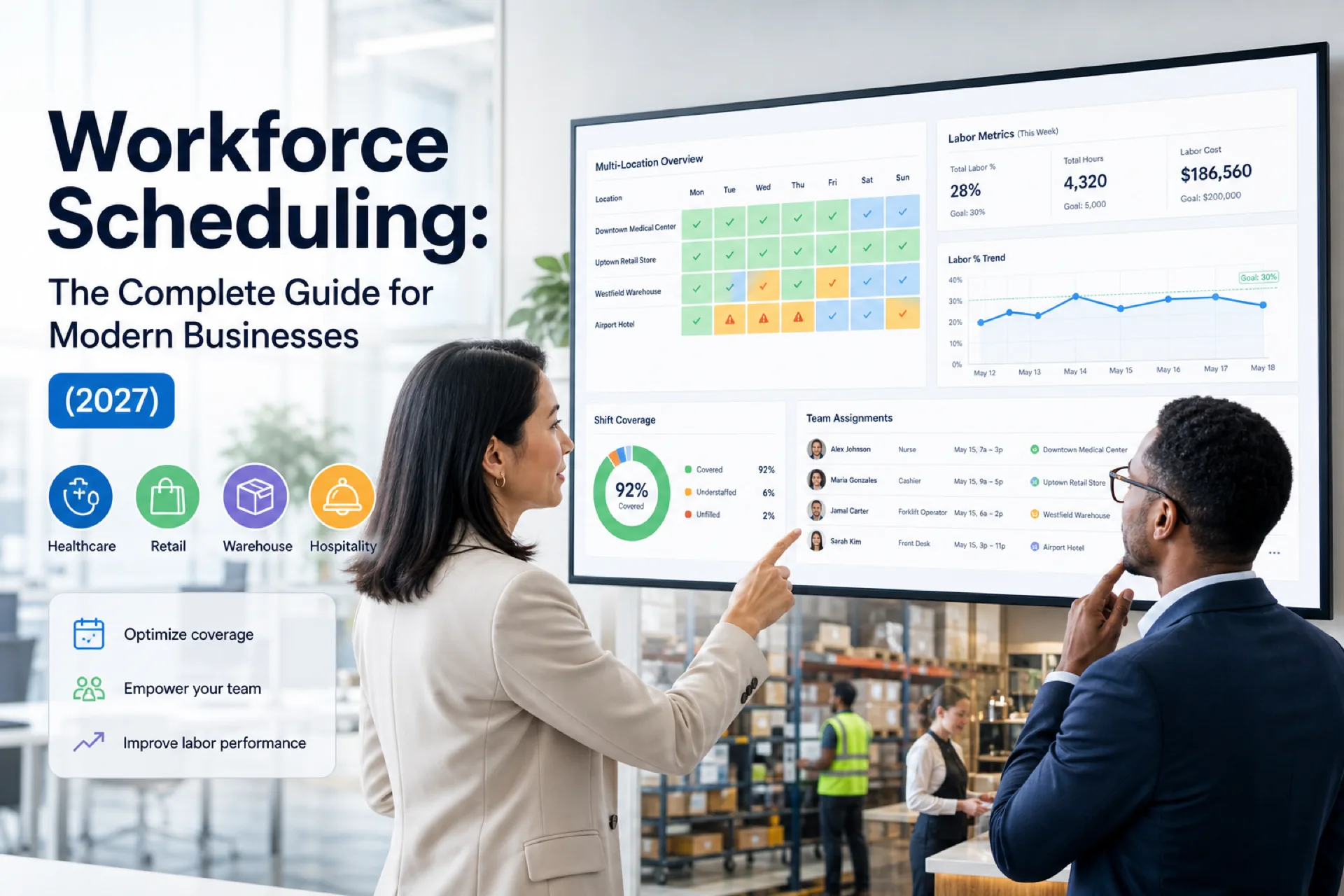
Workforce scheduling: the complete guide for modern businesses (2027)
Complete workforce scheduling guide for operations managers and HR: planning, software, industry playbooks, best practices, AI trends, and when to replace spreadsheets.
Read article
How far in advance should employee schedules be published? A manager's guide
How far in advance should employee schedules be published? Use practical notice windows, a weekly cadence, and a controlled process for late changes.
Read article